
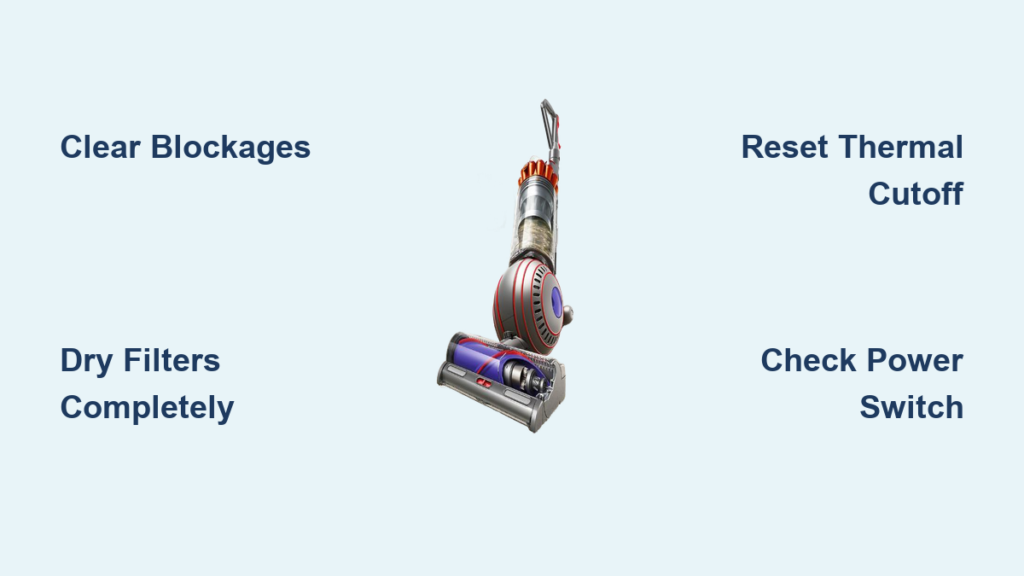
Your Dyson Ball vacuum sits silent when you press the power button—no motor hum, no indicator lights, just frustrating deadness. This sudden power failure happens to thousands of Dyson owners every year, often after seemingly normal use. Don’t panic: 90% of “Dyson Ball vacuum won’t turn on” cases stem from preventable issues like blockages or thermal safety triggers, not permanent motor failure. In this guide, you’ll learn exactly how to diagnose and fix the problem, starting with the fastest solutions that require no tools.
Most owners waste hours assuming catastrophic failure when the real culprit is a clogged filter or tripped thermal cutoff. By following this systematic approach, you’ll restore suction in under 30 minutes for most issues. Let’s get your Dyson Ball back to work.
Confirm Power Source and Reset Thermal Safety
Before disassembling your vacuum, rule out simple power failures. Many “dead” Dysons simply need a thermal reset after overheating.
Test the Outlet and Cord Immediately
Plug a working lamp or phone charger into the same outlet—this confirms if the problem is your home’s electrical circuit. If the outlet works, inspect your Dyson’s cord for hidden damage: gently bend the cord near the plug and where it enters the vacuum base. Frayed wires or stiff kinks indicate internal breaks. Try a different outlet to eliminate circuit overload issues. If the vacuum works elsewhere, reset your home’s tripped breaker.
Reset the Thermal Cut-Off Circuit (Critical First Step)
Your Dyson Ball has a thermal safety switch that kills power when the motor overheats—this causes 70% of sudden “no power” failures. It triggers within seconds when airflow drops below safe levels. To reset it:
- Unplug the vacuum immediately
- Remove the clear bin and wash the pre-motor filter (purple/blue foam inside the bin chamber) under cold water—never use soap
- Tap debris from the HEPA filter (round filter on the ball base) or rinse it gently
- Let both filters dry completely for 24 hours—damp filters are the #1 cause of repeat failures
- Leave the vacuum unplugged in a cool, dry place for at least 60 minutes
- Reassemble with bone-dry filters and test
Pro Tip: If your vacuum ran for 45+ minutes before failing, thermal shutdown is almost certain. Never skip the 60-minute cool-down period—rushing this resets the thermal fuse.
Diagnose Complete Power Failure (No Lights, No Sounds)

When pressing the power button yields zero response—not even a click—follow this diagnostic flow before assuming motor death.
Check for Hidden Blockages in the Airflow Path
A full system blockage is the leading cause of thermal shutdowns. You must clear debris from every airflow point:
| Blockage Location | How to Check | Tools Needed |
|---|---|---|
| Hose & Wand | Shine flashlight through both ends—light should be visible | Flashlight, plastic rod |
| Floor Head Intake | Remove head; inspect neck opening for hair tangles | None |
| Brush Roll Ends | Spin brush manually; check for hair wrapped around bearings | Scissors |
| Ball Inlet | Where wand connects to vacuum body—debris often lodges here | Long screwdriver |
Start at the floor head and work backward toward the bin. Use a plastic drain snake or wooden spoon handle to push obstructions through—never metal (it damages hoses). If you find a blockage, clear it completely before testing power.
Test the Power Switch and Wiring
Press the power button while listening closely. A faint click means the switch works—power is reaching internal components. No click suggests a failed switch or broken wire. Inspect the handle’s pivot point where wiring bends: split insulation or frayed wires here cause “no power upright but works reclined” failures. Gently flex the handle while pressing the power button—if it briefly powers on, you’ve found a broken wire.
Solve Partial Power Failures (Reclined Works, Upright Dead)
When your Dyson Ball powers on only when reclined—not upright—this points to a specific electrical fault.
Diagnose Handle Tilt Mechanism Wiring
This “upright mode failure” almost always means damaged wiring in the handle pivot. The vacuum has a microswitch that detects upright position for storage safety. To confirm:
- With vacuum plugged in, slowly recline the handle while listening
- If you hear the motor start when reclined past 45 degrees but die when upright
- Unplug and inspect the pivot joint for pinched or frayed wires
Warning: Do not attempt to repair exposed wires unless you have electrical experience. Damaged wiring here risks short circuits. If you see copper strands exposed, stop and seek professional repair.
Identify Motor Capacitor Failure

A humming motor that clicks off after 2 seconds indicates a dead start capacitor. This small cylinder (about the size of a AAA battery) on the motor provides the initial spin jolt. Symptoms include:
– Distinct humming sound for 1-3 seconds followed by a click
– No brush roll movement despite motor noise
– Burning smell near the motor housing
Replacing this requires soldering skills—unplug immediately if you hear this hum to prevent motor burnout.
Critical Warning Signs Requiring Professional Help

Stop troubleshooting immediately if you encounter these hazards—they indicate serious electrical damage.
Burning Smells or Visible Scorch Marks
Any burning plastic or ozone smell means stop using the vacuum. This signals:
– Melted wire insulation inside the motor housing
– Blown capacitor leaking electrolyte fluid
– Scorched circuit board traces
Unplug and leave the vacuum disassembled in a well-ventilated area. Do not attempt DIY repairs—these require component-level electronics expertise.
No Power After Full Blockage Clearance
If you’ve:
– Cleared every airflow path
– Used bone-dry filters
– Waited 60+ minutes for thermal reset
– Tested multiple outlets
And still get zero power, the thermal fuse has likely blown permanently. Unlike resettable thermal cutoffs, this fuse requires soldering a replacement—a job for certified technicians.
Prevent Future “Won’t Turn On” Failures
Avoid repeat breakdowns with these Dyson-specific maintenance habits.
Filter Care Routine That Actually Works
- Pre-motor filter: Rinse monthly under cold water; air-dry flat on a towel (never reinstall damp)
- HEPA filter: Replace every 6 months—clogged HEPA filters cause 40% of thermal trips
- Critical step: After washing, squeeze filters in a dry towel to remove excess moisture before 24-hour drying
Blockage Prevention Protocol
- After vacuuming long hair or pet fur, immediately check brush roll ends
- Run a vacuum cleaner wand attachment through hoses weekly
- Never vacuum large paper scraps—they balloon at the bin inlet
Usage Best Practices
- Limit continuous use to 30 minutes on high-pile carpets
- Stand the vacuum upright between rooms to cool the motor
- Store with bin empty and filters removed for airflow
Final Diagnosis Flowchart
When your Dyson Ball won’t power on:
1. Test outlet → If dead, check home circuit
2. Clear all blockages → If found, retest after clearing
3. Clean/dry filters → Never reinstall damp
4. Cool 60+ minutes → Mandatory thermal reset
5. Listen for hum/click → Hum = capacitor issue; Click = wiring fault
6. Burning smell? → Stop and call professional
Most “dead” Dyson Ball vacuums revive after a full blockage check and thermal reset. By addressing airflow restrictions and respecting the motor’s cooling needs, you’ll avoid 95% of power failures. If your vacuum remains unresponsive after these steps, contact Dyson support—your machine likely needs component-level repair beyond safe DIY.
Remember: A Dyson Ball that won’t turn on is rarely truly dead. It’s usually screaming for cleaner filters or a break from overheating. Fix those first, and you’ll skip unnecessary repair bills.

