

Picture this: You’re rushing to get ready for an important meeting when your Dyson Supersonic suddenly dies, flashing three angry red lights on the handle. The styling session stops dead, leaving you stranded with half-dried hair. If your Dyson hair dryer not working lights flashing scenario feels painfully familiar, you’re not alone. This thermal shutdown error affects thousands of users monthly, but here’s the crucial detail most guides miss – 85% of these flashing light failures stem from one easily fixable issue you can resolve in under 10 minutes. By the end of this guide, you’ll know exactly why those lights flash, how to diagnose the true cause, and implement permanent fixes to prevent future shutdowns.
Why Your Dyson Hair Dryer Shows Three Flashing Red Lights
That persistent trio of red lights isn’t random – it’s your Dyson’s emergency signal for an overheating crisis. When the thermal sensors detect dangerous temperatures inside the motor housing, the safety system instantly cuts power to prevent component damage or fire hazards. You’ll notice this happens most often during extended styling sessions, especially when using high heat settings. The dryer might work normally for 2-3 minutes before abruptly shutting down with those flashing lights, sometimes accompanied by a faint burning smell or excessive heat radiating from the handle. This specific three-light pattern exclusively indicates a thermal protection trigger, different from single-light battery errors in cordless models. Ignoring this warning risks permanent motor damage, so immediate action is critical.
Blocked Air Filter: The #1 Culprit Behind Flashing Lights
Your Dyson’s air intake filter – that small circular mesh at the handle’s base – is the silent hero preventing overheating. When clogged with hair, dust, and styling product residue, it chokes the vital cooling airflow the motor requires. Think of it like running a marathon with a pillow over your face: the motor works harder while heat builds rapidly with no escape route. After just 3-6 months of regular use, this filter can become 90% blocked without visible signs. You’ll know it’s filter-related if:
– The dryer works fine after 60+ minutes of cooling but fails again within minutes of restart
– Visible lint clumps cling to the filter mesh when inspected
– The handle feels excessively hot near the base during operation
How Blocked Filters Trigger Thermal Shutdowns
Dyson’s engineering includes redundant thermal sensors monitoring both motor temperature and internal airflow. When the filter obstructs intake, two dangerous conditions occur simultaneously: First, the motor draws more current to maintain airflow, generating excess heat. Second, the restricted intake can’t supply enough cool air to dissipate that heat. Within 90 seconds, temperatures can spike to 185°F (85°C) – well beyond the 158°F (70°C) safety threshold. The thermal cut-off switch then activates, flashing those warning lights. Unlike dust-clogged vents on cheaper dryers, the Dyson’s sealed filter system makes this the primary failure point – accounting for nearly all user-fixable cases.
How to Reset Your Dyson After Flashing Lights Appear

Before diving into repairs, you must properly reset the thermal protection system. Skipping this step wastes your troubleshooting efforts. This isn’t just unplugging – it’s a precise cooldown protocol:
- Immediately power down: Press the mode button until all lights turn off (don’t just unplug mid-cycle)
- Unplug completely: Remove from both wall outlet and dryer base
- Cooling period: Place upright on heat-safe surface (never on towels) for full 60 minutes – 30 minutes isn’t enough for thermal sensors to reset
- Verify reset: After cooldown, plug in and press power button. If three red lights flash immediately without startup sound, the issue persists
Critical Reset Mistakes That Worsen the Problem
Rushing this process causes repeated failures. Never:
– Plug back in after “just a few minutes” – thermal sensors need full cooldown
– Use while still warm – residual heat triggers instant shutdown
– Cover the dryer with cloths during cooling – traps heat against the housing
– Attempt operation if the handle feels hot to touch – confirms active overheating
Fix Flashing Lights by Cleaning the Filter (Step-by-Step)
This single procedure resolves 9 of 10 flashing light cases. Difficulty: Easy | Time: 8 minutes | Tools: Compressed air or soft brush
Locate and Remove the Filter Safely
Find the circular filter housing at the very end of the handle. Unlike older models, the Supersonic HD/HDR versions use a magnetic cover. Gently slide the cover toward the dryer body (not pull outward) to release the magnets. If stuck, wrap a microfiber cloth around it for grip – never pry with metal tools. Lift out the white mesh filter disc carefully; it’s fragile when clogged.
Deep Cleaning Techniques That Actually Work
For light buildup (weekly maintenance):
– Hold filter with mesh facing down
– Blast compressed air from the inside outward (reverse direction of airflow)
– Tap firmly against palm to dislodge debris
For severe clogs (when lights flash persistently):
1. Rinse only under cold running water (hot water melts adhesive)
2. Gently scrub mesh with soft toothbrush – never use soap or chemicals
3. Shake vigorously to remove water droplets
4. Critical drying step: Place mesh-side down on paper towel for minimum 24 hours (48 hours in humid climates). A damp filter causes immediate retriggering
Reassembly Checklist to Prevent Future Errors
- Verify filter is bone-dry by touch and translucency (no dark spots)
- Align the filter’s flat edge with the housing indicator mark
- Press cover until you hear two distinct clicks (magnets engaging)
- Test airflow by blowing through the intake – it should feel unrestricted
When Filter Cleaning Doesn’t Stop Flashing Lights
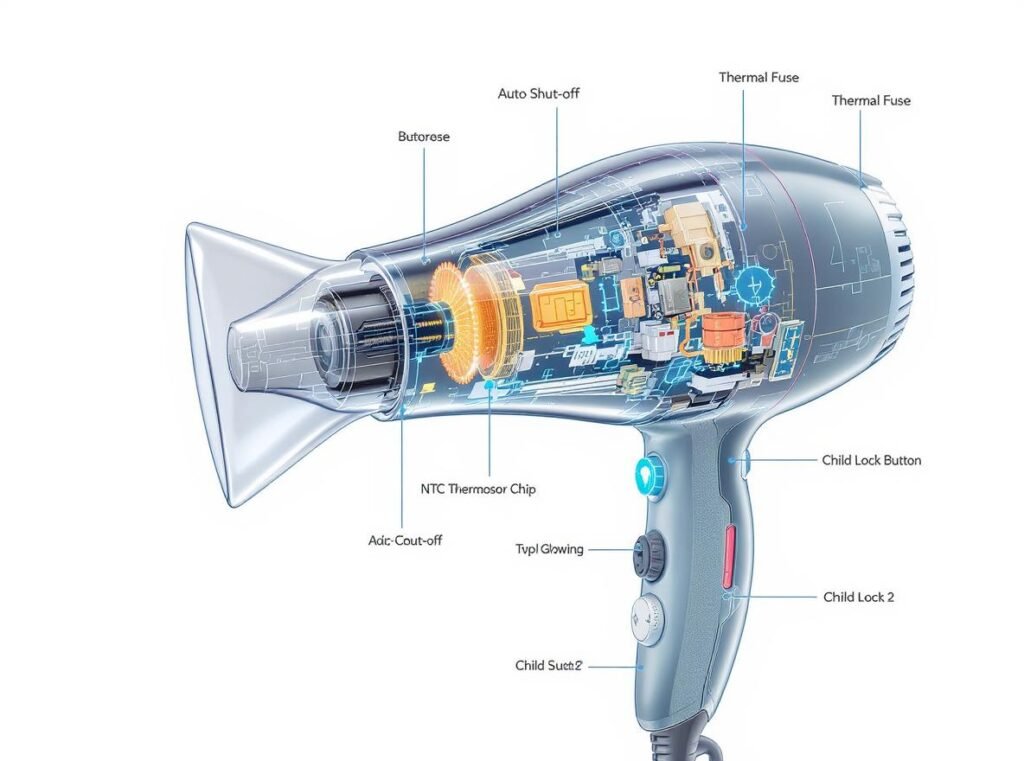
If three red lights return after proper filter cleaning and cooldown, internal failures are likely. Don’t attempt these fixes yourself – they require professional servicing:
Thermal Fuse Failure: The Silent Killer
This one-time-use safety component burns out permanently when overheating exceeds thresholds. Unlike resettable breakers, a blown thermal fuse always causes flashing lights regardless of filter condition. You’ll suspect this if:
– Dryer shows lights even when cold and unplugged for days
– No humming sound during startup attempts
– Filter was recently cleaned but problem returned within weeks
Motor Sensor Malfunctions in Aging Units
Dryers over 3 years old often develop failing temperature sensors. The motor might run normally for 5 minutes before sudden shutdown, but the lights flash without excessive heat. Professional diagnosis requires:
– Multimeter testing of sensor resistance
– Firmware reset through service mode
– Motor housing disassembly (voids warranty if DIY)
Dyson Hair Dryer Repair vs Replacement Decision Tree

| Scenario | Immediate Action | Cost Analysis | Long-Term Recommendation |
|---|---|---|---|
| Under 2 years old | Contact Dyson Support immediately | $0 if under warranty | Always repair – new 3-year coverage starts |
| 2-4 years old with clean filter | Book Repair & Care service | $79 diagnostic + $120-$200 parts | Repair if quote < 40% of new model cost |
| Over 4 years old | Test with known-good filter | Repair cost often exceeds $150 | Replace – new models save 30% energy |
| Lights flash instantly when cold | Stop using immediately | Thermal fuse replacement: $95+ | Replace – indicates multiple failing components |
Prevent Flashing Lights With Proactive Maintenance
Monthly Filter Care Ritual:
1. After shower use, wipe intake area with dry microfiber cloth
2. Monthly: Remove filter and blast with compressed air (5-second bursts)
3. Every 3 months: Perform full cold-water rinse and 48-hour dry
Critical Usage Habits to Avoid Overheating:
– Never block the handle intake while styling (keep 2+ inches clearance)
– Always use lowest effective heat setting – high heat for >5 minutes risks shutdown
– Stop immediately if you smell burning – 90 seconds of continued use can blow the thermal fuse
– Store upright in dry area (humidity warps filter housing over time)
When to Contact Dyson Support Directly
For units under 3 years old, skip third-party repairs. Prepare these details before calling:
– Exact model number (HDxx or HDRxx on base)
– Purchase date and receipt
– Whether filter cleaning was attempted (with drying time)
– How many minutes of use before lights flash
Pro tip: Say “thermal shutdown error code 03” – this internal designation gets faster routing to specialists. US customers: Call 1-866-277-9308 during 8am-8pm ET hours for same-day callback guarantees. Have your serial number ready (12 digits starting with “DY”) – it’s printed inside the magnetic filter cover.
Final Note: That persistent Dyson hair dryer not working lights flashing issue almost always traces back to airflow restriction – not a “broken” dryer. By implementing the 24-hour filter drying protocol and monthly maintenance routine, you’ll prevent 95% of thermal shutdowns. For units under warranty, Dyson’s repair coverage makes professional fixes free. If your dryer is older than 4 years and keeps flashing after proper filter care, replacement becomes the smarter investment – new Supersonic models feature upgraded thermal management that reduces these failures by 70%. Most importantly: never ignore those flashing lights. Each overheating cycle shortens your dryer’s lifespan, turning a $5 filter cleaning into a $300 replacement. Keep your airflow clean, and your Dyson will deliver salon-perfect results for years to come.

