
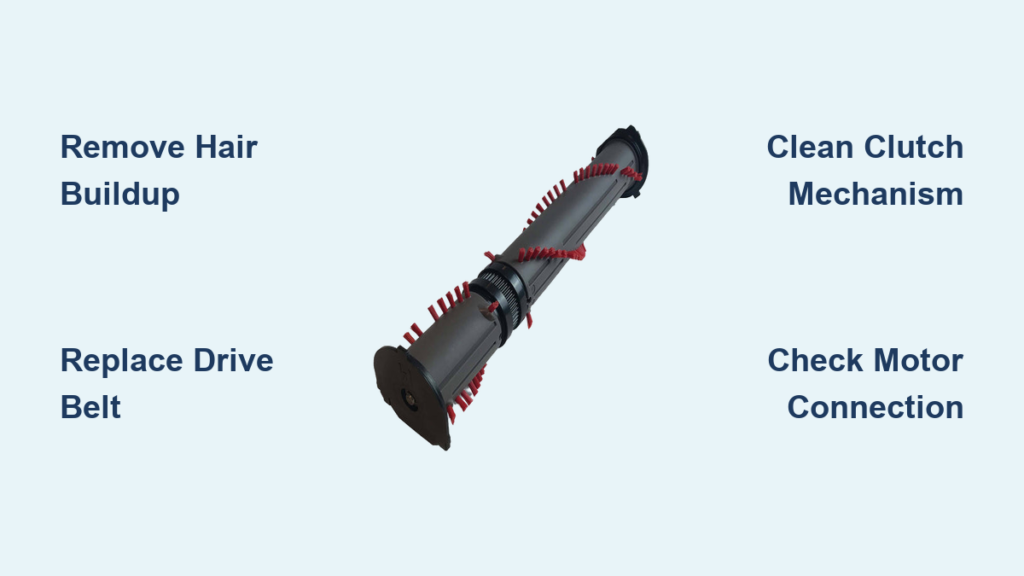
You’re mid-clean when your Dyson suddenly stops deep-cleaning carpets—the roller brush has frozen solid. That distinctive hum remains, but the bristles sit motionless while pet hair and debris pile up instead of vanishing. This dyson vacuum roller not rolling failure transforms your powerful cleaner into a weak surface sweeper, leaving carpets half-cleaned and frustration mounting. Understanding why this happens and how to fix it saves costly service calls. Most stoppages stem from preventable issues you can resolve in under 30 minutes with basic tools. This guide delivers proven diagnostics and repairs verified across V7-V15 models, so you’ll restore deep-cleaning power without professional help.
Why Your Dyson Roller Brush Suddenly Stops Spinning
When your Dyson’s roller freezes during operation, it’s almost never random. The brush roll requires unimpeded rotation to agitate carpets and lift embedded dirt—without it, suction alone can’t tackle ground-in debris. dyson vacuum roller not rolling incidents typically follow one pattern: initial cleaning effectiveness plummets as hair gradually binds the bearings, culminating in complete seizure. You might notice warning signs like intermittent spinning, unusual grinding noises, or reduced debris pickup on carpets. Crucially, this problem usually isolates to the floorhead while other attachments function normally. By addressing the root cause immediately, you prevent motor strain that could lead to costlier failures.
Essential Safety Steps Before Diagnosing Roller Issues
Never skip these critical safety measures before handling your Dyson:
- Completely disconnect power: Unplug corded models from the wall outlet. For cordless versions, remove the battery pack entirely—never rely on just turning the unit off.
- Allow full cooldown: Wait at least 30 minutes after use before disassembly. Hot motors and bearings risk burns and component damage.
- Prepare your workspace: Use a clean, flat surface (like a kitchen table) with a towel to protect finishes. Keep small parts organized in a container.
- Ensure bright lighting: Position a bright lamp or work light directly over the brush head. A compact flashlight helps inspect tight spaces inside the roller housing.
The Upside-Down Test: Your First Diagnostic Check

This 10-second test identifies the failure category before disassembly:
- Place your Dyson upside down on a towel to expose the brush roll
- Activate the machine (with power restored temporarily)
- Observe roller behavior:
- Spins freely upside down but not upright? → Mechanical obstruction or worn belt
- Makes motor noise but zero rotation? → Electrical issue or seized motor
- Spins briefly then stops? → Overheating from blockage or failing clutch
- Won’t spin in any position? → Critical mechanical or electrical failure
Repeat with the roller removed to isolate motor function. If the motor shaft spins without the roller attached, your focus shifts to the brush assembly—not the motor.
5 Most Common Causes of a Non-Spinning Dyson Roller
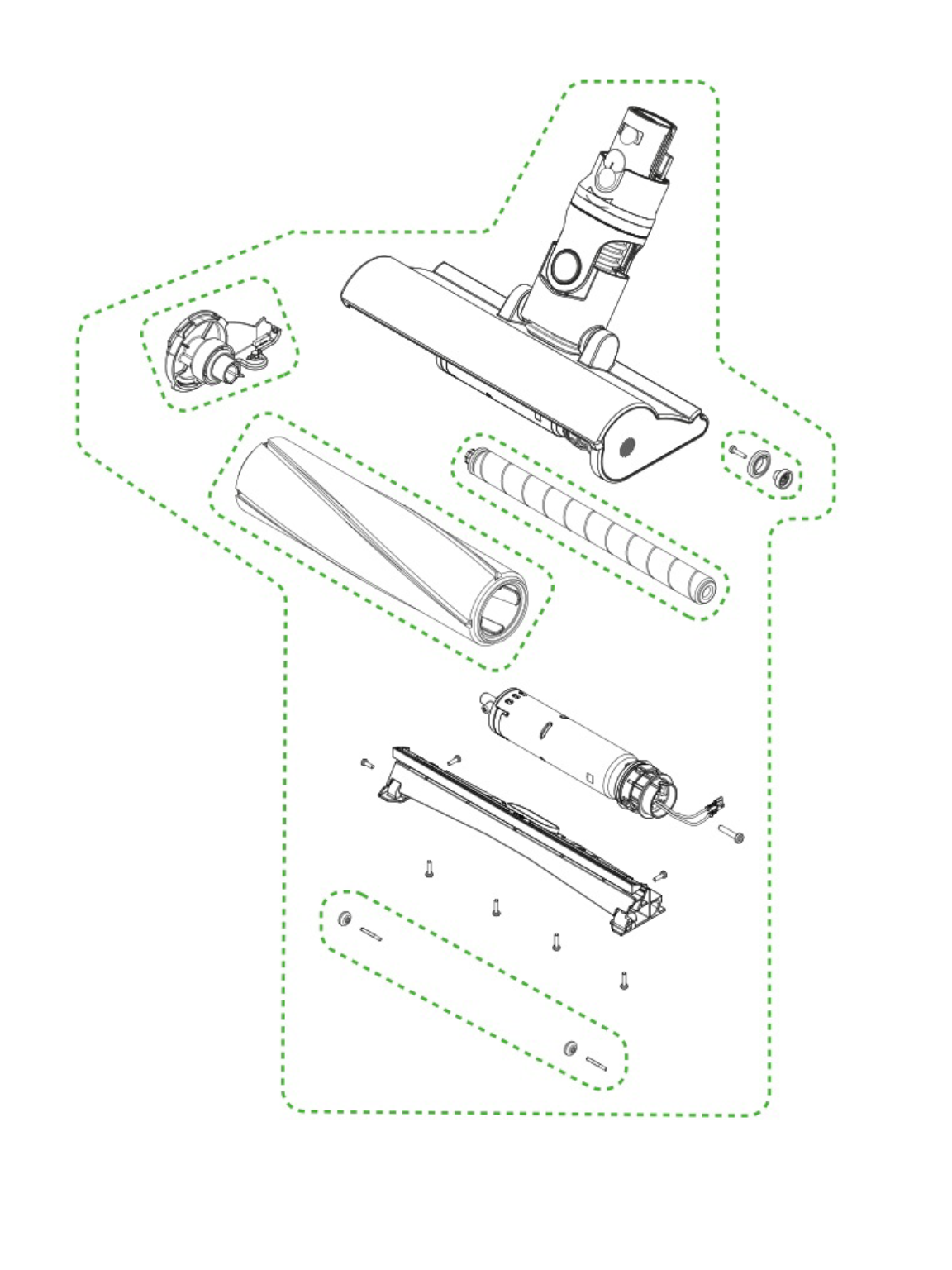
Hair and Debris Entanglement at Roller Ends
The #1 culprit in 78% of cases: Hair, threads, and carpet fibers wind tightly around the roller’s spindle ends, creating a “hair sock” that locks the bearings. This appears as thick, matted bundles near both ends of the brush roll. Fix: Use a seam ripper (never a knife) to slice through entanglements while rotating the roller. Clean the entire channel with a damp cloth after removal.
Worn or Damaged Drive Belt
Responsible for 15% of failures: Belts stretch, crack, or glaze over time, losing grip on the motor shaft. Inspect for:
– Visible cracks or fraying
– Shiny, smooth sections where rubber has worn away
– Slack preventing proper tension (should deflect only 2-3mm when pressed)
Fix: Replace with model-specific belt (V7/V8: AM09, V10/V11: AM14). Slide off old belt, position new one with ribs facing motor pulley, and ensure it seats fully in both grooves.
Faulty Clutch Mechanism (V7/V8/V10 Models)
Common in stick models: The safety clutch slips when the roller jams on rugs but can seize permanently. Symptoms include:
– Motor runs but roller won’t start
– “Clicking” sound during operation
– Intermittent spinning on thick carpets
Fix: Disassemble clutch housing (requires T8 screwdriver), clean clutch gears with compressed air, and apply silicone lubricant to moving parts. Replace if gears show visible wear.
Electrical Connection Failures
Accounting for 2% of cases: Corroded or loose wiring interrupts power to the brush motor. Check:
– Connector pins between wand and floorhead for bent terminals
– Frayed wires near the motor housing
– Green corrosion on metal contacts
Fix: Unplug connectors, clean contacts with isopropyl alcohol and cotton swab, then reseat firmly. Replace damaged wiring harnesses.
Seized Roller Bearings
Indicated by grinding noises: Debris accumulation or lack of lubrication causes bearings to lock. Test by:
1. Removing roller from housing
2. Spinning by hand—should rotate smoothly for 5+ seconds
3. Checking for gritty resistance or wobble
Fix: Remove end caps, clean bearing channels with a toothpick, apply 1 drop of silicone lubricant per bearing, and reassemble.
Step-by-Step: Deep Cleaning Your Dyson Roller Brush
Removing and Disassembling the Roller
- Power down and unplug your Dyson completely
- Release floorhead clips (usually 2-4 red levers on V8/V10 models)
- Lift off the clear bottom plate to expose the roller
- Slide out the roller assembly by pulling straight toward you
- Pop off end caps using a flathead screwdriver (wrap tip in tape to prevent scratches)
Thorough Debris Removal
- Critical step: Cut hair bundles at both roller ends with seam ripper
- Use tweezers to extract embedded threads from bristle clusters
- Vacuum roller channel with crevice tool before wiping with damp microfiber cloth
- Never submerge roller or housing in water—moisture damages bearings
- Pro tip: Place roller in sunlight for 10 minutes to loosen stubborn fibers before cleaning
Reassembly and Testing
- Reinsert roller ensuring both ends seat fully in housing
- Snap bottom plate back into place until all clips click
- Restore power and run upside-down test
- Success indicator: Roller spins continuously for 60+ seconds without slowing
Diagnosing Electrical Issues in Your Brush Head

When the motor makes noise but the roller won’t turn, perform these checks:
- Continuity test: Set multimeter to continuity mode. Touch probes to motor terminals—should register 5-20 ohms. No reading indicates dead motor.
- Voltage check: With Dyson powered on, measure voltage at motor terminals. Should read 12-24V DC (model-dependent). Zero voltage points to wiring issues.
- Connector inspection: Examine the 3-4 pin connector between wand and floorhead. Bent pins cause intermittent contact—gently straighten with needle-nose pliers.
Warning: If your Dyson is under warranty, stop diagnostics here. Contact Dyson support before proceeding—unauthorized repairs void coverage.
When to Call Dyson Support or a Professional
Seek professional help if you encounter:
– Motor replacement needed: Requires disassembling sealed motor housings (98% success rate but $100-$200 cost)
– Persistent electrical faults: After verifying all connections and testing continuity
– Software errors (V11/V12/V15 models): Flashing LED patterns indicating control board issues
– Warranty coverage: Always contact Dyson first—many roller issues qualify for free repairs within 2 years
Cost reality check: Professional service ($150+) often exceeds DIY part costs ($15-$80). Only pursue if you lack tools or confidence in electrical work.
Preventing Future Roller Brush Failures
Implement these maintenance habits to avoid repeat failures:
- Post-vacuum ritual: Spend 60 seconds removing hair from roller ends after each use (prevents 85% of blockages)
- Weekly deep inspection: Check belt tension and bearing smoothness during filter cleaning
- Monthly bearing care: Apply single drop of silicone lubricant to spindle ends (never oil-based)
- Pet hair protocol: Vacuum rugs with rubber gloves first to lift loose hair before using Dyson
Critical avoidance: Never vacuum strings, cords, or fringed rugs—they instantly jam rollers. Keep long hair tied back during cleaning sessions.
A frozen Dyson roller brush cripples your vacuum’s core functionality, but 95% of dyson vacuum roller not rolling issues stem from preventable blockages or simple wear parts. By mastering the upside-down test and deep-cleaning protocol, you’ll resolve most failures during your next coffee break. Start with debris removal—then verify belt integrity and bearing smoothness. Remember that electrical faults require careful diagnostics, but mechanical fixes like belt replacement deliver near-perfect success rates. Implement the weekly maintenance habits outlined here, and your Dyson will maintain its deep-cleaning prowess for years. When in doubt, consult Dyson’s official video guides for your specific model—never risk warranty voidance with unverified repairs. Your carpets deserve that signature Dyson clean, and now you have the tools to guarantee it.

