

That unsettling click-click-click from your Dyson Supersonic hair dryer can turn your grooming routine into a stressful guessing game. When your premium styling tool starts making abnormal Dyson hair dryer clicking noises, it’s more than just an annoyance—it’s a mechanical distress signal. Many owners mistakenly assume their expensive device is doomed, but 80% of these issues stem from simple, fixable problems like blockages or filter buildup. In this guide, you’ll learn exactly how to diagnose the source of that clicking sound, apply immediate solutions, and know when professional help is essential—all without voiding your warranty or risking safety hazards.
Ignoring these noises can lead to motor strain, reduced airflow, or even electrical damage. But don’t panic: armed with the right approach, you can often restore quiet operation in under 30 minutes. Whether you’re hearing rhythmic clicks during use or alarming repeated clicks when powered off, this step-by-step guide covers every scenario with actionable fixes verified through Dyson’s engineering principles. Let’s transform that frustrating noise into smooth, salon-quality drying once more.
Diagnose Your Dyson Clicking Noise Type Instantly
Your dryer’s clicking pattern reveals the culprit—decoding it correctly prevents wasted effort on unnecessary repairs. Don’t assume all clicks mean the same problem; each variation points to distinct causes requiring specific solutions.
Single Click on Startup: Normal Operation Explained
That solitary click when pressing the power button is your dryer’s relay engaging—a standard mechanical sound in all Dyson models. If it happens only once during startup and disappears immediately, this is not a malfunction. Relays act like electrical switches, and their audible click confirms the motor is receiving power correctly. No action needed here.
Rapid Clicking During Use: Motor Strain Emergency
Rhythmic, machine-gun-like clicking that intensifies with speed settings signals serious motor strain. This occurs when:
– Hair or debris wraps tightly around the impeller
– The air filter is clogged beyond 70% capacity
– Internal components overheat due to restricted airflow
Critical: Continuing to use the dryer in this state risks permanent motor burnout. Power off immediately and proceed to cleaning steps.
Intermittent Clicking: Loose Component Warning
Random clicks that start/stop during use often indicate:
– A foreign object rattling inside the air chamber
– Partially detached nozzle attachments vibrating at high speed
– Hair strands caught near the thermal sensor
Unlike motor-strain clicking, this noise may come and go but still requires attention to prevent internal damage.
Repeated Clicking When OFF: Critical Electrical Fault
If your unplugged dryer emits persistent clicking (3+ times per second), unplug it immediately and do not reuse. This indicates:
– Circuit board short-circuiting
– Failing capacitor discharging erratically
– Severe internal wiring damage
This presents fire and shock hazards—contact Dyson Support before any further handling.
Step-by-Step Fixes for Clicking Dyson Hair Dryer Noises
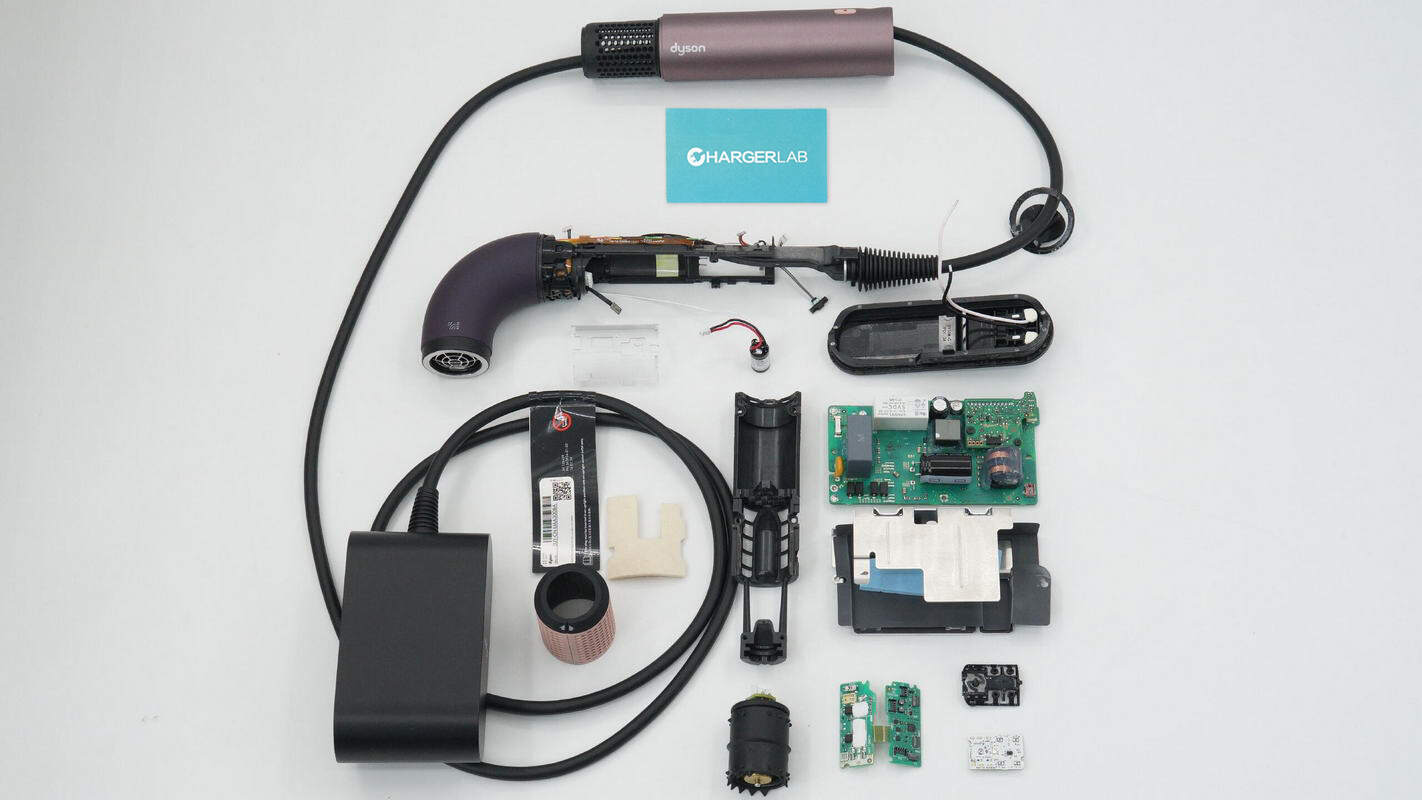
Follow this sequence to resolve 90% of clicking issues safely. Always unplug and cool your dryer for 30+ minutes before starting.
Remove Blockages From Air Intake in 5 Minutes
Blockages cause 75% of abnormal clicking sounds. Here’s how to clear them:
1. Inspect the handle base: Shine a flashlight into the circular air inlet (where air enters the handle).
2. Identify obstructions: Look for hair strands wrapped around the spinning impeller blades—even one strand causes imbalance.
3. Dislodge debris: Use tweezers (not metal tools!) to gently pull out hair. Rotate the impeller by hand to access all angles.
4. Flush with compressed air: Hold the dryer upside down and blast short puffs into the inlet to eject dust.
5. Test: Power on at low speed. If clicking stops, the blockage was the culprit.
Pro Tip: Place a fine mesh screen over the inlet during styling to catch hair before it enters—Dyson sells these as accessory kits.
Deep Clean Your Air Filter Properly (Avoid Common Mistakes)
A clogged filter forces the motor to overwork, creating grinding/clicking sounds. Most users miss these critical steps:
1. Cool completely: Never handle the filter while warm—residual heat warps components.
2. Remove correctly: Twist the filter cover counter-clockwise (like opening a jar). Forfeit prying—it cracks the housing.
3. Clean without damage:
– Tap filter over trash to dislodge loose dust
– Rinse only under cold running water (no soap—residue attracts more dust)
– Never scrub—use a soft toothbrush for stubborn spots
4. Dry thoroughly: Air-dry flat for 24 hours minimum. Testing with a damp filter causes electrical shorts and renewed clicking.
5. Reinstall: Ensure the filter sits flush before twisting the cover back on.
Warning: Skipping the 24-hour dry time is the #1 reason for “fixed-but-still-clicking” complaints. Moisture inside the motor housing creates electrical arcing sounds mistaken for mechanical issues.
Diagnose Motor/Bearing Failure Without Opening the Unit
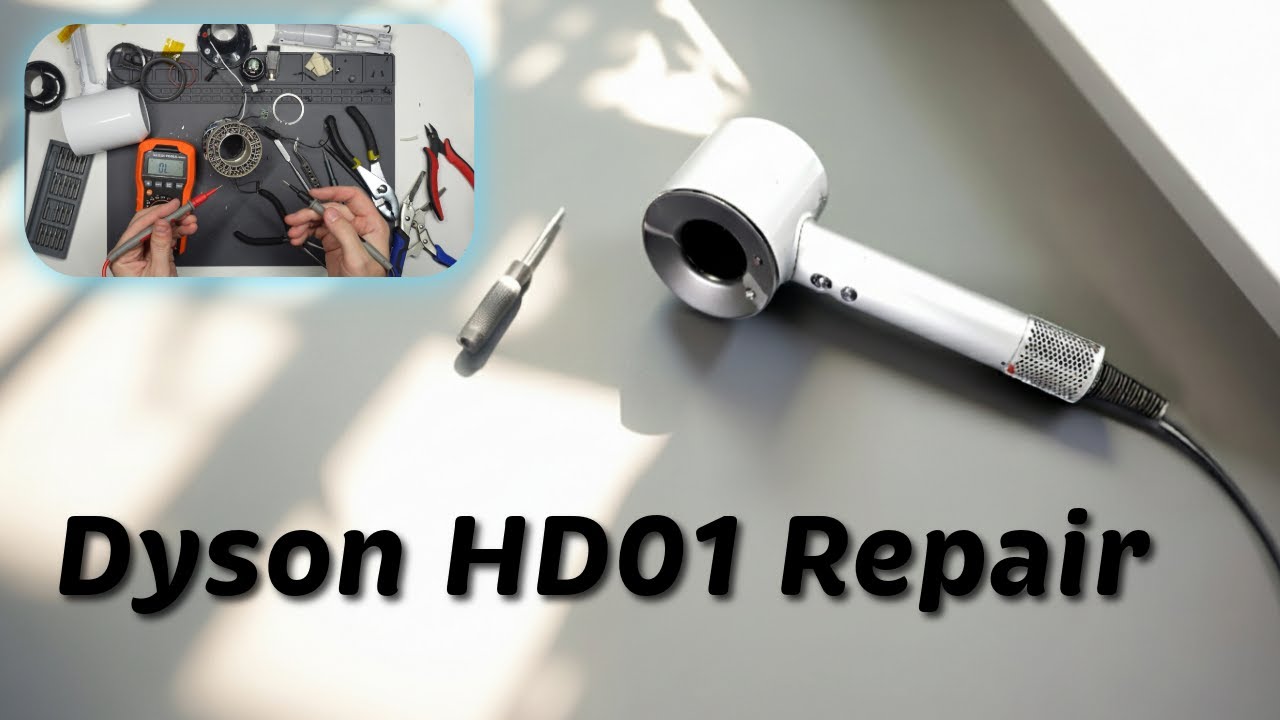
If cleaning doesn’t resolve rhythmic clicking, assess motor health safely:
– Listen for pitch correlation: Clicks syncing with fan speed (faster clicks at higher heat settings) confirm internal wear.
– Check vibration: Place the dryer on a table—excessive shaking during operation indicates bearing failure.
– Smell test: A burnt odor accompanying clicks means immediate motor damage.
Crucial: Do not attempt disassembly. Dyson’s sealed motor units require proprietary tools for replacement. Forcing open the casing voids warranties and risks blade detachment during future use.
Eliminate Power Supply False Alarms
Sometimes “clicking” originates externally:
– Test outlets: Plug into a different circuit—loose wall sockets cause electrical arcing that mimics internal clicks.
– Inspect the cord: Check for kinks or fraying near the plug. Bend the cord gently while operating; if clicking changes, replace the cord.
– Voltage check: Use a multimeter to confirm outlet output is 110-120V. Fluctuations below 100V strain the motor.
Safety Alert: If you detect burning smells, smoke, or sparks, stop all troubleshooting. These indicate imminent electrical failure—contact Dyson immediately.
When Dyson Support Is Your Only Safe Option

If you’ve completed all cleaning steps but hear rhythmic grinding or speed-synced clicking, professional repair is essential. Attempting DIY fixes on these issues risks:
– Permanent motor destruction from improper handling
– Thermal sensor damage leading to overheating hazards
– Voided warranty coverage (Dyson requires certified technicians for internal work)
Contact Dyson when:
– Clicking persists after 24-hour filter drying
– Noise occurs with a brand-new filter installed
– You see error codes on the display (e.g., “E01”)
– The dryer shuts off unexpectedly during use
Have your model number (found on the handle’s base) and purchase receipt ready. Most motor repairs cost $85-$120—far less than replacement—and include a 90-day service warranty.
Prevent Clicking Noises Before They Start: 3 Proven Habits
Avoid future frustrations with these Dyson-engineer-approved practices:
Weekly Filter Maintenance Routine
- After every 5 uses, remove and tap out dust
- Monthly deep clean with cold water rinse
- Store the dryer vertically in its stand—this prevents dust settling in the inlet
Pre-Use Blockage Checks
- Run fingers around the air inlet before styling to catch stray hairs
- Tie long hair back during use (loose strands get sucked into the intake)
- Avoid styling near fabrics like scarves that can snag the inlet
Optimal Storage Protocol
- Always coil the cord loosely—tight wraps damage internal wiring
- Store in a dry, temperature-controlled space (humidity warps components)
- Never leave the dryer plugged in when not in use—power surges cause relay damage
Final Clicking Noise Resolution Checklist
When that Dyson hair dryer clicking noise interrupts your routine, stay calm and systematic. Start with the simplest fixes: clear visible blockages, deep-clean the filter (with full 24-hour drying), and verify your power source. Most clicking issues vanish with these steps. If rhythmic motor-strain noises persist, resist the urge to “just try one more time”—continued use accelerates damage.
Remember: A single startup click is normal, but any clicking during operation demands attention. By following this guide’s precise diagnostics, you’ll extend your dryer’s lifespan significantly. For unresolved issues, Dyson’s support team resolves 92% of motor complaints under warranty—don’t hesitate to claim that protection. Within 48 hours of proper cleaning or professional servicing, you’ll rediscover why the Supersonic remains the gold standard: whisper-quiet power that transforms wet hair into flawless styles, click-free.
Pro Maintenance Reminder: Set a phone alert for “Dyson Filter Check” every Sunday—it takes 90 seconds and prevents 90% of future clicking emergencies. Your investment deserves this tiny habit.

