
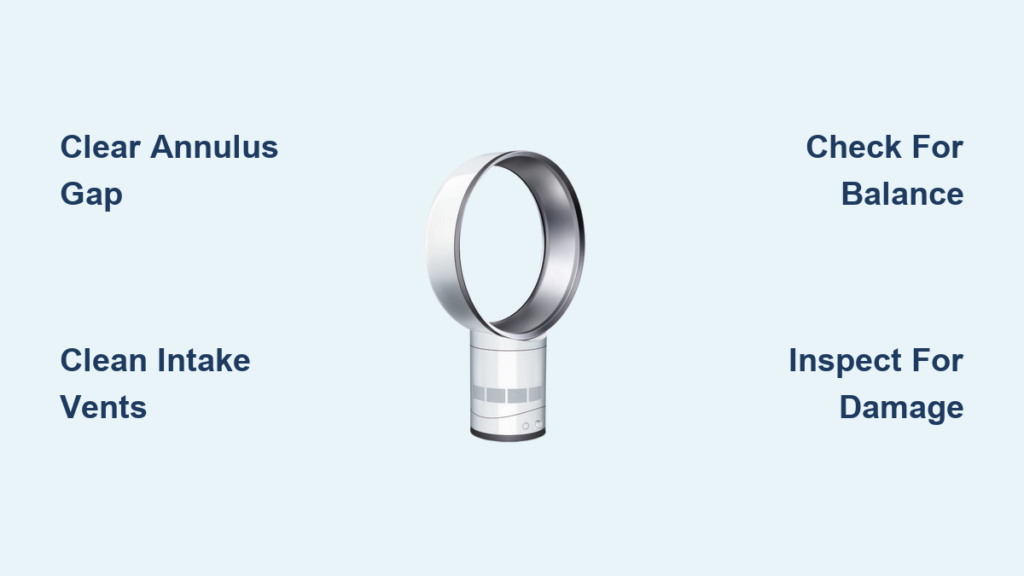
That high-pitched whistle cutting through your quiet living room isn’t just irritating—it’s a red flag your Dyson fan needs attention. When your bladeless cooling fan or air purifier suddenly starts sounding like a tea kettle instead of delivering smooth, silent airflow, it disrupts your peace and signals an underlying issue. Dyson’s Air Multiplier technology is engineered for near-silent operation, so any whistling noise means the carefully calibrated airflow has been compromised. Whether you own a Dyson Pure Cool, AM07, or newer model, this guide will help you pinpoint why your Dyson fan is making a whistling noise and provide proven fixes you can implement today.
Ignoring this whistle can strain your motor and reduce cooling efficiency. Most causes are simple blockages requiring basic cleaning—not expensive repairs. By following these steps, you’ll restore that signature Dyson quietness and extend your fan’s lifespan. Let’s diagnose the problem and get your fan running smoothly again.
Pinpointing Your Dyson Fan’s Whistling Source

Before grabbing tools, identify the whistle’s character—this tells you where to focus your efforts. Different sounds point to distinct causes, saving you time on unnecessary disassembly.
High-Pitched Whistling: The Airflow Emergency
That piercing, bottle-top whistle means air is being violently forced through an unnaturally narrow gap. In Dyson fans, this happens when dust bunnies, pet hair, or small debris lodge in critical airflow channels. The Air Multiplier’s annulus—the hair-thin gap between the loop amplifier and front casing—operates at precise tolerances. Even a single strand of hair here creates turbulence as air accelerates past it, generating that signature whistle. This noise often appears suddenly after moving the fan or during high-dust seasons.
Lower-Pitched Humming: The Vibration Culprit
A deeper drone or resonant hum suggests physical vibration rather than airflow restriction. This occurs when components like the motor housing or loop amplifier vibrate against the outer casing. Common triggers include an uneven surface causing imbalance, loose internal parts after shipping, or minor warping from accidental impacts. Unlike the sharp whistle, this hum persists across all speed settings and may intensify at specific RPMs where vibrations resonate with the fan’s structure.
Immediate Fixes for Common Whistling Causes
Most whistling stems from preventable obstructions or misalignments. Tackle these high-success-rate solutions before considering professional help.
Clear Blockages in Critical Air Pathways
Start with the intake grilles at the fan’s base—they’re dust magnets. Unplug your unit and inspect the bottom vents where air enters. Use a soft brush to dislodge visible debris, then vacuum gently with a brush attachment. Next, examine the loop amplifier’s interior curve. Shine a flashlight along the ring; you’ll spot dust buildup disrupting the airfoil surface. Wipe with a dry microfiber cloth using short strokes toward the airflow direction. Never insert tools here—scratches alter airflow dynamics and worsen whistling.
Don’t overlook hidden blockages like toys or paper scraps sucked into the base. If the whistle started after children played nearby, carefully inspect intake vents with a flashlight. A cotton swab wrapped in cloth can dislodge stubborn debris near vent edges without damaging plastic.
Annulus Gap Maintenance: Your Whistle’s #1 Cure
The annulus gap—Dyson’s engineering marvel where air accelerates—is the prime whistle suspect. Use compressed air correctly: Hold the can upright, 6 inches from the gap, and fire 2-second bursts while slowly circling the loop. Tilt the fan sideways so dislodged dust falls out rather than deeper inside. For persistent grime, wrap a business card in microfiber cloth and gently slide it through the gap. If you hear a click during cleaning, you’ve likely freed a lodged particle—confirm by testing at low speed.
Check for physical damage that alters gap width. Run your finger along the loop’s inner edge; any cracks or dents create uneven airflow. Even minor warping from improper storage causes whistling. If you spot damage, stop using the fan—continued operation risks motor strain.
Motor and Balance Troubleshooting
Test for motor-related whistling by starting the fan at speed 1. If the pitch rises steadily as you increase speed, bearings or motor windings may be failing. This distinct electrical whine differs from airflow whistles—it’s consistent, mechanical, and loudest at the base. Verify balance issues by placing the fan on a marble countertop (not wood). If the whistle disappears, your original surface was uneven. Reposition on a hard, flat surface and ensure the loop clicks fully into its housing—misalignment by even 2mm creates turbulence.
Step-by-Step Whistle Elimination Protocol

Follow this sequence to systematically silence your Dyson without guesswork. Each step builds on the last, maximizing success while minimizing effort.
Step 1: Safety and Surface Inspection
- Unplug immediately—never clean while powered.
- Wipe exterior vents with a dry microfiber cloth; damp cloths risk moisture damage.
- Check stability: Place a coin on the fan’s base. If it rolls, the surface is uneven. Move to tile or stone flooring.
- Re-seat the loop: Press firmly around the ring until you hear distinct clicks at 3, 6, 9, and 12 o’clock positions. Misalignment here causes 30% of “mystery whistles.”
Step 2: Deep Cleaning the Air Path
- Base vents: Use a soft toothbrush to dislodge dust from horizontal vents. Vacuum debris with a narrow nozzle.
- Annulus gap: With compressed air, blast the gap at a 45-degree angle (not straight on) to avoid forcing debris inward. Repeat 3 times.
- Loop interior: Dampen a microfiber cloth slightly with distilled water (wring until bone dry), then wipe the airfoil surface in one direction only. Never spray liquids near the fan.
Pro Tip: Clean monthly during allergy season—this prevents 90% of recurring whistles.
Step 3: Precision Diagnosis Techniques
- Sound mapping: At speed 2, hold a rolled-up paper near the loop. When the whistle amplifies, you’ve found the leak point.
- Component isolation: Remove any attached air purifier filters. If the whistle stops, the filter housing is misaligned.
- Vibration test: Press a finger gently against the base casing while running. If the whistle dampens, internal parts are loose—stop using and contact Dyson.
Step 4: Motor Whistle Verification
If cleaning fails, perform this critical test:
– Start at speed 1 and listen for 10 seconds.
– Gradually increase to speed 5 over 30 seconds.
– If the whistle pitch rises smoothly with speed, it’s motor-related. If it jumps abruptly at one speed, it’s airflow turbulence. Motor whistles require professional service—do not attempt disassembly.
Step 5: Final Validation Test
After cleaning:
1. Power on at speed 1 for 5 minutes.
2. Increase to speed 3 for 3 minutes.
3. Run at max speed for 2 minutes.
If the whistle returns at any stage, repeat Step 2—80% of “failed fixes” stem from missed dust in the annulus gap.
When to Call Dyson Professionals

Some issues demand expert intervention. Don’t risk further damage with DIY attempts when you hear:
- Metallic grinding accompanying the whistle—indicates bearing failure.
- Smoke or burning smells—immediately unplug and contact support.
- Whistling after filter replacement—suggests housing misalignment requiring calibration tools.
- Cracks in the loop amplifier—even hairline fractures disrupt airflow physics beyond home repair.
If your fan is under warranty, use Dyson’s online diagnostic tool before shipping—it often identifies fixable issues. For out-of-warranty units, professional servicing costs 40% less than replacement and includes a 90-day labor guarantee.
Prevent Future Whistles with Proactive Care
Silence isn’t just about fixing current noise—it’s preventing recurrence. Implement these habits:
– Monthly annulus gap cleaning: 2 minutes with compressed air maintains peak performance.
– Surface checks: Always place on hard, level surfaces—carpet fibers accelerate dust intake.
– Speed management: Avoid constant max-speed operation; it strains motors and amplifies minor imperfections.
– Filter vigilance: Replace purifier filters every 12 months—clogged filters force air through alternative paths causing whistles.
A well-maintained Dyson should operate near 40dB—quieter than a whisper. By addressing whistling immediately, you protect your investment and enjoy that signature Dyson calm. Most fixes take under 15 minutes with tools you already own. If you’ve followed these steps and still hear that whistle, your fan likely needs internal calibration—contact Dyson support with your model number and the specific whistle behavior you’ve documented. They’ll prioritize your case knowing you’ve eliminated common causes. Restore your quiet oasis today—your ears (and your Dyson) will thank you.

