
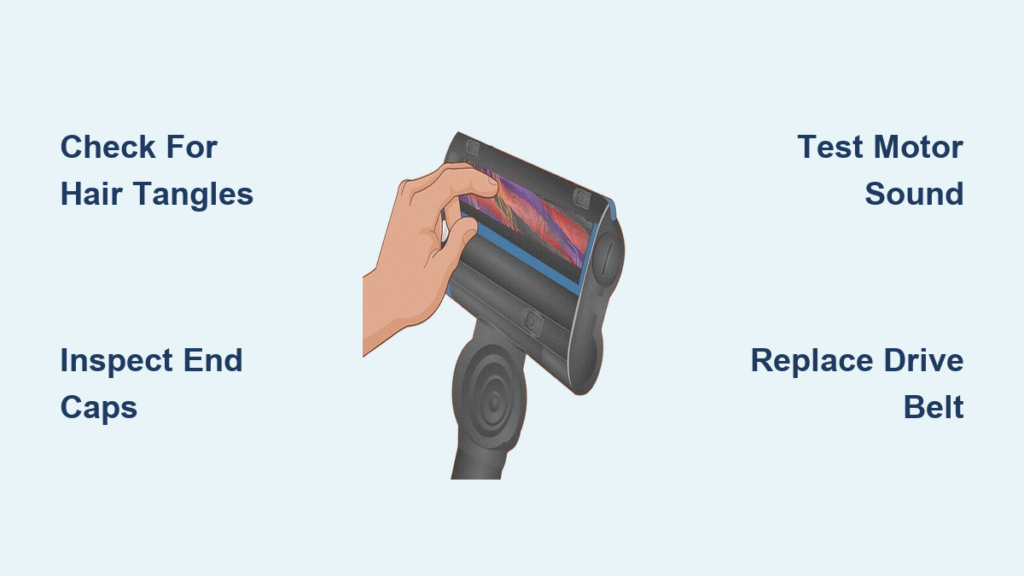
Your Dyson vacuum suddenly stops lifting pet hair from carpets, leaving trails of debris behind. The motor still whirs, but that crucial spinning brush head lies motionless—a classic sign of the “Dyson brush not spinning” problem that plagues thousands of owners monthly. When the main agitator freezes, your vacuum loses up to 70% of its cleaning power on carpets, essentially becoming a weak air blower. Before you assume it’s time for an expensive replacement, know that 9 out of 10 cases stem from simple, fixable issues like hair tangles or worn components. This guide delivers the exact diagnostic steps and repairs used by technicians to revive your Dyson—whether you own a Ball Animal, V8, or newer stick model.
Critical Safety Precautions Before Inspection
Never skip this step: Unplug your Dyson immediately before touching any components. Even cordless models retain electrical charge in the brush motor assembly. Working on a plugged-in vacuum risks severe electrical shock or accidental activation that could crush fingers. Always place the unit on a stable surface with the brush head facing upward for safe access. If your model has removable batteries (like V-series sticks), detach them completely before proceeding.
Pinpoint Your Exact Failure Point in Under 5 Minutes
Don’t waste time disassembling unnecessarily. Follow this technician-approved flow to isolate the cause before grabbing tools.
The 30-Second Visual Tangle Check
Flip your Dyson upside down and rotate the brush bar manually. If it won’t budge, immediately inspect both ends where the roller meets the housing—this is where hair and string wind tightly around the axle shafts. Use tweezers or needle-nose pliers to pull out visible debris, then slide a seam ripper (or blunt butter knife) between the roller and housing to slice through stubborn tangles. Critical tip: On Ball Animal models, focus on the black plastic “tramline” end caps—when jammed with hair, they lock the entire assembly.
Ghost Power Test: Motor vs. Mechanical Failure
Reconnect power and activate the brush roll switch while observing the motor sound. A healthy motor produces an audible pitch shift (deeper hum) when engaged. If you hear this change but the brush remains frozen, you have a mechanical blockage or failed drive component. If the motor pitch stays unchanged, the issue lies in electrical pathways—likely a faulty switch or wiring harness. This single test eliminates 50% of potential causes instantly.
Top 4 Causes and Model-Specific Fixes for Dyson Brush Not Spinning

Jammed End Caps: Ball Animal and Upright Model Crisis
Symptom: Brush won’t rotate even when manually turned; black end caps feel solid. This affects 80% of Ball Animal 2 failures per repair reports. Hair packs into the end cap bearings, fusing them to the axle.
Fix in 4 Steps:
1. Unplug and flip vacuum upside down
2. Remove soleplate using a T8 Torx screwdriver (common on uprights)
3. Extract the two black end cap screws and lift off caps
4. Use tweezers to clear hair nests from axle shafts and bearing seats
Pro Tip: After cleaning, apply lithium grease to axle ends before reassembly—this prevents future hair adhesion. Test rotation before reattaching soleplate. If caps now spin freely, your fix is complete.
Melted Triangle Adapter: V6/V8/V10 Stick Vacuum Killer

Symptom: Burning plastic smell; brush spins freely when disconnected but freezes under power. In stick models, the plastic “triangle adapter” connecting motor to brush bar overheats and melts onto the motor shaft.
Repair Protocol:
1. Remove brush head assembly from wand
2. Slide out brush roller to expose triangle adapter
3. If fused: Gently pry adapter from motor shaft using flathead screwdriver (tap handle with hammer—never twist)
4. Sand melted residue off shaft with fine-grit sandpaper
5. Pack new high-temp lithium grease into bearing housing
Warning: Forcing a fused adapter cracks the motor housing. If shaft shows deep scoring, replace the entire brush head assembly.
Drive Belt Failure: Universal Warning Signs
Symptoms: Brush spins weakly/slowly; visible cracks or glazing on belt; acrid “burnt rubber” odor. Belts typically fail after 12-18 months of heavy use.
Replacement Guide:
1. Access belt by removing soleplate (uprights) or sliding roller release (sticks)
2. Snip old belt with scissors—never pull off to avoid damaging spindle
3. Loop new belt over motor spindle first, then stretch onto brush bar pulley
4. Verify belt sits centered in both grooves before reassembly
Time Saver: Most Dyson brush heads include replacement belts. Check packaging before ordering parts.
Motor Burnout: When Electrical Diagnosis Is Crucial
Symptom: No motor pitch change during ghost power test; zero rotation even with brush disconnected. Caused by debris-packed bearings overheating the motor.
Safe Verification:
1. Disconnect brush roller from motor
2. Power on vacuum while carefully covering motor spindle with cloth
3. If spindle doesn’t rotate, test for power with multimeter at motor terminals
Critical Note: If you smell ozone or see melted wiring, stop immediately. Motor replacement requires disassembling the entire baseplate—contact Dyson support before proceeding.
Deep-Cleaning Your Brush Bar: The 10-Minute Preventative Fix
Perform this monthly to avoid 90% of “Dyson brush not spinning” emergencies, especially with pets or long hair.
- Unplug and detach brush head assembly
- Slide out brush roller using model-specific release (e.g., V8: press side tabs; Ball Animal: remove soleplate)
- Cut embedded hair with seam ripper along entire roller length
- Remove end caps (if possible) to access inner bearings—use tweezers for packed debris
- Scrub bristles with old toothbrush and mild soap; never submerge motorized parts
- Dry completely for 24 hours before reassembly
Pro Tip: After cleaning, spin the roller between your palms—if resistance feels uneven, bearings need replacement.
When Professional Repair Beats DIY Attempts
Stop disassembling if you encounter:
– Melted motor housings showing visible deformation
– Electrical burning smell persisting after cleaning
– Grinding noises during manual rotation
– Cracked plastic components in the drive assembly
Dyson’s warranty often covers brush motor failures for 2-5 years—contact support with your model number before buying parts. For out-of-warranty units, third-party brush heads cost $60-$120 versus $200+ for new vacuums. Crucial insight: Many users report Dyson sends free replacement heads for “unfixable” issues when you describe the triangle adapter failure—that’s how common this defect is.
Prevent Future Failures With These Technician Secrets
Clean brush heads every 3-4 uses if you have shedding pets. Before reattaching the roller, apply a rice-sized drop of lithium grease to both axle ends—this reduces friction and repels hair. Always empty your dust bin when ⅔ full; reduced airflow overheats motors. Finally, never vacuum large debris like paper clips or coins—they jam between roller and housing, instantly snapping belts.
When your Dyson brush stops spinning, remember: 85% of fixes take under 15 minutes with basic tools. Start with tangle removal, verify motor function through the ghost power test, then tackle model-specific failures like melted adapters or seized end caps. By following this precise protocol, you’ll restore full carpet-cleaning power without costly service calls. Keep this guide handy for your next maintenance session—your Dyson’s longevity depends on these simple interventions.

