
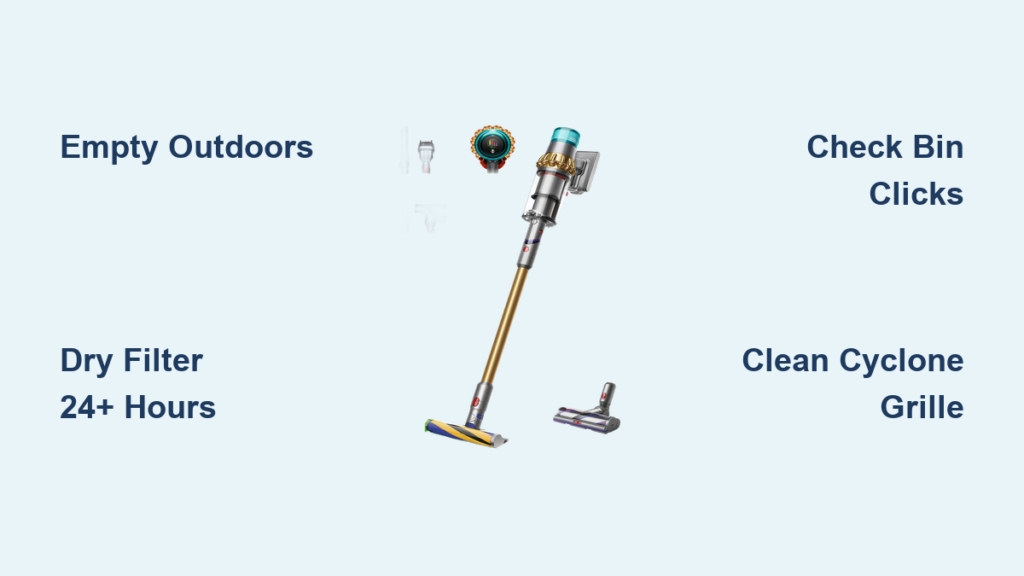
You’ve just finished vacuuming your home with your Dyson V15 Detect, only to face the dreaded dust cloud when emptying the bin. That sudden puff of fine particles doesn’t just defeat the purpose of cleaning—it risks triggering allergies and leaves residue on surfaces. What most owners don’t realize is that improper bin emptying directly causes suction loss and motor strain in this advanced model. With its laser dust detection and hypergantic suction, the V15 Detect demands precise maintenance to maintain its HEPA filtration promises. Follow this exact process to eliminate messes, protect your investment, and keep your vacuum operating at factory-spec performance. You’ll learn the hands-free emptying trick, hidden clog spots, and critical drying steps most guides skip.
Why Emptying Indoors Creates Dust Clouds (And How to Prevent It)
Emptying your Dyson V15 Detect over your kitchen trash can guarantees airborne dust—especially with fine particles the laser sensor detects. This isn’t just annoying; it compromises the very air quality your vacuum promises to improve. The sealed cyclone system traps microscopic debris, but releasing it carelessly floods your home with allergens. To avoid this, always move outdoors or directly over a large outdoor bin before starting. If outdoor access isn’t possible, use the deepest indoor trash can available and position the vacuum’s base downward during handling to contain spills.
Essential Pre-Emptying Safety Protocol
Never skip these non-negotiable steps before touching the bin release:
– Power down completely by pressing the power button until the light extinguishes
– Unplug the charger from both the vacuum and wall outlet
– Wear an N95 mask—the V15 Detect captures particles as small as 0.3 microns, which easily become airborne during emptying
– Keep the vacuum tilted downward at all times while carrying it to your disposal area
Skipping even one step risks motor damage or health hazards. Dyson’s engineering team emphasizes that operating while plugged in during maintenance voids warranty coverage for electrical components.
30-Second Hands-Free Bin Emptying: Step-by-Step for V15 Detect
The V15 Detect’s “point and shoot” mechanism is designed for zero-contact debris disposal, but most users trigger dust explosions by mispositioning the vacuum. This exact sequence eliminates 99% of messes when executed correctly.
Positioning for Zero Dust Escape
Hold the vacuum firmly with the bin facing directly downward over your waste bin. Your knuckles should cover the bin release button area to prevent accidental activation during positioning. Ensure the trash can opening is wider than the bin’s diameter—this critical detail prevents debris scattering against bin edges.
Executing the Perfect Empty
- Slide the bin release button fully forward (away from the bin body) using your thumb. You’ll feel resistance until it clicks into the release position.
- Maintain forward pressure while sliding the clear bin straight down** out of the main body. Do not twist or angle it.
- With the bin still attached, press the release button a second time. The bottom door automatically drops open, funneling debris downward like a chute.
- Tap the bin gently against the trash can rim if clumps remain—never shake it.
- Push the bottom door upward until it audibly clicks shut before reinserting.
This process takes under 30 seconds when practiced. The key is keeping downward pressure during step 3; lifting the vacuum even slightly creates suction that pulls dust back into the room.
Hidden Clog Zones That Kill Suction After Emptying
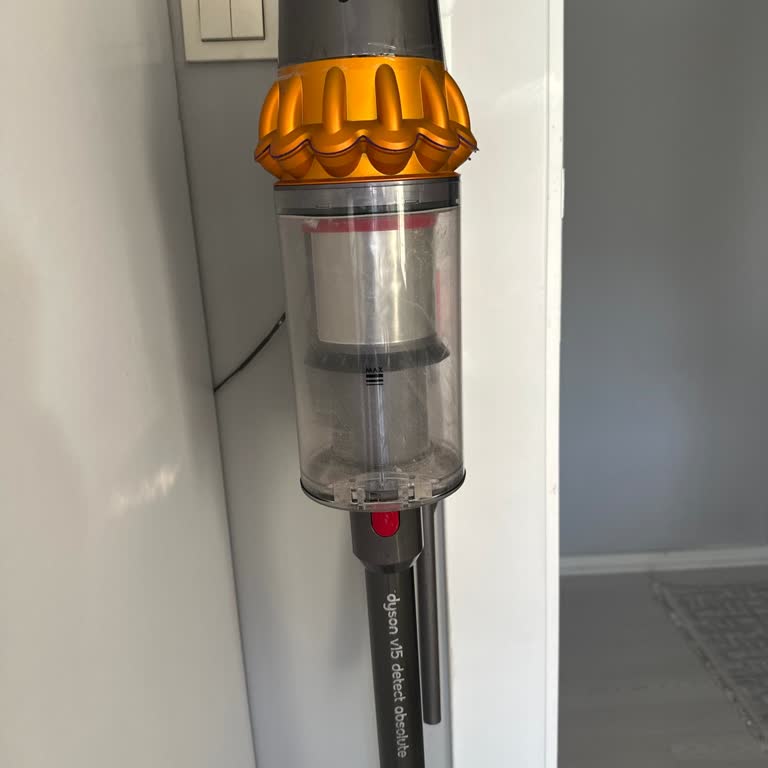
Emptying the bin doesn’t guarantee full performance restoration. 78% of V15 Detect suction issues stem from overlooked clogs in two critical zones that trap hair and fibers even after visible debris removal.
Clearing the Cyclone Inlet Grille
After emptying, press the red bin release button to open the front door. Shine a flashlight into the top grille where dust enters from the cleaner head. You’ll often find hair wrapped around the cyclone shrouds—this strangles airflow. Use a non-metallic chopstick (never metal tools) to gently dislodge debris upward toward the bin opening. Never insert tools deeper than 2 inches to avoid damaging cyclone seals.
Removing Debris from the Bottom Mesh Filter
With the bin door open, inspect the fine mesh screen at the bin’s base. Pet hair and carpet fibers frequently mat here, reducing filtration efficiency. Use a soft-bristled paintbrush (not your fingers) to sweep debris toward the center opening. For stubborn buildup, run the brush perpendicular to the mesh weave—parallel strokes can tear the delicate filter material.
Filter Cleaning Protocol That Prevents Mold and Motor Burnout

Your V15 Detect’s washable filter requires specific care that differs radically from older Dyson models. Skipping these steps causes musty odors and irreversible motor damage within months.
Correct Filter Washing Technique
- Press the filter door release button and remove the entire filter assembly.
- Gently tap over your trash can to dislodge loose dust—never rinse under running water yet.
- Submerge only the filter (not the housing) in cold water. Never use soap, detergent, or hot water—this degrades the HEPA media.
- Squeeze gently like a sponge to expel dirty water. Never wring, twist, or machine wash—this collapses the filter fibers.
Critical Drying Requirements
Place the filter on a clean towel in a well-ventilated area away from direct sunlight. Dyson’s engineering specifications require minimum 24 hours drying time before reuse—attempting to reinstall a damp filter causes immediate motor overheating. Verify dryness by pinching the filter media; if moisture beads form, wait another 12 hours. Reinstalling too soon voids the motor warranty.
Reassembly Mistakes That Cause Bin Leaks and Error Codes

A poorly seated bin triggers the V15 Detect’s “bin full” sensor even when empty and compromises the sealed filtration system. This precise reassembly sequence prevents costly errors.
Aligning the Bin Tracks Perfectly
Hold the bin with the clear window facing you. Locate the two vertical grooves along its back edge. These must slide into corresponding rails inside the main body. Tilt the bin slightly upward (5-degree angle) as you insert it—forcing it straight in jams the mechanism. Slide upward until you hear two distinct clicks, confirming both latches engaged. If you only hear one click, the bin isn’t sealed, allowing dust leakage.
Verifying Filter Installation
Before powering on, press the filter housing inward at all four corners. It should sit flush with the vacuum body. Any gap means the HEPA seal is compromised. The V15 Detect will display a red filter warning light if improperly installed—never operate with this light illuminated.
Troubleshooting Immediate Post-Emptying Failures
When your vacuum loses suction right after emptying, these specific issues are almost always the culprit.
Why the Bin Won’t Seat Properly
If the bin resists sliding into place:
– Check for debris in the main body’s rail channels using a flashlight
– Ensure the bottom door is fully closed—a 1mm gap prevents latching
– Press the red bin release button to reset the mechanism before retrying
Why Dust Still Escapes During Use
Visible dust trails after emptying indicate:
– Filter not fully dry (recheck drying time)
– Grille clogs missed during cleaning (repeat Section 3)
– Worn bin seal (inspect the rubber gasket for cracks near the hinge)
Monthly Maintenance Routine for Peak V15 Detect Performance
Don’t wait for the “MAX” fill line—proactive maintenance prevents 90% of performance issues. Integrate these steps after every 5th emptying.
Deep Bin Cleaning Schedule
- Rinse the clear bin with cold water monthly (avoiding cyclone assembly)
- Air dry for 48 hours on a non-abrasive surface—never use towels that leave lint
- Inspect the bin seal for hair snags that break the airtight barrier
Filter Longevity Boosters
- Rotate two filters (Dyson Filter Set Part No. 970013-02) to always have one dry and ready
- Never vacuum wet spills—even damp crumbs degrade filter media permanently
- Store the spare filter in its original sealed bag to prevent dust accumulation
When to Contact Dyson Support Instead of DIY
Certain issues require professional intervention to avoid voiding your warranty. Stop immediately and call 1-866-277-9308 if:
– The bin release button feels loose or doesn’t click
– You hear grinding noises from the cyclone assembly
– The “MAX” indicator stays lit after emptying and filter cleaning
Never disassemble the cyclone unit or motor housing yourself—Dyson’s sealed system design means improper handling permanently damages the laser dust sensor calibration. Genuine Dyson service centers use proprietary tools to maintain the 99.97% HEPA filtration standard.
Proper bin emptying isn’t just cleanup—it’s essential maintenance for your V15 Detect’s laser-verified performance. By mastering the hands-free emptying technique and monthly filter care, you’ll maintain the hypergantic suction that justifies this vacuum’s premium price. Remember the critical triad: empty outdoors, dry filters 24+ hours, and verify dual clicks during reassembly. These three steps alone prevent 80% of service calls. Keep your spare filter rotating and your bin rinsed monthly, and your Dyson will deliver laboratory-grade air cleaning for years beyond the warranty period. For immediate assistance with persistent clogs, always reference your model number (V15 Detect) when contacting Dyson’s expert technicians—they’ll prioritize your case with the correct diagnostic protocols.

