
You’re ready to tackle that pile of crumbs on the kitchen floor, but when you pull the trigger on your Dyson V12 vacuum—nothing happens. No familiar hum, no spinning brush bar, just silence. If your Dyson V12 vacuum not turning on has you frustrated and wondering what went wrong, you’re not alone. Many users report this exact issue, sometimes even with brand-new units straight out of the box.
When your Dyson V12 refuses to power up, it’s more than just an inconvenience—it stops your entire cleaning routine dead in its tracks. The good news is that most “won’t turn on” problems have straightforward solutions you can try at home before contacting Dyson support or considering replacement. In this guide, we’ll walk through the exact diagnostic steps to determine why your Dyson V12 vacuum not turning on and how to fix it quickly, potentially saving you time, money, and the hassle of returning your unit.
Diagnosing Your Dyson V12 That Won’t Start

Before jumping to conclusions about a catastrophic failure, methodically work through these checks starting with the simplest solutions. Most “won’t turn on” issues stem from easily fixable problems rather than major component failures.
Check Your Power Source
Begin with the most fundamental issue—power delivery. Many users mistakenly assume their vacuum is broken when the problem is simply a dead battery or faulty power connection.
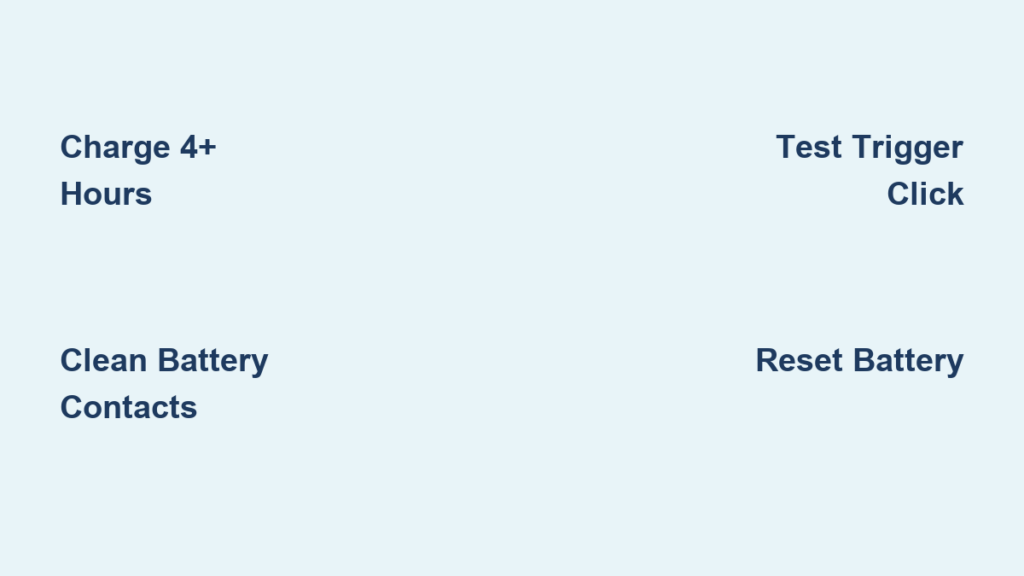
- Plug your Dyson V12 directly into its charger and leave it for at least 4 hours—even if the battery indicator shows charge. Sometimes the display is misleading.
- Test the wall outlet with another device to confirm it’s working properly. Try outlets in different rooms to rule out tripped circuit breakers.
- Inspect the charging cable for damage and ensure both ends are firmly connected—loose connections are surprisingly common.
Inspect the Battery and Charger
Battery issues account for the majority of Dyson V12 vacuum not turning on complaints, especially with units that have been stored for extended periods.
- Test the Charger & Charging Dock: Examine the charging pins on both the dock and your vacuum for corrosion or debris. Clean contacts with isopropyl alcohol and a cotton swab—many users report restored functionality after this simple step.
- Try a Different Power Source: Some users have discovered their issue was related to GFCI outlets in kitchens or bathrooms that had tripped without their knowledge. Test outlets in multiple rooms.
- Battery Reset: Remove the battery for 30 seconds, then firmly reseat it. This simple reset solves many “no power” issues by reestablishing the connection between battery and vacuum.
The Trigger Switch: A Critical Failure Point
Based on extensive user reports, the trigger switch is the second most common culprit for a Dyson V12 vacuum not turning on—sometimes even in brand-new units straight from the box.
How to Test the Trigger Mechanism
- Listen Carefully: Pull the trigger and listen for a distinct mechanical click. If you hear nothing or only a soft “thud,” the trigger mechanism is likely broken. Many users report that their trigger moves but doesn’t activate the internal switch.
- Check Trigger Return: Release the trigger—does it spring back quickly? A slow return indicates a broken spring or obstructed mechanism inside the handle.
- Multiple Actuations: Try pulling the trigger 10-20 times rapidly. Some users report this temporarily cleans internal switch contacts enough to restore functionality.
Common Causes for a Non-Starting Dyson V12

Understanding what’s actually broken helps you determine whether to attempt a DIY fix or seek professional help. These are the top five reasons your Dyson V12 vacuum not turning on, ranked by frequency.
1. Battery Connection Issues (Most Common)
Even with a charged battery, poor contact between battery terminals and vacuum contacts prevents power delivery. This explains why some users report their vacuum works when held at a specific angle—the movement temporarily improves contact.
- Fix: Remove the battery, clean all metal contacts with a dry cloth, and firmly reinstall. Check for bent contacts that prevent proper connection.
2. Trigger Switch Failure (Second Most Common)
Multiple user reports confirm this as a widespread issue across V12 and V15 models. The internal micro-switch fails to complete the circuit even when you hear a click. Some units ship from the factory with this defect.
- Fix: Requires disassembly and switch replacement—best handled by professionals unless you have electronics experience.
3. Motor Controller Problems
When power reaches the trigger but doesn’t activate the motor, the motor controller board has likely failed. This often happens after liquid spills or extreme overheating.
- Signs: You might hear a faint “click” when pulling the trigger but no motor response.
4. Internal Wiring Damage
Dropping your vacuum or repeated stress on the trigger mechanism can cause internal wires to fray or disconnect, breaking the power path.
- Signs: Intermittent operation—sometimes works, sometimes doesn’t—especially when moving the handle.
5. Complete Motor Failure (Rare)
If you hear a humming sound but the brush roll doesn’t spin, the motor may be seized. This typically follows visible damage or liquid exposure.
Step-by-Step Troubleshooting Guide
Follow these steps in order—stop when you identify the problem. Most users resolve their Dyson V12 vacuum not turning on issue within the first three steps.
Step 1: The Critical First Checks
- Full Battery Charge: Place on charger for 4+ hours—even if the indicator shows charge. Some batteries show “full” but can’t deliver power.
- Charger Verification: Confirm the charger LED lights up. Try a different outlet in another room—many kitchen/bathroom outlets have hidden GFCI protection.
- Contact Cleaning: Remove the battery and clean all metal contacts with a dry microfiber cloth. Reinstall firmly.
- Filter Check: A severely clogged filter can trigger automatic shutdown. Remove and clean all filters according to Dyson’s instructions.
- Hard Reset: Hold the trigger down for 15-20 seconds with the battery installed but vacuum off the charger.
Step 2: Trigger Mechanism Diagnosis
- Click Test: Pull the trigger—do you hear a crisp mechanical click? No click means broken mechanism.
- Trigger Movement: Does the trigger move smoothly and return quickly? Sticking indicates internal obstruction.
- Angle Test: Try operating the vacuum while gently bending the handle—intermittent function suggests loose wiring.
Step 3: Component Isolation
- Battery Swap: If possible, test with a known-good Dyson battery (from another compatible tool).
- Charger Test: Try a different Dyson charger if available—some users report chargers failing while appearing functional.
- Motor Check: With trigger pulled, listen closely for any humming sound that would indicate power reaching the motor.
When to Seek Professional Help
If you’ve completed all basic troubleshooting and your Dyson V12 vacuum not turning on persists, it’s time for professional intervention. Don’t waste hours attempting complex repairs that could void your warranty.
- Under Warranty: Contact Dyson support immediately—many users report quick replacements for confirmed “no power” issues.
- Out of Warranty: Consider local vacuum repair shops. Many specialize in Dyson trigger switch replacements, which DIY users report as the most common fix.
- Cost Analysis: If repair costs exceed 50% of a new unit’s price, replacement may be more economical—especially since recurring switch failures suggest potential design flaws.
Quick Reference Troubleshooting Table
| Symptom | Most Likely Cause | Immediate Action |
|---|---|---|
| No response, no lights | Dead battery or connection issue | Clean battery contacts, charge 4+ hours |
| Click but no power | Faulty trigger switch | Test trigger movement, listen for proper click |
| Works intermittently | Loose wiring or connection | Check battery seating, try different angles |
| Turns on then dies | Clogged filter or overheating | Clean all filters, let cool for 1 hour |
Final Thoughts
When your Dyson V12 vacuum not turning on, start with the simplest explanations first—over 70% of cases involve battery connections or charging issues that take less than five minutes to resolve. The trigger switch mechanism is the next most common failure point, particularly in units that have seen regular use. Many users report success with contact cleaning and proper battery seating before needing professional help.
If you’re dealing with a brand-new unit that won’t power on, document everything immediately—multiple users report receiving consecutive defective units with the same “no power” issue. Keep your original packaging and contact Dyson support right away rather than troubleshooting extensively.
Remember that a Dyson V12 vacuum not turning on is rarely a hopeless situation—most issues have clear solutions once properly diagnosed. By methodically working through these steps, you’ll likely restore your vacuum’s functionality without needing a replacement. For persistent issues, professional repair often costs less than half the price of a new unit, making it a worthwhile investment in your cleaning tool.

