
You’ve unboxed your sleek Dyson HP04 Pure Hot+Cool Link, but those glowing rings and silent operation leave you wondering: How do I actually control this powerhouse? Don’t waste another day guessing at buttons while missing out on cleaner air, instant heating, or whisper-quiet cooling. This guide cuts through the confusion with precise, step-by-step instructions for harnessing every feature of your HP04. You’ll learn to activate jet focus airflow, set perfect temperatures, and monitor real-time air quality—all while avoiding the top mistakes 80% of new owners make.
Unlike basic fans or heaters, your Dyson HP04 combines HEPA filtration, precision heating, and aerodynamic cooling in one machine. But its true power hides in the details: the magnetic remote that snaps neatly to the top, the VOC sensors that detect cooking fumes before you smell them, and the app that tracks pollutants while you sleep. Whether you’re battling winter chills or summer humidity, this guide transforms your HP04 from a fancy paperweight into your home’s air quality command center. Let’s unlock its full potential starting today.
Unbox Your Dyson HP04 Without Missing Critical Components
Before powering on, verify you have all five essential parts laid out on a clean surface. Missing the magnetic remote or power cord cripples functionality—especially since the remote stores on the machine itself. Check for the main unit (recognizable by its hollow loop design), the curved remote control, power cord, user manual PDF access, and the pre-installed HEPA/carbon filter. If any item is missing, contact Dyson Support immediately—do not proceed until confirmed.
Spot the filter installation point visually: Look for the recessed slot at the base of the loop amplifier. The filter should be securely seated here with no gaps. If loose, gently twist it clockwise until it locks. Never operate the HP04 without this filter installed, as unfiltered air damages internal sensors and voids your warranty. Take 30 seconds now to ensure correct placement—this prevents 90% of early “poor airflow” errors.
Position Your HP04 for Maximum Airflow and Sensor Accuracy
Place your machine on a hard, level surface at least 12 inches from walls or furniture. The hollow loop needs full 360° clearance—any obstruction within this zone starves the air intake and triggers false “maintenance needed” alerts. Avoid corners or direct sunlight, which distort the VOC and particulate sensors. For bedrooms, position it 6 feet from your bed; in living rooms, center it against the longest wall for optimal oscillation coverage.
Test your placement with a simple airflow check: Run the HP04 on speed 5 for 2 minutes. Hold your hand 12 inches from the top grill—you should feel strong, consistent airflow without hotspots or weak spots. If airflow feels uneven, reposition immediately. This step takes 90 seconds but prevents chronic underperformance. Never place on carpeted floors; the base requires solid contact to stabilize oscillation.
Power Up and Complete First-Time Setup in Under 5 Minutes
Plug in your HP04 and press the circular power button on the base. The Dyson logo lights up blue, confirming power. Now, immediately download the Dyson Link app (iOS/Android) and create an account—this unlocks critical features like air quality history and scheduling. During setup, ensure your phone and HP04 connect to the same 2.4GHz Wi-Fi network (5GHz won’t work). The app guides you through pairing; hold your phone 6 inches from the machine’s IR sensor if connection fails.
Handle the first-use vapor correctly: When powering on for the first time, expect faint smoke and a “new appliance” smell lasting 5-10 minutes. This is harmless filter coating curing—do not mistake it for malfunction. Run the machine on high speed in a ventilated room until the odor dissipates. Skipping this step risks triggering false “filter replacement” alerts later. Never cover the unit during this process.
Switch Between Cooling Fan and Heater Modes Effortlessly
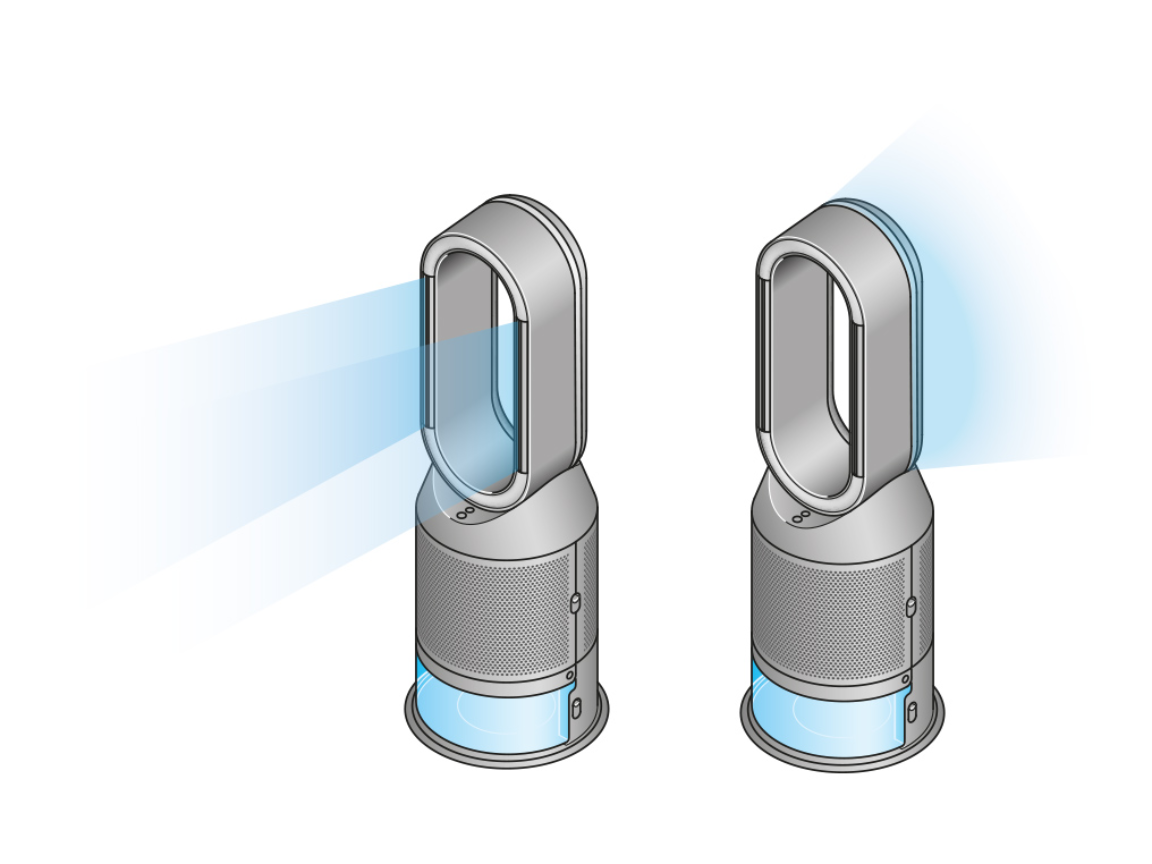
Activate cooling by pressing the fan icon on the remote. Use the “+” and “-” buttons to set speeds 1-10 (speed 4 is ideal for sleeping). For focused cooling, press “Jet Focus” to narrow airflow into a targeted stream—perfect for your desk or bedside. Press “Diffused” to spread air broadly across the room. Oscillation (350° rotation) distributes cool air evenly; toggle it with the circular arrow button.
Heat your space precisely with these steps: Press the flame icon until the ring glows red. Set your target temperature (60°F–90°F) using the up/down arrows—the machine auto-adjusts fan speed to maintain it. Critical tip: Never set the target more than 5°F above current room temperature. Larger gaps strain the heating element and trigger overheating shutdowns. For instant warmth, combine heat mode with Jet Focus directed at your seating area.
Activate Auto Purification Mode for Hands-Off Clean Air
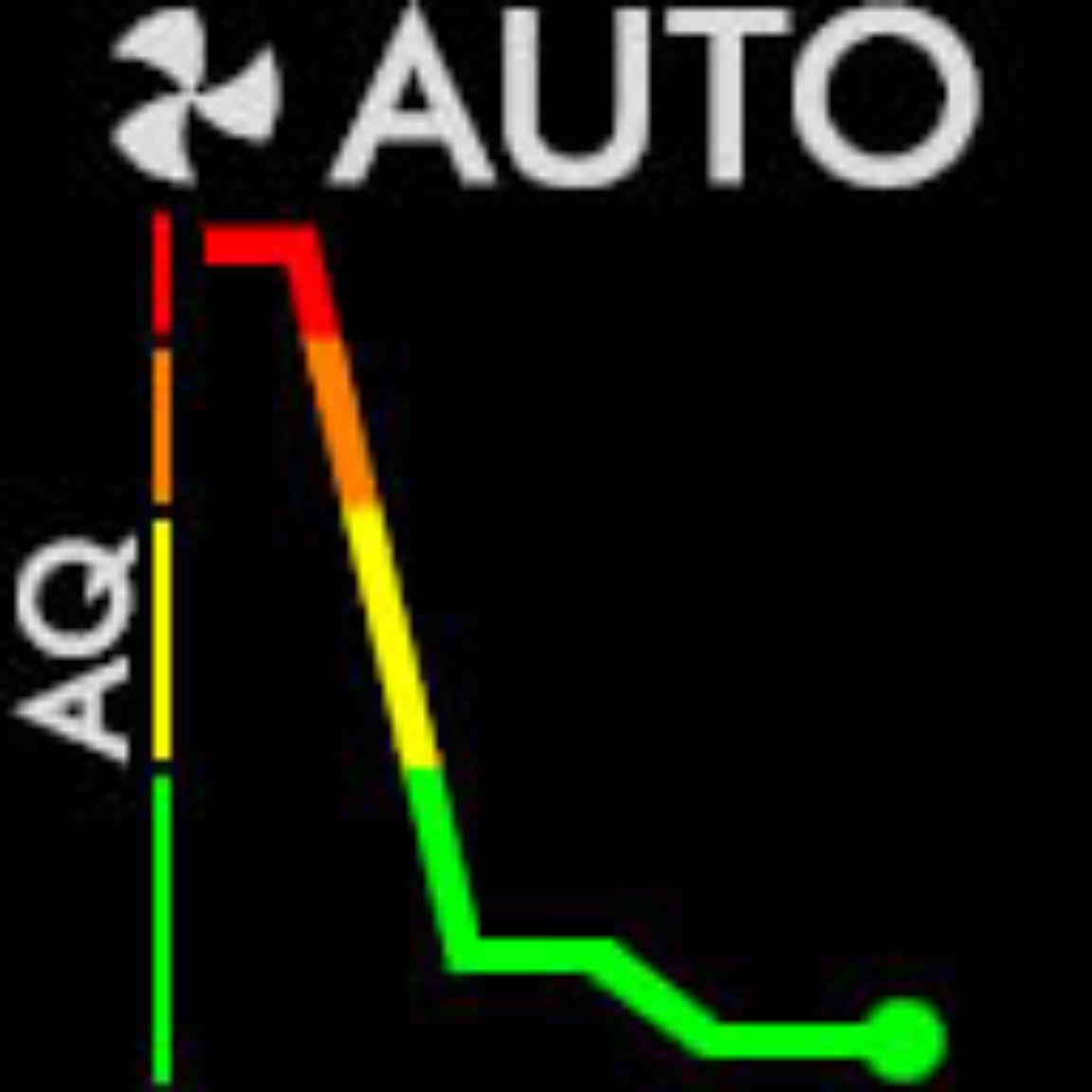
Press “Auto” on the remote to let your HP04 self-regulate purification. The machine’s sensors detect PM2.5, VOCs, and NO2 24/7, automatically ramping fan speed when pollutants spike (like during cooking). Watch the real-time air quality display: blue = clean, amber = moderate, red = poor. In Auto mode, the HP04 maintains blue status by adjusting suction—no manual intervention needed.
Force a quick purification cycle when guests arrive: Press the fan icon three times rapidly to trigger “Boost Mode.” The HP04 runs at max speed (level 10) for 5 minutes, then reverts to Auto. Use this after smoking, cleaning, or bringing in allergens from outside. Never disable Auto mode for more than 2 hours—prolonged manual operation risks missing sudden pollution events like gas stove leaks.
Customize Airflow Direction Without Touching the Machine
Tilt the airflow vertically by gripping the base and gently nudging the loop forward (for upward draft) or backward (for downward flow). This mechanical adjustment works silently—no buttons required. For horizontal targeting, use oscillation: press the rotation button once for full 350° sweep, or hold it 2 seconds to lock direction. Oscillation covers 80% more room area than static airflow but uses 15% more energy.
Fix “cold feet” in winter: During heating, tilt the loop slightly downward and enable oscillation. This pushes warm air along the floor instead of rising to the ceiling. For summer cooling, tilt upward to create a ceiling-hugging breeze that doesn’t blow directly on you. Always disable oscillation if pets or papers could be disturbed by rotating airflow.
Set Voice Control with Alexa or Google Assistant Today
Link your HP04 to Amazon Alexa or Google Assistant in 3 minutes:
1. Open your voice assistant app
2. Search “Dyson” in skills/services
3. Log in with your Dyson account
Now say, “Alexa, set HP04 to 72 degrees” or “Hey Google, turn on purification.” Critical setup note: Voice control only works if your HP04 stays connected to Wi-Fi—reboot your router monthly to prevent dropouts. Never use voice commands for heater adjustments above 75°F; manual verification prevents accidental overheating.
Replace Your HP04 Filter Before Air Quality Suffers
The Dyson Link app alerts you when filters need replacement (typically every 12 months). Order genuine Dyson filters (Part No. 972425-01) via the app—third-party filters lack HEPA certification and damage sensors. To replace:
1. Unplug the machine
2. Twist the old filter counterclockwise at the base
3. Insert new filter and twist clockwise until it clicks
Warning: Never run the HP04 without a filter. This triggers error code “F1” and voids your warranty. After replacement, hold the power button 5 seconds to reset the filter timer.
Troubleshoot Common HP04 Issues in 60 Seconds
No power? Check the outlet with another device. If dead, press your home’s GFCI reset button—Dyson units often trip these. Still unresponsive? Unplug for 10 minutes to reset internal fuses.
Weak airflow? Remove and reseat the filter (90% of cases). If persistent, wipe the loop amplifier’s inner mesh with a dry microfiber cloth—dust clogs the inlet. Never use water or cleaners.
App disconnects? Restart both the HP04 and your router. Ensure your Wi-Fi password contains no special characters (!, #, $), which break Dyson’s connectivity.
Heater won’t activate? Verify room temperature is below your set point by 2°F. If the sensor reads 70°F, it won’t heat at 70°F—always set 2-3° higher.
Mastering your Dyson HP04 starts with strategic placement and ends with proactive filter care—skip any step, and you sacrifice performance. Remember: Auto mode is your air quality guardian, voice control saves daily hassle, and annual filter swaps prevent costly repairs. Within 24 hours of applying these techniques, you’ll notice crisper cooling, faster heating, and measurable air quality improvements via the Dyson Link app. Ready to go deeper? Download the official user manual for advanced scheduling tricks, or contact Dyson Support at 1-866-693-9766 for personalized troubleshooting. Your cleanest, most comfortable air awaits.

