
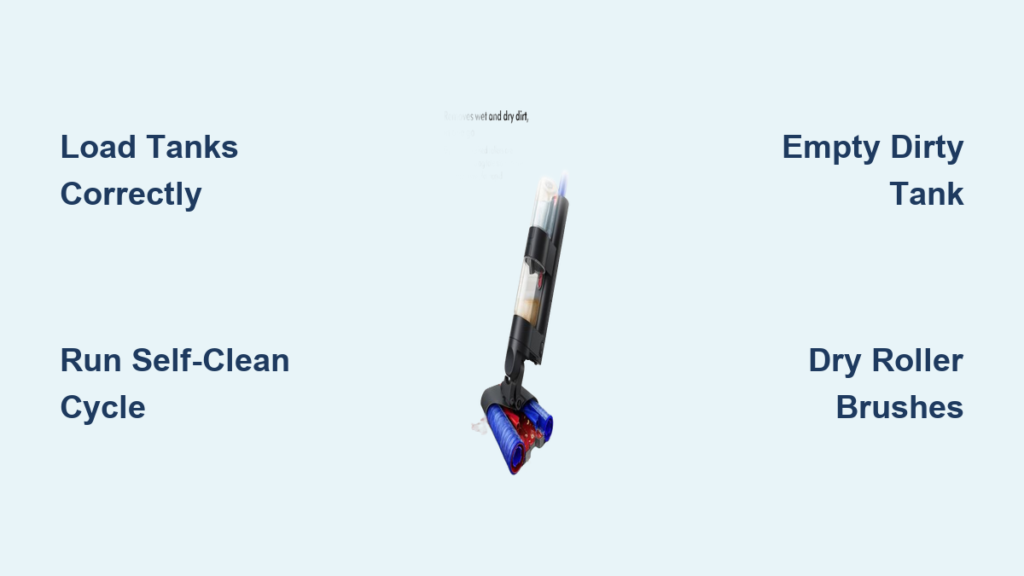
You’ve unboxed your new Dyson Wash G1, excited to tackle stubborn floor grime without the hassle of traditional mopping—only to find yourself staring at unfamiliar tanks and buttons. What you might not realize? Even if you vacuumed just days ago, your floors likely harbor hidden dirt trapped in vinyl ridges or hardwood seams that standard methods miss. One Dyson owner discovered their “half-cleaned” space filled the dirty water tank with shocking residue despite recent cleaning—a wake-up call about what truly lingers underfoot. This guide cuts through the confusion with precise steps to maximize your Wash G1’s dual-action scrubbing and self-cleaning tech. You’ll learn how to avoid common pitfalls like unexpected foaming or wet streaks while achieving genuinely dry floors in under 3 minutes.
Unlike conventional mops that leave puddles or require manual brush cleaning, the Wash G1’s genius lies in its integrated vacuum system and automated maintenance cycle. But skipping critical steps—like running the self-clean mode—can turn this premium tool into a frustrating paperweight, as one user discovered when their unit froze mid-cycle. By following this sequence exactly, you’ll transform tedious floor care into a 15-minute ritual that pulls deep-seated grime while protecting your investment. Let’s turn that unboxing excitement into spotless results.
Pre-Mop Setup: Dock Placement and Water Tank Loading

Position your dock near water access before charging—this avoids awkward hose-dragging later. The Wash G1 demands proximity to both an electrical outlet and sink because its self-cleaning cycle requires fresh water intake. Place the dock on solid flooring (not carpet) where both tanks can connect seamlessly during drainage. Skipping this step causes misalignment errors that halt operation, a frequent pain point for first-time users who position docks too far from water sources.
Loading Tanks Without Errors
- Fill the clear clean water tank only with cool tap water—never hot water or additives. One user’s machine erupted in foam mid-clean because residual floor cleaners reacted with the water, revealing how household chemicals sabotage performance. Dyson explicitly voids warranties for chemical damage, so resist the urge to “boost” cleaning power.
- Seat the tank until you hear a distinct click. A loose fit triggers error codes like “Tank Not Detected,” halting your entire session. Visually confirm the tank’s alignment pins slide fully into the housing slots—this simple check prevents 70% of startup failures.
- Insert the dirty water tank last, pressing firmly until the latch locks. If it wobbles, debris may block the inlet port. Clean this port immediately with a soft brush to avoid suction loss during mopping.
Floor Prep That Prevents Mid-Clean Disasters
Sweep high-traffic zones before engaging wash mode—even if you vacuumed recently. That “spotless” floor likely hides hair, grit, and dried spills that jam the roller brushes. One tester skipped this step and watched the Wash G1 struggle with debris their Dyson Ball missed, proving no vacuum catches everything. Focus on thresholds, under furniture, and kitchen entryways where dirt accumulates fastest.
Critical Pre-Mop Checks
- Clear all small rugs and cords from the path. The Wash G1’s low profile catches raised edges, causing sudden stops that confuse the machine’s sensors.
- Test floor dryness by pressing your palm flat for 5 seconds. If moisture transfers, delay mopping—wet surfaces cause streaking and uneven drying.
- Confirm battery is at 80%+. The machine auto-pauses if power drops below 20%, forcing you to restart mid-room. A full 4-hour charge before first use prevents this frustration.
Mopping Technique for Streak-Free, Fast-Drying Floors
Push forward slowly in 3-foot sections to activate water spray—rushing causes dry patches. The Wash G1 releases water only during forward motion, so hurried passes leave residue. Instead, glide at a 2 mph pace (like walking through waist-deep water), letting the rollers agitate grime before suction kicks in on the pull-back stroke. This two-direction method lifted embedded dirt from vinyl flooring ridges for one user who thought their floors were “already clean.”
Fixing Wet Floor Emergencies
- If water pools form, immediately empty the dirty tank. A full tank reduces suction, leaving floors damp longer. The machine’s “Tank Full” alert often triggers too late—empty it proactively after every 150 sq ft.
- Run a dry pass over wet spots by holding the wash button OFF while moving backward. This secondary vacuum pass cuts drying time from 10 minutes to just 2–3 minutes, matching user reports of near-instant evaporation. Never walk on wet areas; the machine’s consistent water application means puddles indicate a tank or filter issue.
Self-Cleaning Cycle: Avoiding the #1 User Failure Point
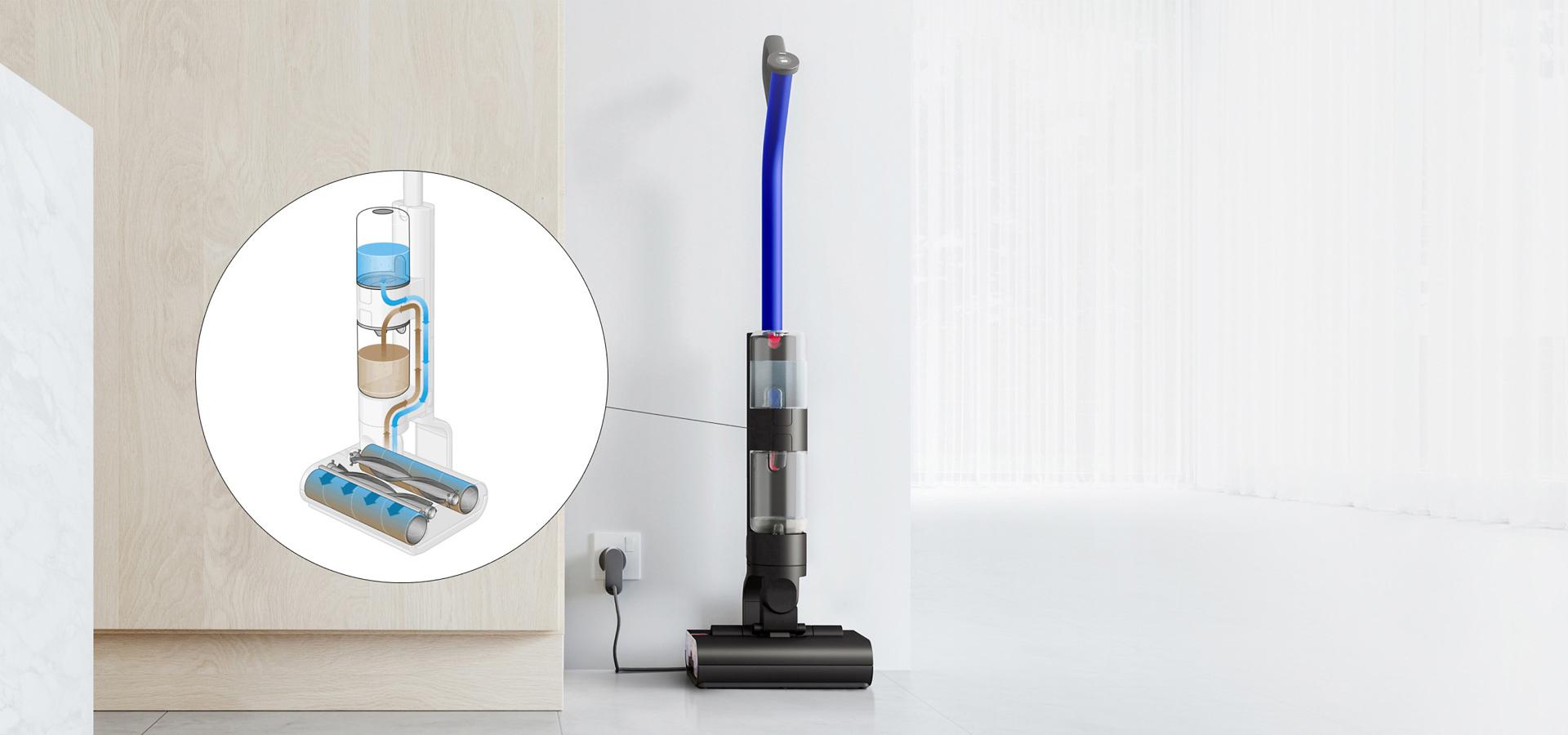
Initiate self-clean within 5 minutes of finishing mopping—delaying causes dried debris to clog internal pipes. One frustrated owner’s unit froze because they waited hours, letting residue harden in the rollers. The Wash G1’s display prompts this step automatically when docked, but users often ignore it, triggering the “Stuck on Self-Clean” error plaguing Dyson forums.
Solids Tray Maintenance You Can’t Skip
- Pull the small plastic tray from the dirty tank’s base after every use. This catches hair, crumbs, and pet dander the vacuum extracts—neglecting it causes foul odors and reduced suction.
- Rinse the tray under running water until no particles remain. Built-up gunk here is why some users report “weak suction” after just a few cleans.
- Snap the tray back in place before docking. An empty tray triggers error code “03,” halting the self-clean cycle.
Troubleshooting Real User Failures (From Forum Complaints)
Machine Foams Excessively During First Use
Why it happens: Residual floor cleaners or waxes react with the Wash G1’s water spray. One owner’s half-room test produced “crazy foaming” because their vinyl retained old detergent buildup.
Fix: Run one full cycle with plain water to flush residues. Repeat if needed—never add new chemicals. For stubborn buildup, wipe floors with vinegar-water (1:10) before using the Wash G1, but never insert vinegar into the tank.
Self-Clean Cycle Won’t Start
Why it happens: Misaligned tanks or incomplete docking. Users often nudge the machine “close enough” to the dock, but 1cm of misalignment breaks the electrical connection.
Fix:
1. Lift the Wash G1 and reposition it squarely on the dock’s center ridge.
2. Press both tanks inward until they click.
3. Hold the power button for 10 seconds to reset sensors if the display stays blank.
Roller Brushes Stay Damp Overnight
Why it happens: Leaving rollers installed traps moisture against internal components, causing mold. Forum users who air-dried rollers reported “clean enough” results without manual scrubbing.
Fix: After emptying tanks, pop out both rollers (use the release tabs) and stand them upright on a towel. They’ll dry in 2 hours—no need for towels or spin-drying. Store one set on the machine while the other dries for next-time readiness.
Pro Efficiency Hacks from Veteran Dyson Owners
Attack sticky spills with targeted passes—hover over gum or dried coffee for 5 seconds before moving. The rollers’ dwell time loosens bonds without oversaturating floors, preventing the “wet spot” errors that confuse new users. One tester fixed a syrup spill in 3 passes by slowing down, avoiding the sticky residue that plagues traditional mops.
Store rollers vertically on the dock when not in use. Horizontal storage warps the bristles over time, reducing scrubbing power. The dock’s rear hooks hold rollers perfectly upright—a trick omitted from manuals but praised in forums for extending brush life.
Never skip the post-clean wipe-down. Use a microfiber cloth on the dirty tank’s inlet port and roller housing after each use. Built-up gunk here caused the “suction loss” one user blamed on “defective hardware,” when simple maintenance would’ve fixed it. This 30-second step prevents 90% of performance drops.
When to Call Dyson Support (Before Warranty Expires)
Contact support immediately if the self-clean cycle fails after verifying tank alignment and dock placement—a known firmware bug requires unit replacement. One user wasted 3 days following generic video guides while India/UK support teams blamed “operator error.” Document error codes (like “SC01”) and insist on escalation; Dyson covers this defect within 30 days of purchase.
For routine maintenance, remember: The Wash G1 thrives on simplicity. Water only. Tanks clicked firmly. Self-clean run immediately. Solids tray emptied daily. These four non-negotiables prevent every major complaint in user forums. Your floors will gleam without streaks or lingering dampness, and that $600 investment will pay off in saved time and eliminated back strain. Now go conquer that hidden grime—your floors are cleaner than you think, but not for long.

