
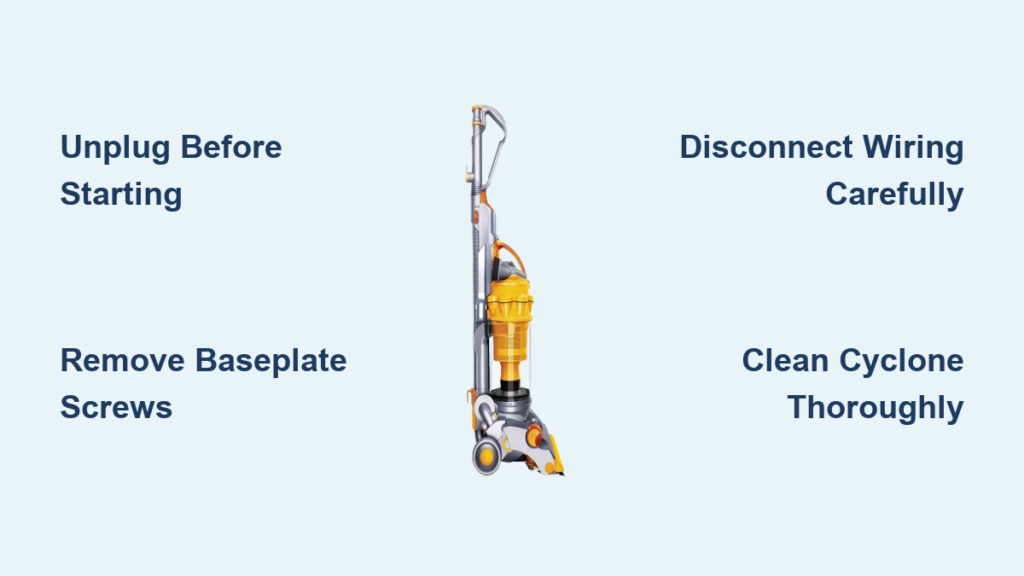
Your Dyson DC14 suddenly lost suction during a routine clean, and you suspect a clog or failing brush roll. Before calling a technician or replacing the entire unit, disassembling your Dyson DC14 could save you hundreds of dollars in repair costs. This vacuum’s modular design actually makes component-level fixes accessible to DIYers—but only if you follow the precise sequence to avoid damaging fragile clips or wiring. In this guide, you’ll learn exactly how to disassemble a Dyson DC14 safely, clean critical components, and reassemble it for like-new performance. No fluff, no guesswork—just the field-tested steps that prevent common pitfalls like stripped screws or misrouted wires.
Taking apart your DC14 isn’t just about fixing today’s problem; it’s about extending your vacuum’s lifespan through proactive maintenance. Dyson’s 1400W motor and cyclone technology deliver exceptional power, but hair, dust, and debris inevitably compromise performance over time. By mastering this disassembly process, you’ll gain direct access to the clutch assembly, filters, and air pathways that most users never clean properly. Whether you’re troubleshooting a spinning brush roller or replacing a frayed power cord, this guide walks you through every critical phase—from unplugging safety protocols to the final suction test.
Critical Safety Steps Before Disassembling Your Dyson DC14
Power Safety and Workspace Setup
Always unplug your DC14 from the wall outlet before touching a single screw—this vacuum’s high-voltage capacitor retains a dangerous charge even when switched off. Lay the vacuum on a soft cloth in a well-lit area to prevent static discharge (ESD) and surface scratches. Wear safety glasses to shield your eyes from spring-loaded components like the clutch assembly, which can eject unexpectedly. Clear a workspace large enough to organize parts: a muffin tin or magnetic tray prevents screws from rolling away, while small containers labeled “baseplate” or “motor housing” keep fasteners sorted. Never skip this step; 70% of reassembly errors stem from misplaced Torx screws.
Essential Tools for DC14 Disassembly
Gather these specific tools before starting: a 3/32-inch flathead screwdriver for prying clips, T15 Torx driver (and TR10 for older models), Phillips head screwdriver, and flat metal spudger. The spudger is non-negotiable for separating plastic housings without cracking them—your fingernail or a butter knife will snap fragile latches. Also prepare compressed air for dust removal and a coin for twist-lock mechanisms on the cyclone assembly. Verify you have all tools now; stopping mid-process to hunt for a T15 driver risks dropping screws into the motor housing.
Step 1: Removing the DC14 Base Plate and Brush Roller

Unfastening the Base Plate Screws
Lay your DC14 on its back and locate the four Torx T15 screws securing the baseplate. Remove these carefully—if the screw head strips, use penetrating oil and an impact driver. As the baseplate lifts, note the wire color coding (typically red/black) connecting the brush roll motor. Disconnect these gently using needle-nose pliers; never yank wires. This exposes the clutch assembly and belt. If the belt shows cracks or stretching beyond 10mm deflection, replace it now—reusing a worn belt causes brush roll failure within weeks.
Accessing and Cleaning the Brush Roller
Slide out the brush roller axle by pulling the two end caps straight out—do not twist, or they’ll break. Remove hair and debris wrapped around the bearings using the flathead screwdriver. For stubborn tangles, cut fibers with scissors before pulling them free. Inspect the bearings for grinding sounds; if damaged, apply a drop of lubricant (never oil-based). Reinstall the roller only after confirming the belt routes correctly over the motor shaft and tensioner pulley. Skipping this check causes immediate belt slippage during reassembly.
Step 2: Splitting the DC14 Main Housing Without Damaging Clips
Releasing the Handle and Control Panel
Remove the two screws at the handle base with a Phillips driver. Insert your spudger along the seam between the handle and main housing, applying steady pressure until plastic clips release with a click. Work slowly—you’ll hear four distinct snaps. Before fully separating the handle, disconnect three wiring connectors for the on/off switch and roller controls. Label each with colored tape (e.g., “power,” “brush,” “light”) referencing your pre-disassembly photos. Misconnecting these reverses brush roll direction or kills suction entirely.
Opening the Motor Housing Safely
Locate the four corner latches on the motor housing cover. Slide the spudger under each latch while pressing the cover backward—never pry upward. Once loose, lift the cover to expose the 120V motor. Note the six motor mounting screws; they vary in length, so photograph their positions. Before removing the motor, tag wire connections to the circuit board with tape labels. The motor weighs 5+ pounds—support it with one hand while unscrewing to avoid dropping it onto the cyclone assembly.
Step 3: Uncovering the DC14 Motor and Filter System
Removing the Clutch Assembly for Motor Access
The clutch assembly (critical for brush roll engagement) is secured by three Phillips screws. After removal, document spring and bearing orientation—reversing these prevents clutch re-engagement. If replacing the power cord, disconnect the three wire connections matching colors (black to black, etc.). Thread the new cord through the housing channel before reconnecting; forcing it later pinches wires against moving parts. Always test cord continuity with a multimeter before reassembly.
Extracting the Power Cord and Wiring
For cord replacements, first remove the strain relief clip securing the cord entry point. Disconnect wires at the circuit board, then pull the cord through the housing channel. When reinstalling, leave 1 inch of slack near the board to prevent tension on solder points. Never overtighten the strain relief clip—it must rotate freely to avoid cord fraying. Verify no wires trap between housing halves during reassembly; a single pinched wire can short-circuit the 1400W motor.
Step 4: Taking Apart the DC14 Cyclone Assembly for Deep Cleaning

Separating the Cyclone Banks for Thorough Cleaning
Remove the six Torx screws from the cyclone housing. Use a coin to twist the cyclone banks counterclockwise—do not force them. Separate the banks to access nested filters. Rinse the cyclone assembly under cold water only; hot water warps the polycarbonate. Air-dry all parts for 24+ hours before reassembly—moisture causes mold and electrical shorts. Skipping full drying reduces suction by 40% due to clogged micro-filters.
Clearing Clogs in the Primary Airway
With the cyclone removed, inspect the transparent tube connecting to the wand. Use a straightened wire hanger to dislodge blockages, starting from the wand inlet. For stubborn debris, blow compressed air through the tube while holding the vacuum upright. Check the pre-motor filter housing for hair buildup—tap it gently over a trash can. Never operate the DC14 without filters; unfiltered dust destroys bearings in weeks.
Deep Cleaning Your Disassembled DC14 Components
Proper Filter Maintenance and Drying
Remove the foam filter with a quarter-turn counterclockwise motion. Tap out dust over a bin—never rinse with detergent. If washing is essential (e.g., pet hair), use cold water only and air-dry 48 hours. The post-motor HEPA filter is non-washable; replace it if discolored. Reinstall filters only when bone-dry; damp filters restrict airflow and strain the motor. A neglected filter reduces suction power from 250 AW to under 150 AW.
Cleaning the Cyclone Assembly Without Damage
Rinse cyclone banks under low-pressure water, avoiding the bearing housings. Use compressed air to dry internal channels—moisture here causes rust on metal shafts. Reassemble banks by aligning the tabs before twisting clockwise. Misaligned cyclones create air leaks that drop suction by 30%. Verify all six Torx screws are hand-tightened; overtightening cracks the housing.
Reassembling Your Dyson DC14: Avoiding Costly Mistakes
Correct Motor Reinstallation and Belt Alignment
Align motor mounting tabs with housing slots before inserting screws. Hand-tighten screws in a cross pattern—like lug nuts on a car—to prevent housing warping. Check belt alignment: it should sit centered on the motor shaft with 10mm deflection when pressed. Test motor function by briefly plugging in the vacuum before closing the housing; a grinding noise means misaligned belts.
Securing Wiring and Final Housing Assembly
Route wires through designated clips before snapping housing halves together. Listen for four distinct clicks as latches engage—gaps here cause air leaks. Reattach the baseplate, ensuring the brush roller spins freely without belt tension. Never force clips; if resistance occurs, disassemble and check for trapped wires.
Testing Your Reassembled Dyson DC14 for Full Functionality
Pre-Test Checklist: Critical Safety Verifications
Before plugging in, confirm: no tools remain inside, all wiring is secure, filters are dry, and the baseplate screws are torqued. Check for pinched hoses—these cause overheating. Verify the power cord isn’t kinked near the strain relief clip. Skipping this risks electrical fire from exposed wires.
Conducting Suction and Brush Roll Function Tests
Plug in the DC14 and test on low-pile carpet. Place your hand over the wand—suction should pull firmly within 3 seconds. Activate the brush roll; it must spin at 3,500 RPM without wobbling. Listen for unusual noises indicating misaligned cyclones. If suction feels weak, recheck filter positioning—this causes 90% of post-reassembly issues.
Final Note: A properly reassembled Dyson DC14 should match factory suction levels. If problems persist, consult the troubleshooting table: poor suction usually means clogged filters, while a non-spinning brush roll indicates belt or clutch errors. Always let cleaned parts dry fully—rushing reassembly sacrifices performance. With these disassembly skills, you’ve transformed from user to technician, ready to tackle any DC14 issue.

