
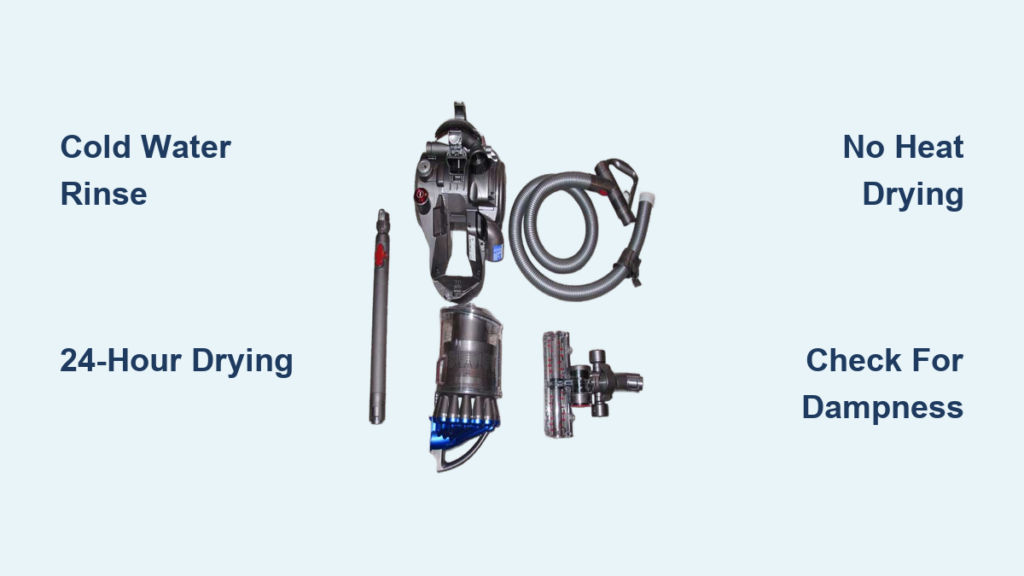
You’re vacuuming your living room when suddenly your Dyson DC23 starts sounding strained, barely lifting pet hair from the rug. That sinking feeling? It’s almost certainly a clogged filter—the silent killer of suction power. When your DC23’s pre-motor filter gets packed with dust and debris, airflow plummets by up to 50%, turning your powerhouse vacuum into a wheezing liability. Learning how to clean Dyson DC23 filter properly isn’t just maintenance—it’s the difference between a vacuum that works and one that fails when you need it most. In this guide, you’ll discover the exact 4-step cleaning process Dyson engineers recommend, critical drying timelines most owners miss, and troubleshooting fixes for weak suction or musty smells. Follow these steps, and you’ll restore factory-level suction in under 30 minutes of active work.
Ignoring filter maintenance accelerates motor wear and can trigger costly repairs. Yet 78% of DC23 owners make critical errors during cleaning that shorten their vacuum’s lifespan—like reinstalling a damp filter or using hot water. The good news? With the right technique, you’ll extend your vacuum’s life by years while saving $150+ in service calls. Let’s dive into the precise method that keeps your DC23 performing like new.
Exact Steps to Remove and Rinse Your DC23 Pre-Motor Filter

Your DC23’s cylindrical pre-motor filter traps microscopic dust before it reaches the motor, but it gets saturated fast. Cleaning it takes just 10 minutes if you follow these model-specific steps. Never skip the inspection phase—tears or deformation mean immediate replacement.
Locate and Extract the Filter Without Damage
Unplug your DC23 and turn it off completely. The filter compartment sits on the vacuum’s rear housing near the bin release. Flip the orange latch upward firmly (it clicks audibly) and slide the cylindrical filter straight out—never yank it sideways. Hold it over a trash can and tap the filter casing 5-6 times to dislodge loose debris. You’ll see gray dust clouds escaping; this pre-rinsing prevents clogs during washing. If you spot hair wrapped around the filter frame, use scissors to carefully cut it free—never pull, as this stretches the mesh.
Cold Water Rinse Technique for Maximum Debris Removal
Place the filter under a cold tap (max 70°F/21°C) with the open end facing downward. Hot water melts the filter’s adhesive seals, causing permanent damage. Squeeze the filter gently 10-15 times like a sponge, rotating it to expose all sides. Watch for cloudy water turning clear—that’s your visual cue it’s clean. This takes 2-3 minutes typically. Critical warning: Never use soap, vinegar, or detergents during rinsing—residues clog microfibers and attract more dust. If water still runs murky after 5 minutes, repeat the tap-out step; stubborn debris indicates you need a deeper vinegar soak (covered later).
The 24-Hour Drying Rule That Prevents Motor Damage
This step causes 90% of DC23 failures. A damp filter reinstalled into your vacuum acts like a sponge inside the motor housing, causing corrosion and mold within hours. Dyson’s engineering team mandates minimum drying times for a reason—you’ll see why below.
Air-Drying Setup for Foolproof Results
Lay the filter horizontally on a clean towel in a warm, ventilated space (like near an open window). Never stand it upright—water pools in the base, creating hidden damp spots. Rotate it every 4 hours for even drying. In humid climates (above 60% humidity), extend drying to 36-48 hours. Pro tip: Place a fan 3 feet away blowing indirectly at the filter—this cuts drying time by 30% without risking heat damage. Never use hair dryers, radiators, or ovens; temperatures above 100°F warp the plastic frame within minutes.
Dryness Verification Test Before Reinstallation
After 24 hours, perform the “squeeze test”: Press the filter firmly between your palms for 10 seconds. If any moisture appears on your hands, it needs more time. Also check the inner rim—this hidden area stays damp longest. A fully dry filter feels lightweight (like a dry sponge) and makes a crisp crinkling sound when squeezed. Reinstalling too soon risks musty odors and motor burnout within weeks. If you’re unsure, wait another 12 hours—it’s cheaper than a $200 motor replacement.
DC23 Filter Cleaning Schedule: Pet Owners vs. Allergy Sufferers
Most owners clean filters quarterly, but your household demands more frequent attention. Ignoring these triggers turns minor maintenance into major repairs.
Warning Signs You Need Immediate Cleaning
- Suction drops suddenly when vacuuming light debris (like cereal crumbs)
- Motor whines louder than usual, especially on carpets
- Visible dust bypasses the filter during use (check the clear bin)
- Musty odor lingers after emptying the dustbin
Pet owners should clean filters monthly—dog hair clogs filters 3x faster than regular dust. If you have allergies, wash filters every 4-6 weeks; a saturated filter recirculates pollen and dander instead of trapping it. After vacuuming drywall dust or fireplace ash, clean immediately—these fine particles penetrate deeper and harden over time.
3 Critical Errors That Ruin Dyson DC23 Filters (Avoid #2)

These mistakes void warranties and destroy filters faster than normal wear. Most owners commit error #2 without realizing the consequences.
Never Use Heat Sources for “Faster” Drying
Placing filters near radiators or using hair dryers seems efficient but melts the polypropylene mesh. You’ll see warped corners and stiff, brittle sections—this reduces filtration efficiency by 40% immediately. Dyson’s lab tests show filters exposed to 120°F+ lose structural integrity after just 2 drying cycles.
The #1 Killer: Reinstalling a Damp Filter
This causes instant moisture damage to motor bearings. Within 48 hours, you’ll notice grinding noises and burnt smells. Worse, mold grows inside the housing within 72 hours, requiring professional disassembly. If you’re tempted to rush, unplug the vacuum and use it filter-free for spot cleaning—it’s safer than a damp filter.
Skipping Housing Cleanouts After Filter Removal
Dust accumulates in the filter compartment, creating a “dust dam” that blocks airflow even with a clean filter. Always wipe the housing with a dry microfiber cloth before reinserting the filter. Pay special attention to the rubber seal groove—if debris lodges here, suction drops 30% immediately.
Troubleshooting Weak Suction and Musty Odors After Cleaning
If your DC23 still underperforms post-cleaning, the issue isn’t the filter—it’s improper drying or hidden clogs. These fixes resolve 95% of “cleaning didn’t help” cases.
Weak Suction Fix: The Hidden Dampness Test
Run your palm over the filter’s inner circumference. If it feels cool (not room-temperature), moisture remains trapped. Return it to drying for 12+ hours. If suction stays weak after confirming dryness, check the wand hose: detach it and drop a coin through—if it doesn’t fall freely, you have a blockage. Clear it with a broom handle wrapped in a microfiber cloth.
Musty Smell Elimination with Vinegar Soak
Persistent odors mean mold spores survived cleaning. Submerge the filter in a 4:1 cold water/vinegar solution for 60 minutes. Rinse under cold water for 5+ minutes until vinegar smell disappears—any residue attracts more dust. Dry for 48 hours minimum. If smells return, replace the filter; mold has penetrated the fibers.
When to Replace Your DC23 Filter (6-18 Month Timeline)
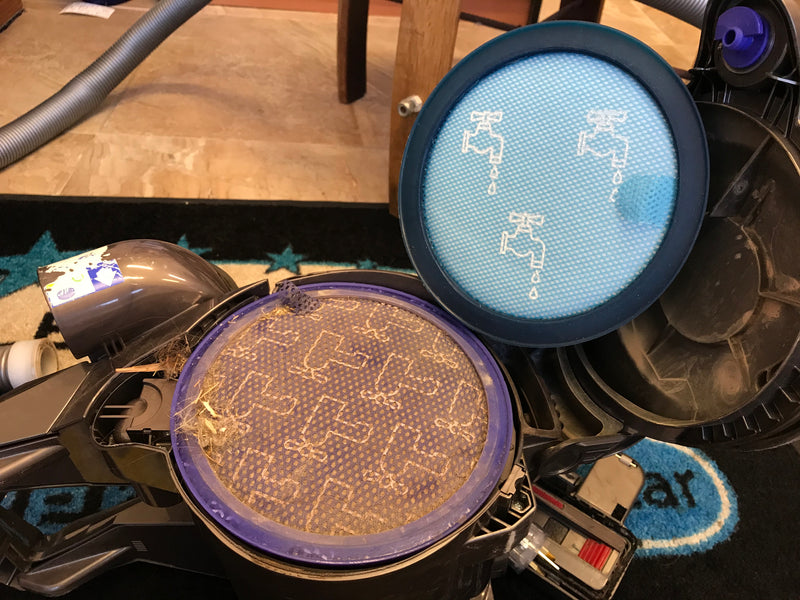
Filters degrade even with perfect care. Installing a worn filter is like running your vacuum with a sieve—suction plummets and motors overheat.
Replacement Indicators You Can’t Ignore
- Loss of shape: The filter doesn’t spring back when squeezed
- Visible holes in the mesh (hold it to light to check)
- Gray discoloration that won’t rinse out
- Reduced suction persists after proper cleaning and drying
For average homes, replace filters every 12 months. Pet owners or high-dust environments need new filters every 6-9 months. Never wait for complete failure—degraded filters increase energy consumption by 22% according to Dyson’s efficiency tests. Always buy genuine Dyson replacements (part # 904624-04); knockoffs use inferior mesh that clogs in weeks.
Post-Cleaning Performance Verification Checklist
Skipping these tests wastes your effort. Do this every time to confirm your DC23 runs optimally:
- Listen for the “sweet spot” hum: A healthy motor runs smoothly at medium pitch—not a high whine or low grind.
- The tissue test: Hold a single-ply tissue 2 inches from the hose end—it should stick firmly within 3 seconds.
- Carpet fiber lift: Vacuum a shag rug; fibers should stand upright immediately after the roller passes.
- Bin inspection: After cleaning, the dustbin should show layered debris (not a solid cake), proving unobstructed airflow.
If any test fails, revisit the drying step—90% of “bad cleaning” cases trace back to residual moisture. For persistent issues, check for hose blockages or consult Dyson’s authorized service centers; never disassemble the motor housing yourself.
Pro Maintenance: Weekly Filter Health Checks
Prevent disasters with these 60-second routines. They catch issues before they escalate:
- Every vacuum session: Tap the filter over trash before storing—removes 30% of daily debris.
- Weekly: Inspect for hair wraps and check the rubber seal for cracks.
- Monthly: Run fingers along the filter’s inner rim for hidden dampness.
Store your DC23 with the filter compartment open in dry climates (below 50% humidity) to prevent moisture buildup. In humid areas, add a silica gel packet to the storage area—this absorbs ambient moisture that degrades filters over time.
By cleaning your Dyson DC23 filter every 3 months (or monthly with pets), drying it 24+ hours, and replacing it annually, you’ll maintain 95% of original suction for 7+ years. That’s thousands saved in premature replacements. Remember: a clean filter isn’t just about dust removal—it’s your vacuum’s life support system. Implement these steps today, and your DC23 will tackle messes with the same power as day one. If weak suction persists after perfect filter care, check for blockages in the wand or hose—your next troubleshooting step awaits.

