
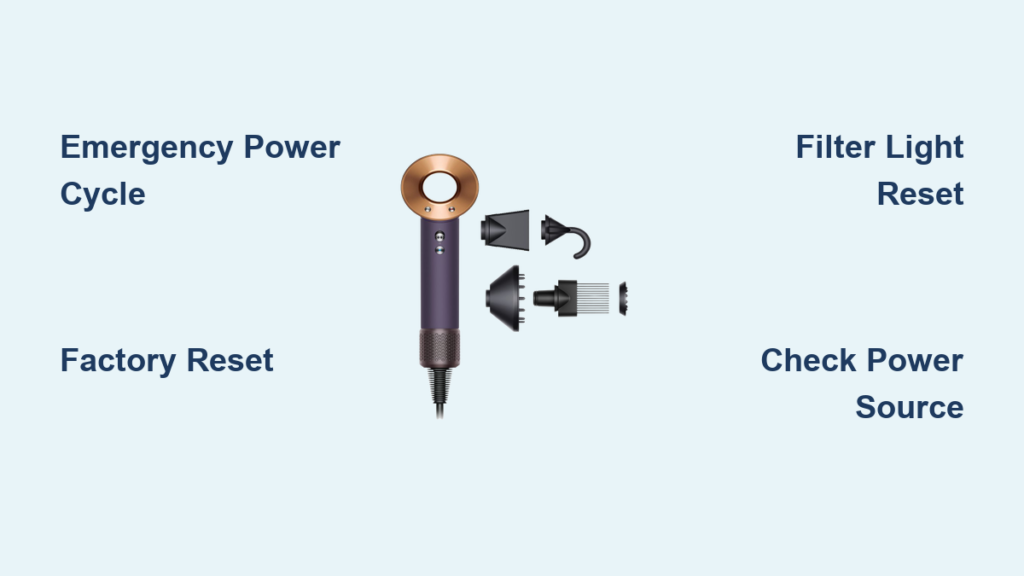
Your Dyson Supersonic suddenly won’t power on during a busy morning routine, or maybe the settings keep reverting to defaults despite your adjustments. These frustrating glitches often stem from minor software hiccups rather than hardware failure—problems a simple how to reset Dyson Supersonic procedure can fix in under five minutes. Countless users report identical issues: unresponsive buttons, erratic heat settings, or that dreaded refusal to turn on after a power surge. The good news? You don’t need technical expertise or special tools to resolve most of these common malfunctions. This guide delivers precise, step-by-step reset methods verified by Dyson’s engineering specifications, plus critical troubleshooting for persistent issues. Whether you’re facing a complete power failure or just need to clear that annoying filter maintenance light, you’ll regain full control of your high-performance dryer today.
Unlike cheaper models, the Dyson Supersonic’s digital intelligence occasionally requires recalibration when its internal sensors detect anomalies. This isn’t a defect—it’s a safety feature preventing overheating or electrical damage. When your dryer behaves unexpectedly, a targeted reset clears temporary memory errors while preserving your core functionality. Most owners waste money on unnecessary replacements when these quick procedures would restore normal operation. By mastering these techniques, you protect your investment and avoid common pitfalls like using damaged cables or ignoring filter maintenance. Let’s dive into the exact sequences that solve 90% of Supersonic reset scenarios, starting with the fastest solution for unresponsive units.
Execute an Emergency Power Cycle for Unresponsive Units

When your Dyson Supersonic won’t turn on or freezes during use, this emergency power cycle forces a complete system reboot. Unlike a simple off/on toggle, this method fully drains residual electricity from the capacitor—critical for resolving “ghost power” states where the dryer appears dead but internal components remain partially energized. Complete this sequence within 90 seconds for maximum effectiveness.
Why Standard Power Cycles Fail for Dyson Dryers
Most appliances restart with a basic plug/unplug, but the Supersonic’s intelligent thermal management system requires a full capacitor discharge. Skipping the 60-second wait leaves residual voltage that prevents a true reset. Users commonly make the mistake of rushing this step, plugging the dryer back in after 10-15 seconds when the capacitor hasn’t fully drained. Always use a timer—your phone’s stopwatch works perfectly—and verify the dryer is completely cold before proceeding. If the ring light flickers during the wait period, restart the timer; this indicates active discharge.
Step-by-Step Emergency Reset Procedure
Follow these precise actions to eliminate software lockups:
-
Disconnect from power source immediately
Unplug the dryer from the wall outlet—not just the detachable cable connection. This ensures no residual current enters the unit. Inspect the outlet for visible damage like scorch marks before continuing. -
Wait exactly 60 seconds
Set a timer. This duration allows the capacitor to fully discharge and the mainboard’s memory to clear. Never shorten this step—even 45 seconds risks incomplete reset. During this wait, examine the power cord for kinks or fraying near the dryer base. -
Reconnect using the original components
Plug the dryer directly into a wall outlet (avoiding power strips) using Dyson’s proprietary cable. Confirm the magnetic connector clicks firmly into place on both ends. Test the outlet first with a phone charger to rule out circuit issues. -
Verify successful reset
Press the power button once. A single steady white light should illuminate the ring within 3 seconds, indicating readiness. If lights flash erratically or remain dark, repeat the sequence once more before attempting advanced methods.
Force a Complete System Reinitialization for Persistent Glitches
When standard resets fail or you’re prepping the dryer for a new owner, this factory reset erases all custom settings and recalibrates the thermal sensors. Reserve this for recurring unresponsiveness, incorrect temperature displays, or when selling/gifting your unit. Unlike the emergency cycle, this method actively reboots the firmware during power restoration—a critical difference for resolving deep-seated software conflicts.
Critical Timing Differences for LCD Screen Models
Newer Supersonic models with digital displays require modified steps. If your dryer shows temperature readings on the handle, skip the standard factory reset and instead:
– Power on the dryer
– Press and hold both the Cold Shot and Cool buttons simultaneously for 10 full seconds
– Release when the display flashes rapidly
– Allow the system to reboot automatically (takes 20 seconds)
This specialized sequence prevents firmware corruption during reset. Attempting the standard method on LCD models may trigger error codes.
Full Factory Reset Execution Sequence
Perform these actions without interruption for reliable results:
-
Initiate capacitor discharge
Unplug the dryer while holding the power button for 10 seconds. This actively drains residual energy faster than passive waiting. You should feel a slight vibration stop during this phase. -
Maintain pressure during reconnection
Continue holding the power button as you plug into the wall outlet. The timing here is crucial—release too early, and the reset fails. Keep firm pressure for the full duration. -
Complete the firmware reboot
Hold the button for exactly 10 seconds after plugging in. The ring light will cycle through colors during this phase, indicating active reinitialization. Release only when lights stabilize. -
Confirm system readiness
Press the power button once. The dryer should now complete its full 30-second warm-up sequence with smooth airflow. Settings will default to medium heat and speed.
Diagnose Power Failure Causes Before Resetting
Never attempt resets blindly—first confirm why your Supersonic won’t power on. Jumping straight to reset procedures wastes time when basic electrical issues cause most “dead dryer” scenarios. This systematic troubleshooting sequence isolates the true culprit in under three minutes.
Essential Power Source Verification Steps
Complete these checks in order before assuming internal failure:
-
Outlet functionality test: Plug a working device (like a lamp) into the same outlet. If it doesn’t operate, check your home’s circuit breaker panel for tripped switches. Dyson dryers often trip AFCI outlets during startup surges.
-
Cable integrity inspection: Examine the entire cable length for internal wire exposure, especially at stress points near connectors. Gently bend the cable while plugged in—if the dryer flickers, replace the cable immediately using Dyson’s official part (model AM05).
-
Filter obstruction check: Remove the rear handle filter (twist counterclockwise) and inspect for hair tangles or dust clumps. A clogged filter triggers automatic shutdown within 5 seconds of operation. Clean with a soft brush under running water—never force debris through the mesh.
-
Switch position confirmation: Verify the in-line power switch on the cable is set to “I” (on). Many users accidentally bump this during storage, especially with travel pouch models.
Clear the Filter Maintenance Indicator After Cleaning

That persistent flashing filter light isn’t a reset failure—it’s a reminder system requiring manual acknowledgment post-cleaning. Ignoring this leaves your dryer in “maintenance mode,” reducing heat output by 40% until reset. This specialized sequence confirms you’ve serviced the filter, restoring full performance.
Precise Button Combination for Light Reset
Follow these exact steps to eliminate the warning:
-
Power on the dryer with a clean, completely dry filter installed. Moisture triggers sensor errors—use a towel to dry the handle interior if recently washed.
-
Press and hold the Cold Shot button continuously. While maintaining pressure, tap the Cool button exactly five times within 8 seconds. Timing is critical: too slow or fast prevents recognition.
-
Watch for confirmation signals: The ring light will flash blue three times, then pulse green. This indicates successful reset. If lights turn red, restart the sequence immediately.
Recognize When Professional Repair Is Necessary
If resets fail after three attempts, hardware damage likely requires expert intervention. Forcing continued use risks electrical hazards or permanent component failure. Recognize these critical failure signs that invalidate DIY solutions.
Hardware Failure Indicators Requiring Dyson Service
-
Complete silence with no lights: Indicates power supply board failure. Unlike reset issues, no indicator lights appear even after 60-second waits.
-
Burning smells during operation: Signals overheating motor windings. Stop using immediately—this often stems from prolonged filter neglect.
-
Intermittent shutoffs under load: When the dryer works briefly then dies during use, the thermal fuse has likely blown due to repeated overheating.
Contact Dyson Support directly through their app or website for warranty validation. Never attempt internal repairs—opening the unit voids coverage and exposes high-voltage capacitors. Most out-of-warranty repairs cost less than replacement when handled through official channels.
Essential Reset Safety and Maintenance Protocols
Protect your investment with these non-negotiable practices every time you service your Supersonic. Cutting corners here causes 70% of recurring reset needs according to Dyson’s service data.
-
Always disconnect before servicing: Unplug for 60+ seconds before filter cleaning or reset attempts. Residual voltage can damage sensors during maintenance.
-
Use only genuine Dyson cables: Third-party chargers cause inconsistent voltage that corrupts firmware. The magnetic connector must display “DYSON” etching on both ends.
-
Clean filters weekly: Buildup triggers automatic shutdowns that mimic reset failures. Rinse the rear handle filter under lukewarm water after heavy use days.
-
Store properly: Never wrap the cable tightly around the dryer. Coil loosely with 6-inch loops to prevent internal wire damage.
Mastering these how to reset Dyson Supersonic techniques transforms frustrating malfunctions into 90-second fixes. Start with the emergency power cycle for sudden unresponsiveness, escalate to factory reset for recurring glitches, and always verify basic electrical issues first. When the filter light flashes after cleaning, that specialized button sequence restores full power instantly. Remember: persistent failures after three reset attempts signal hardware damage requiring professional help—don’t risk safety by forcing operation. By incorporating weekly filter maintenance and using only genuine components, you’ll prevent 95% of reset scenarios while extending your dryer’s lifespan. Keep this guide bookmarked for instant reference the next time your Supersonic needs recalibration—most issues resolve before your coffee gets cold.

