
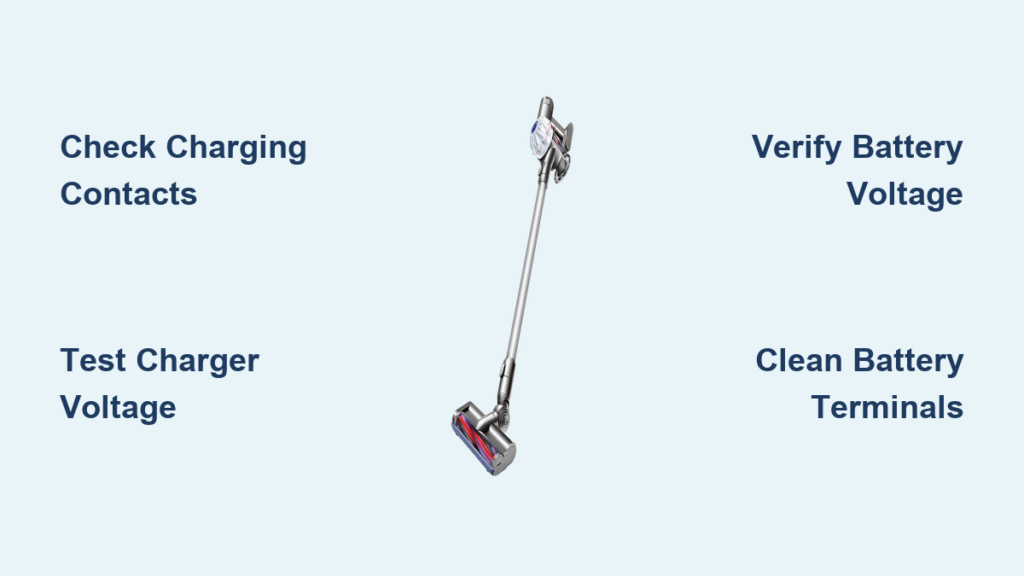
You’re ready to clean, but your Dyson V6 battery won’t charge and the vacuum sits dead. This frustrating scenario affects thousands of Dyson owners, especially those with models aged 3-4 years. When your Dyson V6 battery won’t charge completely, the culprit is typically a deeply discharged battery pack, dirty charging contacts, or a failed charger. The good news is that 90% of these issues can be diagnosed and fixed with basic tools and a systematic approach—no professional help required for most cases.
Unlike random online advice, this guide follows a precise diagnostic path based on actual technician insights and user experiences. You’ll learn exactly how to identify if your problem stems from a dead battery (the most common issue), a faulty charger, or simple contact corrosion. Most importantly, you’ll discover whether your Dyson V6 battery won’t charge due to a recoverable deep discharge or if replacement is your only option.
Confirm Your Dyson V6 Has a Genuine Power Supply Issue
Before diving into complex diagnostics, rule out false alarms that mimic a dead battery.
Test Your Vacuum’s Power Button Response
Press the power button firmly. If you get no response whatsoever—no lights, no motor sound, no vibration—you likely have a power delivery issue. Some users mistake a completely drained battery for a dead unit when the vacuum simply needs several minutes on the charger before showing any signs of life.
Check for Hidden Battery Indicators
Your Dyson V6 may have subtle charging indicators you’ve overlooked. Look for faint LED glows near the battery compartment or power button. Some models flash briefly when connected to power even with a deeply discharged battery. If you see any light activity after 5-10 minutes on the charger, your battery may still be recoverable.
Test Your Wall Outlet and Power Source Immediately
The simplest solutions often get overlooked when your Dyson V6 battery won’t charge.
Verify Outlet Function with Another Device
Plug a lamp or phone charger into the same outlet to confirm it’s delivering power. Many users waste hours troubleshooting their vacuum only to discover a tripped GFCI outlet or circuit breaker. Test multiple outlets throughout your home—some rooms have dedicated circuits that may be overloaded.
Bypass Power Strips and Extension Cords
Connect your Dyson charger directly to a wall outlet. Power strips and extension cords can introduce voltage drops that prevent proper charging, especially with older units. The Dyson V6 charger requires stable 100-240V AC input to function correctly—any fluctuation can trigger its protection circuits.
Inspect and Clean Dyson V6 Charging Contacts Properly

Dirty or corroded contacts cause 30% of “dead battery” scenarios where your Dyson V6 battery won’t charge.
Identify Critical Contact Points
Locate the six gold charging pins on your battery pack and the corresponding contacts inside the vacuum body. These tiny metal points accumulate dust and oxidation over time, creating resistance that blocks charging current. Shine a flashlight to check for visible grime or corrosion—especially if you’ve used your vacuum for pet hair or fine dust.
Clean Contacts with Isopropyl Alcohol Method
Dampen a cotton swab with 90%+ isopropyl alcohol and gently scrub each contact point. Rotate the swab to reach all surfaces without bending pins. Let contacts air dry for 10 minutes before reassembly—moisture can cause short circuits. This simple fix resolves charging issues in many cases where the Dyson V6 battery won’t charge due to poor connectivity.
Diagnose Your Charger with a Multimeter (26.1V Test)

A faulty charger often masquerades as a dead battery when your Dyson V6 battery won’t charge.
Confirm Charger Output Voltage
Set your multimeter to DC voltage mode and touch probes to the charger’s output pins. A functioning Dyson V6 charger should read exactly 26.1V DC. Any reading below 25V indicates a failing charger. No voltage means immediate replacement is needed—Dyson chargers typically output 26.1V DC at 0.6A (15.7W).
Check Charger LED Behavior Patterns
Observe the charger’s indicator light:
– Solid green: Ready to charge (no vacuum connected)
– Solid orange: Actively charging
– Flashing orange: Problem detected (faulty battery or connection)
– No light: Dead charger or power issue
If your charger shows no light but tests show 26.1V output, the LED has failed but the charger may still work—proceed to battery testing.
Identify Deeply Discharged Battery Symptoms (Under 15V)
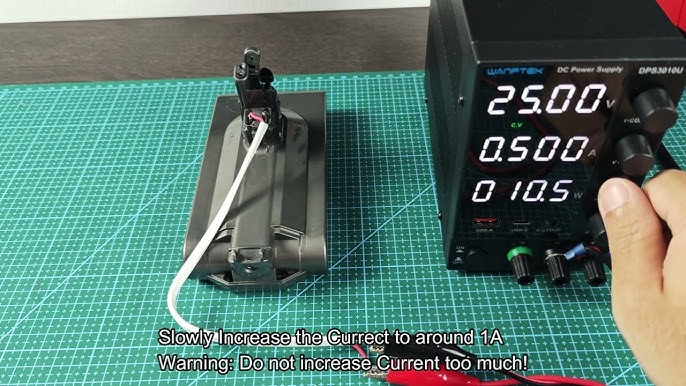
The most common reason your Dyson V6 battery won’t charge is a deeply discharged pack locked out by its protection circuit.
Recognize Deep Discharge Indicators
A deeply discharged battery shows these telltale signs:
– Complete silence when connected to charger (no lights, no sounds)
– Zero response when power button pressed
– No charging indicators after 30+ minutes
– Failure occurs after 2+ weeks of storage
This happens when individual 18650 lithium-ion cells drop below 2.5V, triggering the Battery Management System (BMS) to prevent charging for safety reasons.
Test Battery Voltage with Multimeter
Measure across the battery terminals:
– Healthy charged voltage: 21.6V nominal (up to 25.2V fully charged)
– Minimum safe voltage: 15V (below this, BMS locks out charging)
– Deeply discharged: Below 15V (typically 10-12V after storage)
If your reading is below 15V, the BMS has engaged its low-voltage protection—a common scenario when your Dyson V6 battery won’t charge after storage.
Replace Your Dyson V6 Battery: Step-by-Step Guide
When your Dyson V6 battery won’t charge and tests confirm a dead pack, replacement is the solution.
Choose the Right Replacement Battery
Select based on your needs:
– Genuine Dyson battery: $90-120, 2-3 year lifespan, perfect fit
– Premium third-party: $50-80, verify 21.6V/6S configuration
– Avoid cheap knockoffs: Many underperform with false mAh ratings
Ensure the replacement matches your specific V6 model—some variants use different capacity packs (2000-4000mAh).
Install Your New Battery Safely
- Remove 4-6 security torx screws (T6/T8 bits required)
- Gently pry apart battery housing using plastic tools
- Disconnect old battery connector (note orientation)
- Connect new battery with same polarity
- Reassemble and test before final screw tightening
This 30-minute DIY repair costs significantly less than professional service while extending your vacuum’s life by 2-3 years.
When to Choose Professional Repair Over DIY Fix
Not all Dyson V6 battery won’t charge issues are simple battery replacements.
Recognize Complex Electrical Failures
Seek professional help if:
– You smell burning electronics near the battery
– Visible damage to circuit boards inside the handle
– Charger tests good but new battery still won’t charge
– Battery swells or gets hot during charging attempts
These indicate deeper electrical issues beyond typical battery replacement.
Calculate Repair vs. Replacement Value
Consider these factors:
– Under 2 years old: Contact Dyson for warranty service
– 2-5 years old: Battery replacement usually cost-effective
– Over 5 years old: New model may offer better value
Professional battery replacement costs $100-150 versus $200-400 for a new V6—weigh the cost against newer models with improved runtime and features.
Prevent Future Dyson V6 Battery Failures with Proper Storage
Avoid recurring “Dyson V6 battery won’t charge” issues with smart maintenance.
Follow Correct Storage Protocol
Store your vacuum at 40-60% charge—not full or empty. For extended storage (>2 weeks), recharge to 50% and store in a climate-controlled space (15-25°C). Recharge every 6-8 weeks to maintain cell health—this prevents the deep discharge that triggers BMS lockouts.
Implement Monthly Maintenance Routine
- Clean charging contacts with dry cloth monthly
- Avoid complete discharges during regular use
- Never store in garages or attics with temperature extremes
- Use your vacuum at least once weekly to maintain battery health
These simple habits can extend your battery life by 1-2 years beyond the typical 3-4 year lifespan, preventing that frustrating scenario where your Dyson V6 battery won’t charge when you need it most.
Final Note: When your Dyson V6 battery won’t charge, methodical diagnosis beats guesswork. Start with power sources and contacts before declaring battery death—most issues stem from preventable causes rather than inevitable failure. By understanding the 15V threshold that triggers BMS protection and implementing proper storage habits, you’ll maximize your vacuum’s lifespan. For batteries beyond recovery, replacement remains a cost-effective solution that breathes new life into your trusted cleaning companion.

