
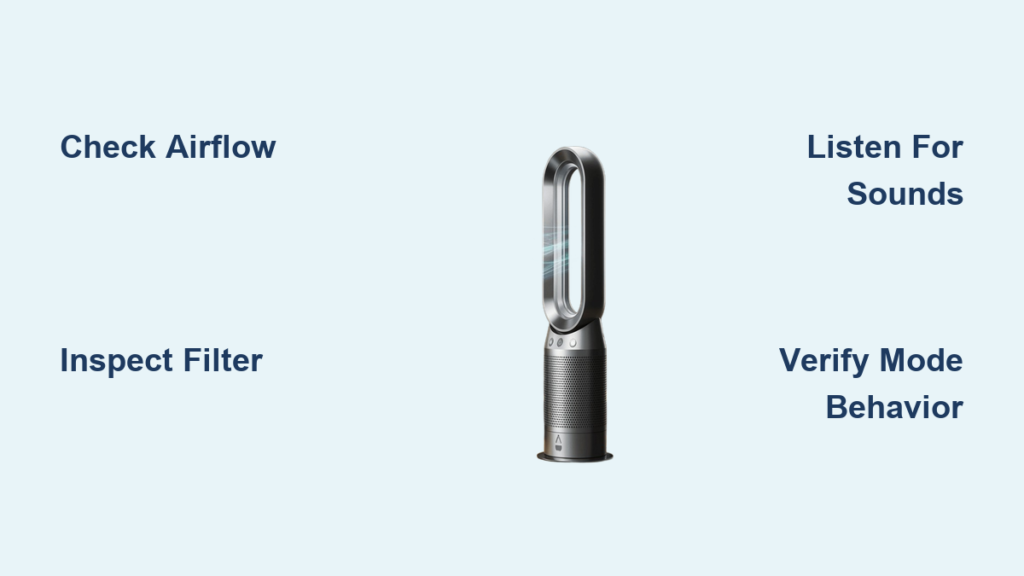
You’ve invested in a Dyson air purifier to safeguard your home’s air quality, but how do you actually know it’s working? Unlike basic purifiers with simple on/off switches, Dyson’s intelligent systems operate continuously and automatically—making it crucial to understand their subtle communication methods. If your unit is expelling air and has a properly installed filter, it’s actively purifying 24/7 in both heating and cooling modes. This constant operation means there’s no separate “purifier button” to monitor; instead, you must learn to read airflow patterns, filter status cues, and model-specific behaviors to verify performance. By mastering these visual and operational indicators, you’ll gain confidence that your Dyson is effectively removing pollutants while avoiding costly service calls for normal operation.
Identifying Active Purification Through Airflow Patterns
Your Dyson’s most immediate performance indicator is its airflow behavior—this single observation confirms whether purification is occurring. Since all air drawn into the unit must pass through the HEPA and activated carbon filter before being expelled, any consistent airflow means clean air is being delivered. To verify this, place your hand 6 inches from the rear intake grill while the unit operates; you should feel steady suction drawing room air inward. Simultaneously, position your hand near the front airflow outlet to detect purified air being expelled. Strong, uninterrupted airflow in both locations confirms the purification system is fully functional—not just the fan running.
Diagnosing Weak Airflow Issues
Weak or inconsistent airflow typically signals filter problems rather than unit failure. If you notice reduced suction at the intake or weaker output from the front, immediately check these three critical factors:
– Filter installation errors: Remove the filter compartment and verify the filter clicks securely into place with no gaps around the edges
– Physical blockages: Inspect the rear grill for dust bunnies, pet hair, or debris obstructing airflow
– Filter saturation: Even within the 12-month lifespan, heavy pollution exposure can clog filters prematurely
Pro Tip: Perform this airflow check weekly during high-pollen seasons or after home renovations when particulate levels spike—early detection prevents long-term performance degradation.
Differentiating Normal vs. Problematic Sounds
While Dyson units operate quietly in most modes, specific sounds provide diagnostic clues. A consistent low hum during operation is normal, but these auditory warnings indicate intervention is needed:
– Grinding or scraping noises: Suggest foreign objects trapped in the impeller
– Intermittent clicking: Often indicates filter not fully seated
– Sudden airflow cutouts: Point to overheating from blocked vents
Unlike error codes on digital displays, these sounds require immediate attention—power off the unit and inspect the filter compartment before restarting.
Decoding Filter Status Without Digital Alerts

Contrary to common assumptions, Dyson air purifiers don’t display digital “filter replacement” reminders on Pure Hot+Cool models. Instead, you must manually monitor filter health through physical inspection and usage tracking. The manufacturer recommends replacing filters every 12 months of regular use, but environmental factors can shorten this lifespan. Create a replacement calendar when installing a new filter—mark your phone and stick a note on the unit’s base with the installation date. This simple habit prevents guesswork about filter age.
Physical Inspection Techniques
Monthly filter checks should include these hands-on verification steps:
1. Power off and unplug the unit
2. Remove the filter compartment from the base
3. Hold the filter horizontally and gently tap it over a trash can
4. Examine the pleated media for:
– Visible dark streaks (indicating heavy particulate capture)
– Stiffness when flexed (sign of saturation)
– Unusual odors (suggesting VOC overload)
Warning: Never wash or vacuum Dyson filters—this damages the electrostatic media. Replace immediately if you observe mold growth or permanent deformation.
Recognizing Saturation in High-Risk Environments
Households with pets, smokers, or located near construction zones often need filters replaced before the 12-month mark. Watch for these saturation red flags:
– Persistent musty smells despite regular cleaning
– Noticeable decrease in airflow strength within 6 months
– Increased allergy symptoms among household members
– Visible dust accumulation on surfaces near the unit
If two or more signs appear, replace the filter immediately regardless of age—delaying replacement forces the motor to work harder, reducing efficiency and potentially shortening the unit’s lifespan.
Interpreting Mode-Specific Operation Behaviors
Dyson Pure Hot+Cool models integrate purification seamlessly across all functions, but operational patterns differ between heating and cooling modes. In heating mode, the purification system runs continuously whenever the heater operates—meaning clean air delivery never pauses during warmth cycles. You’ll observe consistent airflow even when the heating element cycles off between temperature maintenance phases. During cooling mode, the fan simultaneously purifies air while circulating room temperature air, with purification intensity directly tied to fan speed settings.
Why Auto Mode Shows Real-Time Air Quality Response
When operating in Auto mode, your Dyson actively demonstrates its purification capability through responsive behavior. Introduce a controlled pollutant like burning toast (briefly and safely) near the unit—within 15 seconds, you should observe:
– Immediate increase in fan speed (audible change)
– Stronger airflow from the front outlet
– Gradual return to baseline operation as air clears
This visible reaction confirms the sensors detect pollutants and the purification system engages appropriately. If no response occurs after multiple tests, check for sensor obstructions near the rear grill.
Avoiding Common Mode Misinterpretations
New users frequently mistake normal operational pauses for malfunctions:
– Heating mode cycling: Brief airflow reductions during temperature maintenance are normal
– Night mode: Dimmed display doesn’t indicate reduced purification
– Standby mode: Zero airflow only occurs when fully powered off
Remember: Any time the unit displays active mode (heating/cooling icons) or shows fan speed indicators, purification is occurring—no separate activation is required.
Verifying Your Model’s Purification Capability

Not all Dyson Hot+Cool models include air purification—some early versions functioned solely as fans and heaters. To confirm your unit actually purifies air, perform this three-step verification:
1. Locate the model number on the base or underside (typically starting with AM, PH, or TP)
2. Check for a filter compartment—genuine purifier models have a removable rear panel
3. Power on the unit and verify airflow passes through filter media
If your device lacks a filter compartment or model number doesn’t match Dyson’s current purifier lineup (AM09, PH04, etc.), it may be an older non-purifying version. Cross-reference your model number with Dyson’s official product specifications online before troubleshooting purification issues.
Troubleshooting Purification Failures Step-by-Step
When purification seems compromised, follow this diagnostic sequence before contacting support:
1. Confirm power connection: Check outlet with another device
2. Inspect filter seating: Remove and reinstall filter ensuring full engagement
3. Clear intake obstructions: Vacuum rear grill with brush attachment
4. Reset the unit: Unplug for 60 seconds then restart
If weak airflow persists after these steps, replace the filter immediately—even if replacement isn’t due. For persistent error codes like “Filter” or “Check Sensor,” perform a factory reset through the settings menu. Note that error lights typically indicate sensor issues rather than purification failure—clean the external sensor vent with a dry cotton swab before seeking service.
Optimizing Placement for Accurate Readings
Your unit’s physical placement directly impacts your ability to read its performance accurately. Position the purifier at least 3 feet from walls and furniture to prevent airflow restriction—this ensures consistent intake of room air rather than recirculated purified air. Avoid placing near windows during high-pollution events (wildfire season, rush hour traffic) as temporary spikes may trigger unnecessary high-speed operation that masks normal patterns. In multi-story homes, run the unit on each level for 24 hours to compare baseline air quality readings—this reveals location-specific pollution sources like cooking odors or pet dander hotspots.
When to Contact Dyson Support Directly
Despite proper maintenance, some issues require professional assistance. Contact Dyson immediately if you observe:
– Complete airflow cessation after filter replacement
– Burning smells unrelated to initial use
– Visible sparks or electrical arcing
– Water leakage in humid environments
Have your model number and purchase date ready when calling. For U.S. residents: 866-693-9766 | UK: 0800-298-0298 | Canada: 1-877-397-6622 | Australia: 1800 239 766 | New Zealand: 0800 397 667. Support agents can remotely diagnose many issues by asking specific questions about your operational observations—your ability to accurately “read” the unit’s behavior will speed up resolution.
Mastering these interpretation techniques transforms your Dyson from a mysterious black box into a transparent air quality partner. By focusing on airflow verification, manual filter checks, and model-specific behaviors, you’ll confidently distinguish normal operation from genuine issues. Remember that consistent purification happens automatically whenever the unit runs—your role is simply to monitor the physical indicators that confirm this process. Implement monthly filter inspections and seasonal airflow tests to maintain peak performance, ensuring your investment delivers truly clean air for years to come.

