
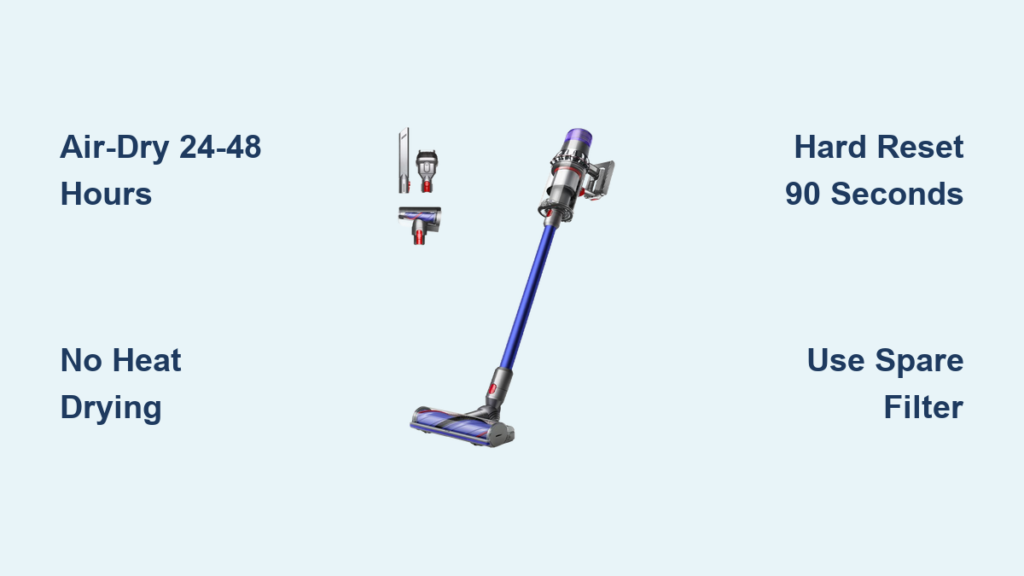
You’ve just spent 10 minutes thoroughly rinsing your Dyson V11 filter under cold water, carefully squeezed out the excess moisture, and snapped it back into place—only to be met with a dead machine. No suction. No power. Maybe a flashing red light or an error code mocking you from the display. That sinking feeling? It’s the dreaded “wet filter” error, and it’s far more serious than just an inconvenient hiccup. This isn’t a malfunction—it’s your vacuum’s built-in bodyguard preventing catastrophic electrical damage. When your Dyson V11 detects even slight dampness in the filter, its sensors trigger an immediate shutdown to stop moisture from reaching the motor and mainboard. Installing a filter that isn’t bone-dry tricks the vacuum into thinking a flood is imminent, forcing it into lockdown mode. The good news? This error is almost always 100% fixable with the right drying protocol and reset steps—no costly repairs needed. Here’s exactly how to revive your V11 and prevent this nightmare from recurring.
Why Your Dyson V11 Shuts Down with a Wet Filter
Your vacuum isn’t being fussy—it’s fighting for survival. The Dyson V11’s barometric pressure sensor constantly monitors airflow through the filter housing. A damp filter creates instant airflow restriction, mimicking a severe blockage. Worse, residual moisture risks short-circuiting the motor or mainboard. This triggers a hard safety cutoff with three telltale outcomes:
- Total Power Failure: The vacuum won’t turn on at all, even when fully charged. This is the most common response—a complete circuit shutdown.
- Persistent Error Codes: The LCD screen flashes “Check Filter” or displays a specific filter-related error light sequence.
- Sudden Mid-Cycle Shutdown: The vacuum starts cleaning but cuts out within seconds as moisture is detected.
Critical Reality Check: Forcing operation with a damp filter risks permanent damage. Water exposure can corrode electrical contacts, warp internal components, and void your warranty. That “quick dry” with a towel? It’s never enough. True dryness requires patience—not heat.
How the Filter Moisture Sensor Actually Works
The V11’s filter housing contains tiny gold-plated sensor contacts that detect conductivity changes. When moisture bridges these contacts, the mainboard interprets it as a critical failure. Unlike older models, the V11 doesn’t just reduce suction—it kills power entirely. This explains why your vacuum acts “dead” even with a filter that feels dry to the touch. Residual dampness inside the filter media or housing is enough to trigger the error.
The 24-Hour Drying Protocol That Actually Fixes Wet Filter Errors

Rushing this step guarantees failure. Proper drying isn’t optional—it’s the only solution. Here’s the industrial-strength method Dyson technicians use:
Step 1: Remove and Prep the Filter Immediately
- Pull the filter out the second you realize it’s damp. Do not reinstall it.
- Blot aggressively with a microfiber cloth or paper towels—focus on the pleated edges where water hides.
- NEVER twist, wring, or compress the filter core. This damages the fine fibers and traps moisture inside.
Step 2: Air-Dry Like a Professional (No Heat Allowed)
- Position vertically in a warm room (70-75°F / 21-24°C) with cross-ventilation—near an open window or fan (not directly in airflow).
- Place on a wire rack to allow 360° air circulation. Avoid surfaces like countertops where moisture pools underneath.
- Wait the full 24-48 hours. Humid climates require 48 hours. Pro Tip: Press your thumb firmly against the filter core after 24 hours. If it leaves any damp mark, it’s not ready. Return it to drying for another 12 hours.
Why Heat Sources Destroy Filters: Hairdryers or radiators melt the thermoplastic fibers inside the filter media, creating micro-tears that shed particles into your motor. This causes permanent suction loss and triggers new error codes.
Step 3: Dry the Vacuum’s Filter Housing
Moisture migrates from the filter into the housing:
1. Wipe the interior of the filter chamber with a dry microfiber cloth wrapped around your finger.
2. Check the sensor contacts—two small gold pins at the bottom of the housing. Wipe them gently with a cotton swab.
3. Tilt the machine and tap the housing to dislodge trapped droplets.
4. Let the vacuum body sit filter compartment open for 2+ hours before reassembly.
How to Reset Your Dyson V11 After Filter Drying
A standard power cycle won’t clear this error. You need a full system reboot:
Performing the Critical Hard Reset
- Power off the vacuum completely.
- Remove the battery pack from the main body (slide the release latch).
- Wait 90 seconds—this drains residual power from capacitors.
- Reattach the battery firmly until it clicks.
- Press and hold the power button for 15 seconds (ignore any initial flashes).
- Release and test: The machine should now power on normally.
Why 90 Seconds Matters: Shorter waits (like 30 seconds) leave enough residual power to retain the error code in memory. The 90-second wait ensures a true “cold boot.”
What to Do If Your Dyson V11 Still Won’t Start After Drying
If the vacuum remains unresponsive after proper drying and reset, moisture likely penetrated deeper:
Advanced Moisture Checks You Must Perform

* Inspect the HEPA filter seal: Run your finger around the rubber gasket where the filter seats. Any stickiness or residue indicates trapped moisture—clean with a dry cloth.
* Test sensor continuity: Shine a flashlight into the filter housing. Look for water droplets on the gold sensor pins. If present, wipe with a dry cotton swab and wait 4 more hours.
* Check for mold smell: A musty odor means the filter is compromised—replace it immediately.
When Professional Repair Is Non-Negotiable
Seek Dyson support if:
* The vacuum powers on but shuts down within 5 seconds
* You smell burning or ozone after reset attempts
* Error codes persist after 72 hours of drying
* Water entered the bin or motor housing
Warranty Alert: Moisture damage from improper drying often voids coverage. But if you followed Dyson’s 24-hour drying rule and the error occurred spontaneously, warranty service may still apply. Always mention you “allowed 48 hours for complete air drying.”
Preventing Wet Filter Errors Forever: The 3-Step Filter Care System

Stop playing vacuum roulette. Implement these non-negotiable habits:
The 24-Hour Dry-Only Washing Rule
- Rinse under cold water only—never use soap or detergents (they clog pores and retain moisture).
- Gently squeeze water out by compressing the filter lengthwise (not twisting).
- Dry vertically on a rack—never stack filters or store in plastic bins.
- Verify dryness by pressing the center core. If coolness or dampness remains, dry 12 more hours.
Why You Need Two Filters (And How to Rotate Them)
- Buy a second genuine Dyson filter (HP001 or similar). This is the single most effective prevention tactic.
- Label filters “IN USE” and “DRYING” with tape.
- Swap them immediately after cleaning: Install the dry spare while the used filter starts its 24-hour drying cycle.
- Cost justification: A $40 spare filter prevents $200+ motor repairs.
Environmental Traps That Cause “False Wet” Errors
- High humidity rooms: Avoid drying filters in bathrooms or basements. Use a dehumidifier if needed.
- Cold surfaces: Placing a “dry” filter on a cool countertop can cause condensation—store on wood or fabric.
- Over-rinsing: Excessive water saturation extends drying time. Rinse until water runs clear (usually 30-60 seconds).
Final Verification: Is Your Filter Truly Ready?
Before reinstalling, perform this Dyson technician test:
1. Hold the filter up to a bright light.
2. Look for translucent patches in the pleats—these indicate trapped moisture.
3. Press the core firmly against your cheek. It should feel completely room-temperature and dry.
4. Shake it gently. No water droplets should appear.
If any test fails, return the filter to drying for 12 more hours. One minute of impatience risks destroying your $600 vacuum.
Stop the cycle of frustration: That “wet filter” error is your V11 screaming for help—not breaking down. By committing to the 24-hour air-dry rule, performing the 90-second hard reset, and rotating two filters, you’ll eliminate 99% of these shutdowns. Remember: Your vacuum doesn’t hate you—it’s protecting itself because you are its most valuable part. Implement the spare filter system today, and never stare at a dead machine after cleaning again. For immediate diagnostics, Dyson’s live chat support can confirm error codes in under 5 minutes—always your first call if moisture penetrated beyond the filter housing.

