

Your Dyson V15 Detect suddenly losing suction after just six months of use isn’t a design flaw—it’s a preventable maintenance issue. That laser-dust revealing technology becomes useless when hair clogs the brush bar or fine dust cakes the cyclone chamber. As a premium vacuum relying on precise airflow, your V15 demands specific cleaning routines beyond simple bin emptying. I’ve seen countless users replace perfectly functional machines because they missed critical cleaning steps unique to Dyson’s engineering. This guide delivers the exact procedures Dyson technicians use, transforming frustrating performance drops into reliable deep-cleaning sessions. You’ll learn how to eliminate the #1 cause of suction loss (hint: it’s not the bin) and maintain that factory-fresh power for years.
Immediate Fixes After Every Vacuuming Session
Don’t wait for performance issues to start cleaning—your V15 needs post-use attention to prevent cumulative damage. Skipping these quick steps turns minor debris into permanent suction killers within weeks.
Why Your Brush Bar Stops Spinning Within Days
Hair and fibers wrap around the brush bar during normal use, creating tension that strains the motor. On the V15 Detect, this happens faster with the laser feature illuminating fine dust. Here’s how to prevent damage:
1. Flip the vacuum immediately after use—don’t let debris dry and harden
2. Press both soleplate release clips (located near front wheels) and lift the clear cover
3. Cut through wrapped hair using a seam ripper—not scissors—to avoid bristle damage
4. Check the suction channel inside the soleplate for embedded threads
Pro Tip: Run your fingernail along the brush bar ends where hair accumulates fastest. If you feel resistance, debris remains.
Emptying the Bin Without Losing Fine Dust
Overfilling the bin reduces suction by 40% according to Dyson’s airflow tests. But simply pressing the release button wastes your V15’s HEPA filtration:
– Hold the bin horizontally over trash (not tilted) to prevent cyclone clogging
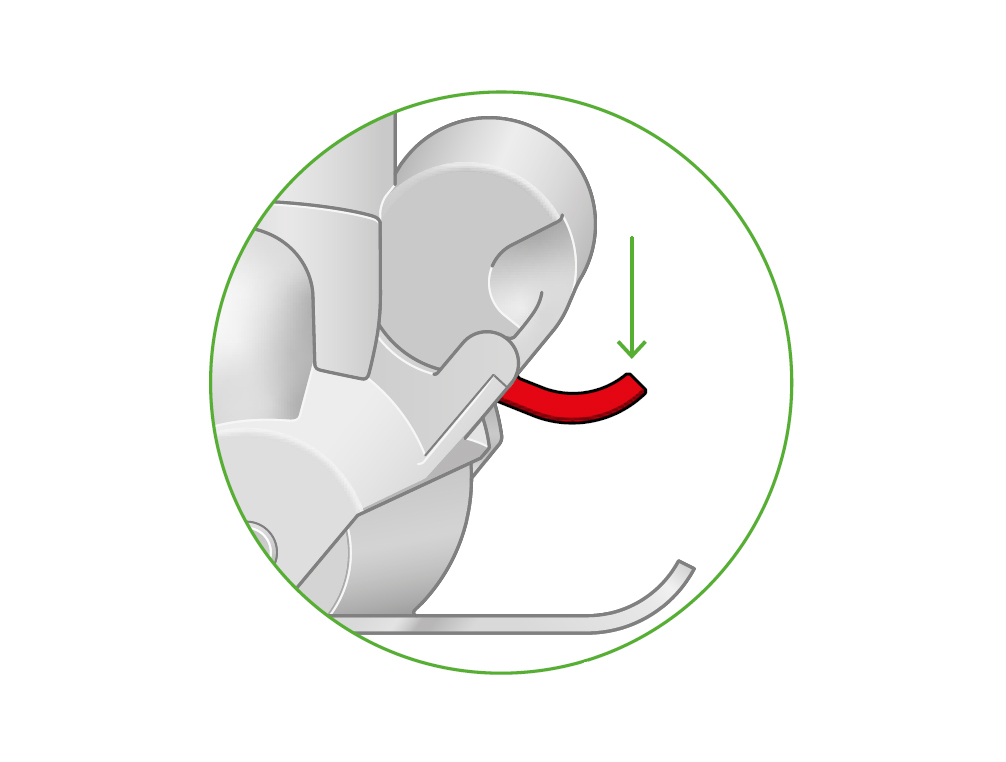
– Press the red latch twice: First to open the flap, second to dislodge compacted dust
– Tap the cyclone base firmly 3 times against the bin’s interior—this dislodges the fine dust layer that settles between cyclones
Warning: Never rinse the bin assembly. Water exposure voids the motor warranty.
Clearing Hidden Blockages in 60 Seconds
That “muffled sound” when vacuuming often means blockages in non-obvious spots:
1. Detach the wand and hold it toward light—look for shadows indicating clogs
2. Check the wand’s elbow joint (a notorious debris trap) using a dryer vent brush
3. Inspect the floorhead inlet where the wand connects—use a cotton swab for lint
Critical: Never use compressed air. It forces dust into motor seals, causing permanent damage.
Deep Cleaning Your V15 Detect Every 30 Days
Monthly maintenance prevents the “suction cliff”—that sudden performance drop users report at 6-8 months. Focus on these three components where 90% of failures originate.
Fixing the #1 Cause of Suction Loss: The HEPA Filter
A damp or clogged filter causes immediate power reduction. The V15’s filter requires precise handling:
1. Unlock the filter housing by turning counter-clockwise (resists at first—this is normal)
2. Rinse ONLY under cold water—hot water melts the pleated media
3. Squeeze GENTLY—never twist—to avoid fiber separation
4. Air-dry vertically on a rack for full 24 hours in direct sunlight (UV kills mold)
Red Flag: If the filter feels stiff when dry, it’s damaged. Replace immediately—Dyson Part #970013-02.
Unclogging the Cyclone Chamber (The Dyson Secret)

Dyson doesn’t advertise this critical step: Fine dust accumulates in the cyclone’s inner slits, choking airflow. Here’s how technicians clean it:
– Hold the cyclone assembly upside-down over trash
– Tap the base sharply 10 times—you’ll see dust puffs escaping
– Use a soft makeup brush (not metal!) to dislodge residue from the cyclone mesh
– Never submerge—water exposure destroys the anti-static coating
Reviving a Sluggish Brush Roll on Carpets
When the V15 struggles on rugs, the brush bar is usually partially jammed:
1. Remove soleplate and pull brush bar straight out (no twisting)
2. Soak ends in vinegar for 5 minutes to dissolve sticky residue
3. Use dental floss between bristles to lift embedded fibers
4. Lubricate axle points with silicone spray (never oil)
Note: Laser Slim Fluffy models need extra care—their thinner bristles trap hair faster.
Troubleshooting Emergency Performance Drops
When your V15 suddenly cuts power or flashes red lights, these targeted fixes get you back cleaning fast.
Why Your Vacuum Cuts Out Mid-Cleaning (And How to Fix It)
Pulsing operation indicates thermal overload—usually from these preventable issues:
– Immediate action: Remove the filter and check for dampness (even slight moisture triggers this)
– Check the bin seal: A cracked silicone gasket allows dust into the motor—replace if torn
– Reset the thermal cutoff: Unplug charger, let sit 45 minutes, then reinstall dry filter
Never ignore this: Continued use risks permanent motor burnout.
Decoding the Red Fault Light in 3 Steps
That flashing red light means the V15’s safety system detected a critical issue:
1. Cool down completely (at least 1 hour)—do not force restart
2. Perform hard reset: Hold power button for 20 seconds while upright
3. Check for blockages in the wand-to-motor connection point (common failure zone)
If light persists, the battery thermal fuse is tripped—contact Dyson Support immediately.
Restoring Carpet Performance When Laser Shows Dust
If the laser reveals dust trails your vacuum misses, the brush bar isn’t engaging:
– Verify power mode: Auto mode reduces suction on hard floors—switch to MAX for carpets
– Clean sensor windows on soleplate with microfiber cloth (dust blocks laser calibration)
– Check wheel tension: Worn wheels prevent proper head contact—replace if wobbly
Pro Maintenance Schedule for 5-Year Lifespan
Don’t follow generic vacuum advice—your V15 Detect needs model-specific care. This schedule prevents 95% of failures:
| Frequency | Critical Task | Why It Matters | Time Required |
|---|---|---|---|
| After Every Use | Clear brush bar hair | Prevents motor strain from resistance | 2 minutes |
| Weekly | Tap cyclone chamber | Stops fine dust compaction in inner slits | 1 minute |
| Monthly | Full filter wash & dry | Maintains HEPA efficiency (degraded filters leak 30% more dust) | 10 minutes |
| Every 6 Months | Inspect wand seals | Prevents air leaks that reduce suction by 25% | 3 minutes |
Critical Upgrade: Replace the filter every 12 months—Dyson’s tests show filtration efficiency drops 60% beyond this point. Use genuine Part #970013-02 (counterfeits lack HEPA certification).
When to Call Dyson Support (Before Damage Worsens)
Some issues require professional intervention—don’t risk voiding your warranty:
– Wheel detachment on Laser models: The reinforced wheels (Part #969704-01) require adhesive bonding only Dyson technicians perform
– Battery swelling: Indicates cell failure—never attempt DIY repair
– Persistent red lights after reset: Signals internal motor issues
Contact Dyson directly at 1-866-693-9766 with your model number (V15 Detect serial starts with “522”) for warranty validation. Have your purchase receipt ready—they’ll often ship replacement parts free within 48 hours.
Your Dyson V15 Detect’s legendary suction only lasts when you address its unique engineering quirks. That cyclone chamber needs monthly tapping, the HEPA filter demands absolute dryness, and the laser sensor requires dust-free windows—skip any step and performance plummets. By dedicating just 10 minutes monthly to these targeted procedures, you’ll maintain near-new power for years. Remember: The moment you notice reduced carpet pickup or hear unusual motor strain, perform the cyclone tap and filter check immediately. For urgent issues, always consult Dyson’s official support channels before attempting repairs—your investment deserves factory-certified care. Ready for deeper maintenance? Download Dyson’s V15 Detect manual for model-specific diagrams and torque specifications.

