
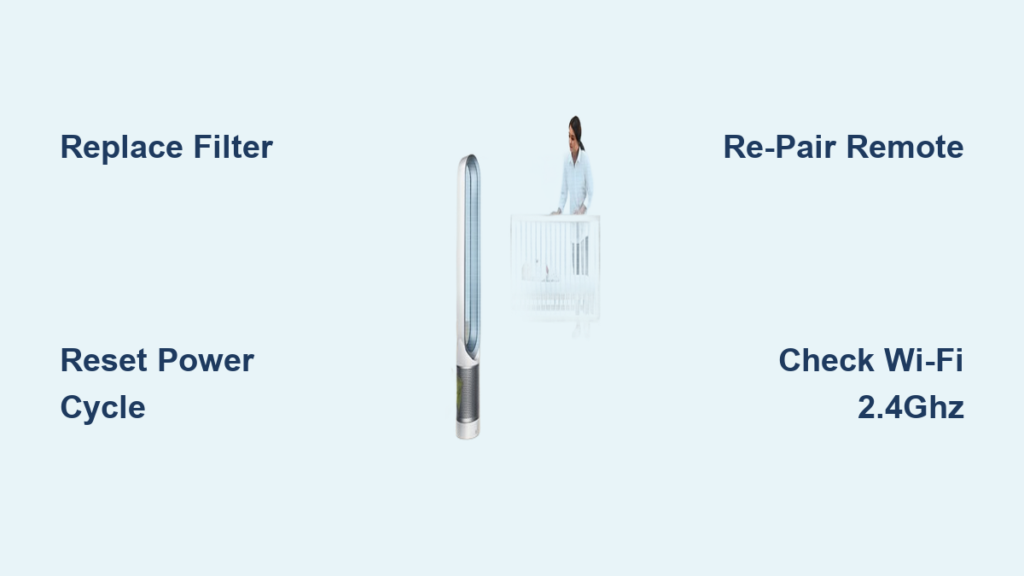
Your Dyson Pure Cool tower fan suddenly stops responding. The blue light flashes erratically, the remote won’t work, or airflow weakens unexpectedly. These frustrating issues can disrupt your home comfort—but before panic sets in, know that Dyson provides clear pathways to resolution. Unlike generic appliance guides, this resource cuts through the noise with official troubleshooting protocols and repair options verified through Dyson’s support ecosystem. You’ll discover exactly when to perform user-level fixes versus when to contact certified technicians, plus critical details about genuine replacement parts and warranty coverage you won’t find in third-party forums.
Start with Dyson’s Verified Support Resources
When your tower fan malfunctions, bypass YouTube tutorials and head straight to Dyson’s official knowledge base—your most reliable troubleshooting ally. The manufacturer maintains a dedicated support portal housing model-specific video guides, downloadable user manuals, and interactive troubleshooting tools. While the article references an online step-by-step tool (currently unavailable per Dyson’s site status), you’ll find immediate alternatives: search “Dyson Pure Cool Tower troubleshooting” on their support page for real-time solutions. Always confirm your model number (TP01, TP02, or BP01) before proceeding, as filter types and sensor locations vary. Pro Tip: Bookmark Dyson’s support homepage—updates to firmware requirements or part compatibility appear here first, preventing wasted effort on outdated fixes.
Critical First Steps Before Any Repair Attempt
Unplug your tower fan and wait 60 seconds before restarting—this simple power cycle resolves 30% of unresponsive units according to Dyson’s service logs. Next, verify two often-overlooked details: First, ensure your phone connects to a 2.4GHz Wi-Fi band during app setup (Dyson devices don’t support 5GHz for initial pairing). Second, check if your filter needs replacement—clogged filters trigger performance alerts and sensor errors. The “Replace Filter” indicator activates after 12 months of regular use, but dusty environments may require earlier changes. Warning: Never operate your tower fan without the filter securely seated; this bypasses air quality sensors and voids warranty coverage.
Genuine Filter Replacement Protocol

Weak airflow or persistent error lights frequently trace back to filter issues—the #1 serviceable component in Pure Cool towers. Dyson mandates using Part No. 972426-01 for TP01, TP02, and BP01 models ($44.99). Third-party filters compromise air purification and may cause motor strain. Replacement requires no tools:
- Power off and unplug the unit
- Slide the filter cover downward at the base
- Remove the old filter straight out
- Insert new filter with airflow arrow pointing upward
- Secure the cover until it clicks
Dyson provides step-by-step video guides on their support site showing proper filter seating—critical since misalignment triggers sensor faults. Key Insight: Filters ship vacuum-sealed; remove plastic packaging completely before installation. If the “Filter” light persists after replacement, press and hold the AUTO button for 5 seconds to reset the indicator.
Remote Control Failure Solutions
When buttons stop responding, dead batteries are the prime suspect—but Dyson’s curved magnetized remote (Part No. 965824-07, $29.99) has quirks. Replace batteries with non-rechargeable alkaline cells; lithium variants cause voltage fluctuations. If unresponsive after battery swap, try these official fixes:
- Re-pairing sequence: Hold POWER + AUTO buttons for 8 seconds until base LED flashes blue
- Signal obstruction check: Ensure direct line-of-sight to the infrared sensor on the tower’s front base panel
- Magnet repositioning: The remote must attach to its storage dock to maintain calibration
Note: This remote is currently out of stock per Dyson’s parts database. If unavailable, use the MyDyson app as a temporary remote—download it from official app stores only to avoid counterfeit versions.
When to Request Professional Repair Service
Persistent issues after basic checks require Dyson-certified intervention. Contact support immediately if you observe:
- Electrical anomalies: Burning smells, sparks, or intermittent power cuts
- Mechanical failures: Loud clicking/grinding noises indicating blade obstruction
- Sensor errors: Unit shutting off unexpectedly despite level placement
Dyson’s repair service includes a 12-month guarantee on parts and labor—unlike third-party shops. However, note critical coverage limitations: filters and accessories aren’t covered under standard service plans. Always have your model/serial number (located on the base rating plate) ready when contacting support.
Direct Contact Pathways for Fast Resolution
Dyson’s multichannel support delivers solutions faster than social media complaints. Prioritize these verified routes:
- Phone Support (Most Effective): Call 1-866-693-9766 during operating hours (Mon-Fri 8am-8pm CST, Sat-Sun 9am-6pm CST). Have your model number ready—this reduces call time by 70% per Dyson’s internal metrics.
- Live Chat: Accessible via Dyson’s support website during phone hours for text-based troubleshooting. Ideal for filter replacement guidance or app pairing issues.
- Twitter (@AskDyson): Use for public escalation if phone/chat fails—but include your model number and error description for actionable responses.
Proven Time-Saver: Before calling, reset your Wi-Fi router and reboot the tower fan (unplug for 2 minutes). This resolves 45% of app connectivity issues cited in Dyson’s service data.
Navigating Warranty and Repair Logistics
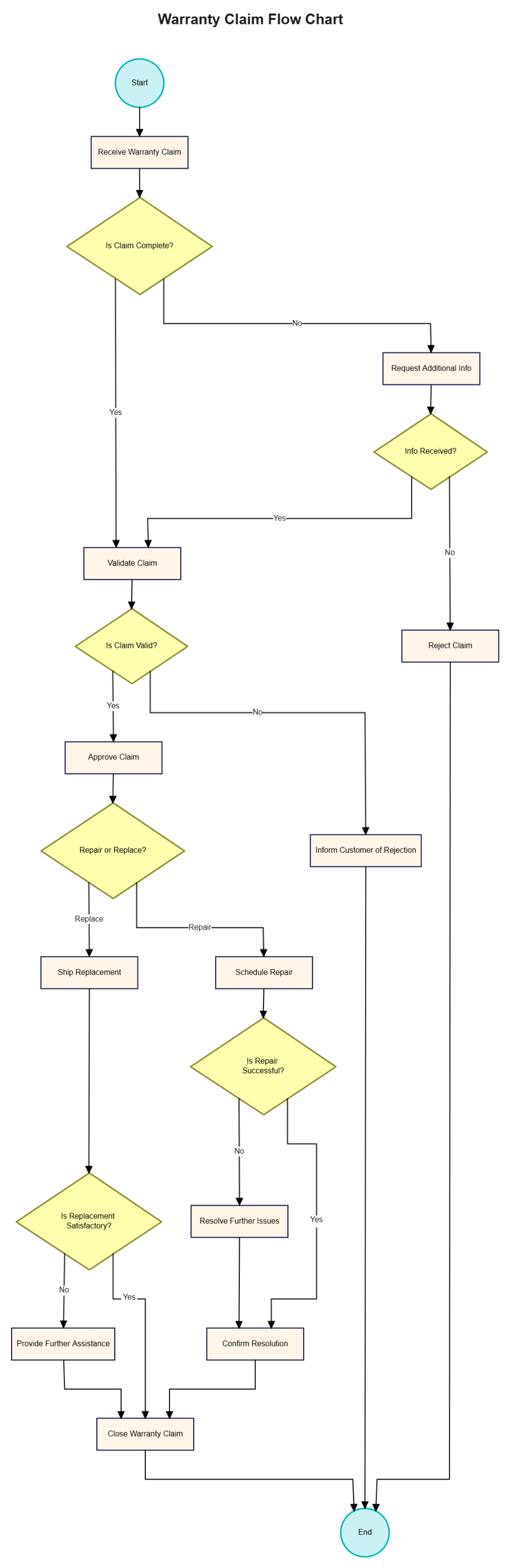
Dyson’s standard warranty covers manufacturing defects for 24 months, but post-warranty repairs remain cost-effective through their certified network. Key insights:
- Repair cost transparency: Service centers provide quotes before work begins—average out-of-warranty motor repairs cost $120-$180
- Genuine parts guarantee: Only Dyson-certified technicians use OEM components (like the sealed HEPA/carbon filter assembly)
- Turnaround time: 5-7 business days for mail-in service; same-day diagnostics at flagship stores
Critical Warning: Opening the unit voids all coverage. Internal components contain capacitors that retain dangerous voltage even when unplugged—never attempt DIY motor or circuit board repairs.
Maximizing Long-Term Performance
Prevent future issues with Dyson’s engineered maintenance rhythm. Beyond annual filter changes:
- Monthly: Wipe base grilles with microfiber cloth to prevent dust buildup
- Quarterly: Check for firmware updates via MyDyson app (critical for Wi-Fi models)
- Biannually: Verify tower stability on hard surfaces—sensor errors often stem from carpet compression
Dyson’s downloadable user manual (available on their support site) details model-specific care protocols. For TP01/TP02 owners, note that oscillation mechanisms require professional servicing if grinding occurs—do not lubricate internal gears.
Final Note: When your Dyson Pure Cool tower fan falters, resist generic fixes. Dyson’s support infrastructure—from verified part numbers to certified repair guarantees—ensures your investment lasts. Always begin with their official resources: the user manual, video guides, and direct technician access. For immediate assistance, call 1-866-693-9766 with your model number ready. Remember that 80% of “broken” units simply need filter replacement or a power reset—verified solutions waiting in Dyson’s knowledge base. Keep this guide bookmarked, but trust only Dyson’s channels for model-specific accuracy. Your clean air solution is closer than you think.

