
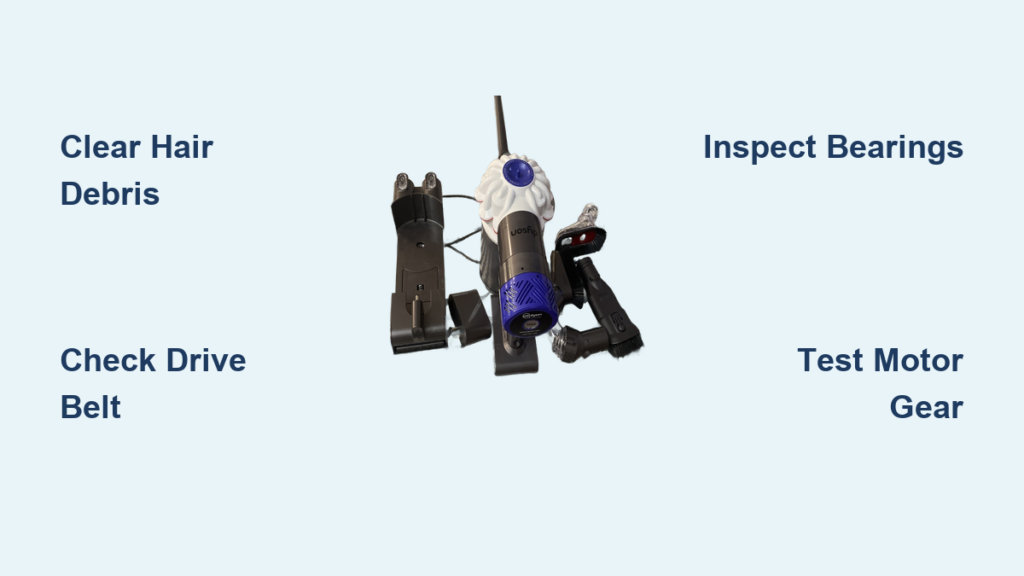
You’re vacuuming your living room when you notice something’s wrong—the deep-pile rug isn’t getting clean. Peek underneath your Dyson stick vacuum (model V7/V8/V10 with the SV03 or SV05 cleaner head), and your heart sinks: the motorized brush bar is completely motionless while the main suction motor hums normally. That spinning brush is critical for agitating embedded dirt in carpets and pulling debris from rugs, so when the Dyson SV03 head not spinning issue hits, your vacuum loses up to 70% of its cleaning power. Don’t panic—this frustrating problem usually stems from simple mechanical failures you can diagnose and fix yourself in under 30 minutes with basic tools. Skip the costly service center and follow this exact repair roadmap to restore full functionality to your cleaner head.
Most Dyson SV03 head not spinning cases trace back to three physical failure points: obstructions jamming the brush bar, a damaged drive belt, or seized bearings. Unlike electronic failures, these mechanical issues rarely require special tools or technical expertise—just systematic troubleshooting. In this guide, you’ll learn precisely where to inspect for hair tangles, how to verify belt tension without guesswork, and when replacement parts become unavoidable. By the end, you’ll have your vacuum back to deep-cleaning carpets like new, saving you $150+ in professional repair fees. Let’s dive straight into the critical safety steps before touching any components.
Critical Safety Steps Before Repairing Your SV03 Head
Never skip this step: With the vacuum switched off and unplugged, immediately remove the battery from the stick body. This prevents accidental motor activation during repair—a critical safety measure when working near spinning mechanisms. Work on a clean, well-lit surface with a soft towel to protect plastic components. Keep small parts organized in a container to avoid losing screws or end caps. Always wear cut-resistant gloves when slicing through hair tangles near sharp blade edges on the brush bar. If you smell burning plastic when attaching the head, stop immediately—this indicates severe internal damage requiring professional assessment.
Why Battery Removal Prevents Costly Damage
The main suction motor and brush bar motor operate independently. If you forget to remove the battery, activating the main motor while inspecting the head can cause sudden brush rotation—potentially slicing your fingers on debris-wrapped bristles or damaging the pulley system. One user reported snapping their belt during such an accident, turning a simple cleaning job into a $35 part replacement. Treat the cleaner head like a live electrical component until the battery is physically disconnected.
Clearing Hair and Debris from Brush Bar Ends

Over 80% of Dyson SV03 head not spinning issues stem from hair, string, or carpet fibers tightly wound around the brush bar shafts at both ends. This debris creates physical resistance that overwhelms the small motor driving the brush. Start by manually rotating the brush bar—you should feel smooth, consistent movement. If it’s stiff, “lumpy,” or won’t turn at all, you’ve found your culprit.
How to Remove End Cap Obstructions Without Damage
Use a flathead screwdriver to gently pry off the plastic end caps (located where the brush bar meets the head housing). Never force them—they snap into place and can crack if pried incorrectly. With caps removed, pull out the entire brush bar assembly. Now tackle the debris: Slide a seam ripper or blunt knife blade under hair tangles near the bearings, slicing parallel to the shaft to avoid cutting bristles. For stubborn mats, apply rubbing alcohol to dissolve sticky residues before cutting. Pro tip: Wrap electrical tape around the blade tip to prevent accidental scratches on plastic components.
Inspecting and Replacing the Drive Belt
The toothed rubber belt connecting the motor pulley to the brush bar pulley fails in nearly all long-term Dyson SV03 head not spinning cases. After clearing debris, check this critical component: With the soleplate removed, rotate the brush bar backward. The small white motor pinion gear should turn freely. If it doesn’t, or if the belt visibly slips off during rotation, replacement is essential.
Diagnosing Belt Failure in 30 Seconds
Stretch the belt between your fingers—it should feel firm with no visible cracks or glazing (shiny, slippery spots). A stretched belt won’t grip the pulleys properly, causing slippage even when seated correctly. To test tension: Press the belt midway between pulleys. You should feel firm resistance; if it depresses more than 2mm, it’s too loose. For SV03/SV05 models, use genuine Dyson Part #970886-01 (not third-party belts—they degrade faster under heat). When installing, ensure teeth fully engage both pulleys—misalignment causes rapid wear.
Checking Brush Bar Bearings for Seizure

Even with a clean belt, seized bearings prevent rotation. With the brush bar removed and belt detached, spin the bar by hand. It should rotate silently with minimal resistance. If you hear grinding or feel grittiness, bearings are compromised. Inspect the metal shaft ends where they contact plastic bushings—any discoloration or scoring indicates wear.
Lubricating vs. Replacing Damaged Bearings
For minor stiffness, apply one drop of 3-in-1 oil to each bearing point (not WD-40—it attracts dust). Rotate the bar for 30 seconds to distribute oil. If resistance remains after 24 hours, the bearings are beyond repair. Critical warning: Never disassemble the brush bar housing—this voids any warranty and risks bristle loss. Instead, replace the entire assembly (Part #970966-01). Note: If bristles are worn down past half their original length, replacement is mandatory regardless of bearing condition.
Verifying the Motor Pinion Gear Function
The small white plastic gear on the motor shaft drives the belt. With the brush bar detached, turn the vacuum on (head attached) for 2 seconds. You should see the pinion gear spin. If it’s motionless despite hearing the motor whine, the gear is stripped. If silent, the motor itself has failed.
Testing Gear Integrity Safely
Remove the brush bar and soleplate to expose the motor. Manually rotate the pinion gear—it must turn smoothly with zero wobble. Check for stripped teeth (shiny, flattened surfaces) or cracks at the gear base. A stripped gear won’t transmit power even with a new belt. Replacement requires motor assembly Part #970615-01. Do not glue broken gears—heat from operation will melt adhesives, causing catastrophic failure.
When Replacement Parts Are Non-Negotiable
Cleaning and lubrication won’t fix these critical failures:
– Belt replacement required if: Stretch exceeds 10%, cracks appear, or teeth are worn smooth. Third-party belts fail 3x faster—use only Dyson OEM parts.
– Brush bar replacement required if: Bristles are <1.5cm long, shaft is bent, or bearings crack during cleaning. Worn bristles reduce agitation efficiency by 40%.
– Motor replacement required if: Pinion gear won’t spin when powered, or you smell burnt plastic from the head. Test with a multimeter—less than 12V at the motor terminals indicates electrical failure.
Preventing Future Spinning Failures: A 5-Minute Maintenance Routine
Stop Dyson SV03 head not spinning issues before they start with this schedule:
– After every carpet clean: Remove visible hair from brush bar ends using scissors (never pull—this stretches bristles).
– Weekly: Pop off end caps to clear hidden debris in bearing housings. Use compressed air to blow dust from motor vents.
– Every 3 months: Inspect belt tension and brush bar rotation resistance. Replace belts proactively at 12 months regardless of appearance—rubber degrades with heat exposure.
Pro tip: Place a dryer sheet over carpets before vacuuming—it reduces static that attracts hair to the brush bar. For pet owners, run the vacuum over a damp microfiber cloth first to capture loose fur before it winds around the bar.
What to Do If the Brush Still Won’t Spin After Repair
If rotation fails despite clearing debris, replacing the belt, and verifying motor function:
1. Recheck belt alignment: Ensure no part of the belt is pinched under the brush bar pulley ridge
2. Test without soleplate: Run the vacuum briefly with the soleplate off—debris might be blocking internal channels
3. Swap cleaner heads: Try your SV03 head on another compatible Dyson model—if it works, the issue is with your main unit’s power delivery
4. Seek professional help: If all else fails, contact Dyson support with your vacuum’s serial number—they often provide free part replacements for manufacturing defects
A non-spinning Dyson SV03 head not spinning issue is rarely catastrophic—95% of cases resolve with debris removal or a $12 belt replacement. By following this precise diagnostic sequence, you’ve likely restored full carpet-cleaning power without professional help. Remember: Monthly 5-minute maintenance prevents 80% of future failures, especially for homes with pets or long-pile rugs. If you encounter persistent problems after these steps, your vacuum may need a main motor inspection—explore our guide on diagnosing weak suction in Dyson V8 models next. Keep that brush bar spinning, and your floors will stay deep-cleaned for years to come.

