

You’ve just finished dinner, settled in to watch your favorite show, and suddenly your Dyson Hot+Cool erupts into jet-engine mode—drowning out dialogue while desperately clearing cooking smells. Or worse: you set it to heat overnight, expecting gentle warmth, only to wake up to a roaring fan disrupting your sleep. If you’re struggling with these exact scenarios, you’re not alone. Many owners don’t realize their Dyson’s “smart” features often work against quiet comfort. This guide cuts through the confusion with precise, actionable steps to master your Dyson Hot+Cool—transforming it from a disruptive noise machine into a silent guardian of clean, temperature-perfect air. You’ll learn exactly how to silence post-cooking chaos, maintain whisper-quiet heat, and finally understand why the fan stops (and whether air purification continues).
Stop Post-Cooking Fan Overreactions Immediately
When auto mode detects cooking odors, it cranks the fan to maximum speed—sabotaging your evening relaxation. This isn’t a flaw; it’s a fixable setting mismatch. Taking manual control within 60 seconds prevents hours of unnecessary noise.
Switch to Manual Mode Before Odors Trigger Auto Mode
Don’t wait for the fan to blast. The instant you finish cooking:
– Press “Manual” on your remote (or tap the mode icon in the Dyson Link app)
– Reduce speed to Level 2 or 3 using the fan-speed buttons
– Keep the unit in Heat mode if you want warmth—lower speeds still circulate purified air
This maintains gentle air circulation that clears smells over 2–3 hours without disturbing conversation. Skip the “Auto” trap entirely—manual mode gives you control while still filtering air.
Use Boost Mode for Targeted Smoke Clearance
If strong odors linger (like burnt oil or fish), deploy Boost mode for 5–10 minutes ONLY:
1. Press the “Boost” button (lightning bolt icon)
2. Let it run at max speed to tackle heavy particles
3. Immediately revert to Level 2–3 after the initial blast
This strategy captures 90% of odors quickly without forcing hours of disruptive noise. Pro Tip: Place a bowl of vinegar near the stove while cooking—this neutralizes airborne particles before your Dyson detects them, reducing fan spikes.
Fix Loud Heating Without Sacrificing Warmth

Your Dyson’s heater ramps to max speed to reach your target temperature fast—but this creates unnecessary noise when you just need gentle background warmth. The secret isn’t lowering the fan speed; it’s adjusting the temperature target to avoid aggressive heating cycles.
Set Realistic Temperature Targets for Quiet Operation
Aim for 19–20°C (66–68°F) instead of 22°C (72°F):
– At lower targets, the heater uses Level 1–2 fan speeds to maintain—not chase—temperature
– You’ll save 15–20% on energy bills while eliminating roar
– Visual cue: If the heat icon pulses rapidly, your target is too high
For immediate relief, enable oscillation (press the swing icon). Wide-angle airflow distributes heat evenly, preventing cold spots that trigger max-speed bursts.
Pre-Heat Rooms to Avoid Noisy Startup Surges
Never let the heater blast when you enter a cold room:
1. Use the Dyson Link app to schedule heat 45 minutes before you need it
2. Set target to 19°C (66°F)
3. Enable Night Mode once the room is pre-warmed
This keeps the fan humming at Level 4 (its quietest heat setting) all night. Critical note: If you skip pre-heating, Night Mode will override to max speed—defeating its purpose.
Why Air Purification Stops When the Fan Halts in Heat Mode
You notice a faint airflow after the fan stops during heating and wonder: Is it still cleaning? No—and this is intentional engineering. Understanding the two-phase heat cycle prevents false assumptions about air quality.
Phase 1: Active Heating = Active Purification
While the fan runs (heating phase):
– Air passes through HEPA + activated carbon filters
– Pollutants are captured during airflow
– The heat icon glows solid blue
This phase lasts 5–20 minutes depending on room temperature.
Phase 2: Temperature Reached = Purification Paused
Once your target temp is hit:
– The main fan shuts off completely
– Only a tiny internal cooling fan runs (the “small airflow” you hear)
– Zero air purification occurs—filters need airflow to work
Key Insight: For 24/7 purification, never run Heat mode alone. Use Fan mode (Level 1–2) alongside heating, or switch to Auto mode with a slightly higher temperature target to keep air moving.
Make Night Mode Actually Quiet for Sleep
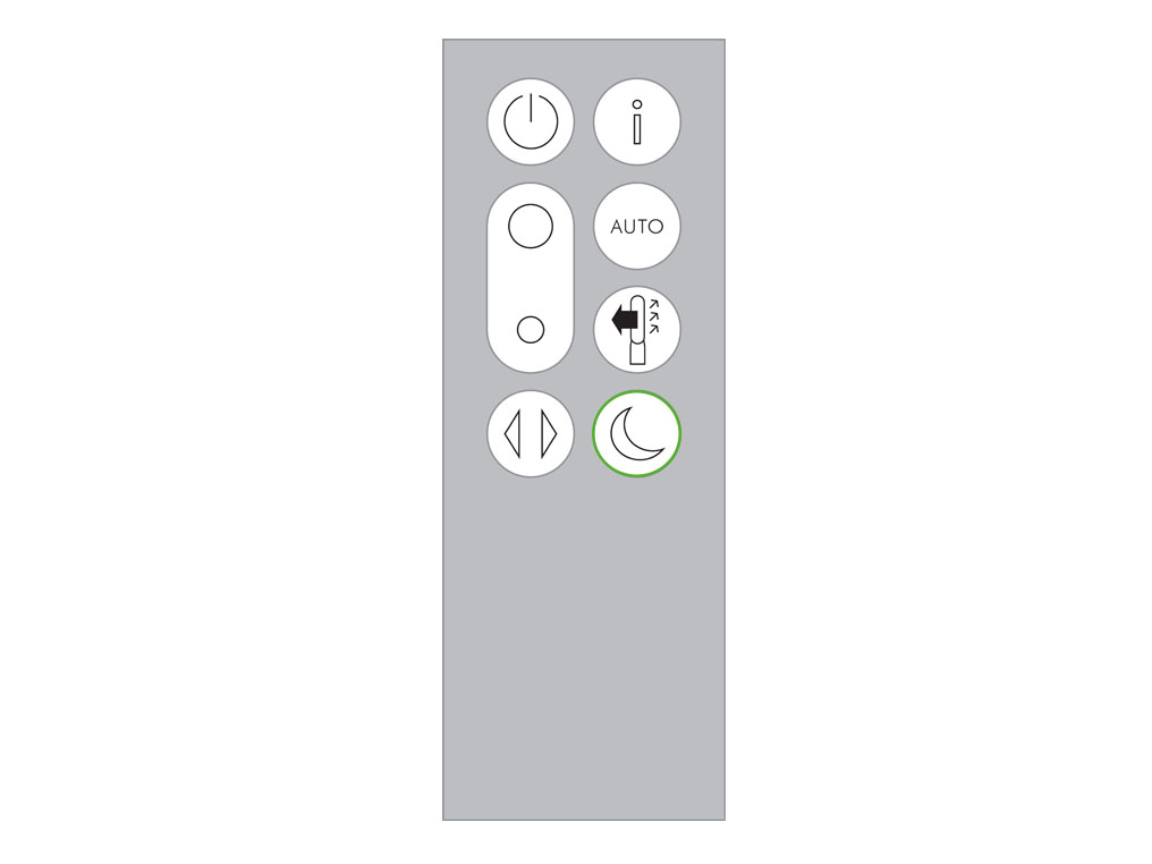
Night Mode promises silence but often fails because users miss a critical detail: Heat mode overrides Night Mode’s speed limits until it hits your target temperature. This explains why you wake up to a roaring fan at 2 AM.
Night Mode Settings That Guarantee Silence
| Scenario | Correct Setup | Why It Works |
|---|---|---|
| Heating overnight | 1. Pre-heat room to 19°C (66°F) 2. Enable Night Mode after target is reached | Prevents heat override; locks fan at Level 4 |
| Cooling/purifying overnight | 1. Set to Fan mode (Level 2) 2. Enable Night Mode | Dimmed display + no beeps + max Level 4 speed |
| Post-cooking cleanup | 1. Manual mode (Level 3) 2. Night Mode + Fan mode | Continuous odor removal without TV interference |
Warning: If you activate Night Mode while the heater is actively warming the room, expect loud operation for 15–30 minutes. Always let the room stabilize first.
Pro Maintenance Tactics for Silent, Efficient Operation
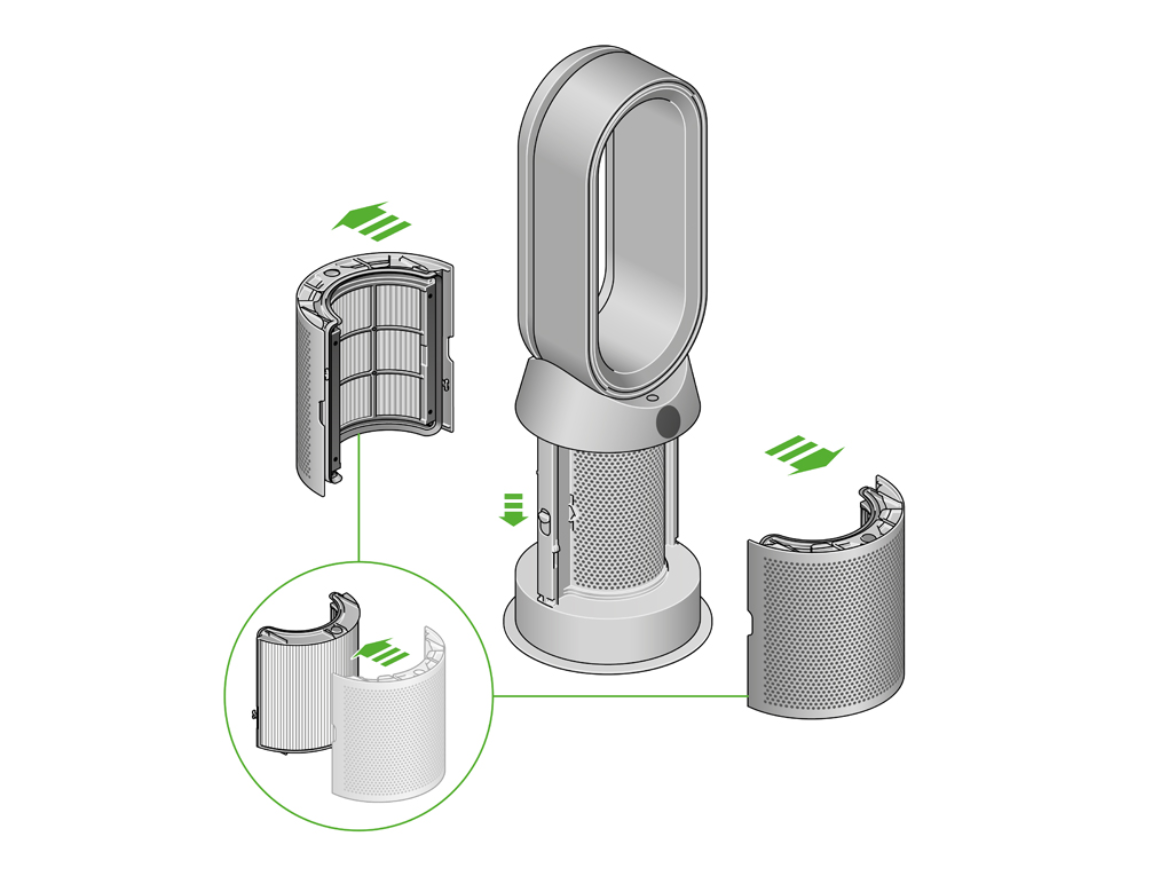
Replace Filters Before Noise Increases
A clogged filter forces the fan to strain—adding 10–15 dB of noise. Check your app’s filter timer:
– Carbon filter: Replace every 6 months (or when “odor removal” slows)
– HEPA filter: Replace yearly (or if airflow drops 20%)
– Test: Hold a tissue 6 inches from the air outlet—if it doesn’t stick, filters are likely clogged
Optimize Placement to Reduce Fan Speed Demands
Position your Dyson:
– 3+ feet from walls/furniture (prevents intake blockage)
– Away from heat sources (radiators trick temperature sensors)
– On hard floors (carpets restrict airflow by 30%)
Pro Tip: Vacuum the rear intake grille weekly with a brush attachment—dust bunnies here mimic filter clogs, forcing max fan speed.
When to Call Dyson Support (Don’t Waste Time Troubleshooting)
Stop adjusting settings if you experience:
– Grinding/clunking sounds (indicates motor or impeller damage)
– Zero airflow despite power light being on (blocked air path or fan failure)
– Persistent “E” error codes (requires firmware reset or part replacement)
Use the Dyson Link app’s “Remote Diagnostic” feature first—it resolves 40% of issues instantly. If not, support will prioritize cases with video evidence of the problem.
Mastering your Dyson Hot+Cool isn’t about fighting its “smart” features—it’s about strategically aligning them with your comfort needs. By manually overriding auto mode after cooking, targeting lower heat temperatures, and understanding the critical link between fan operation and purification, you transform disruptive noise into silent, clean-air comfort. Implement the pre-heat schedule tonight for immediate quiet heating, and check your filter status tomorrow to prevent future strain. These tweaks take under 2 minutes but deliver hours of peaceful TV time and restful sleep. Remember: Your Dyson works for you when you control the triggers—not the other way around. Ready to reclaim your quiet home? Start with the post-cooking manual mode switch tonight and feel the difference immediately.

