
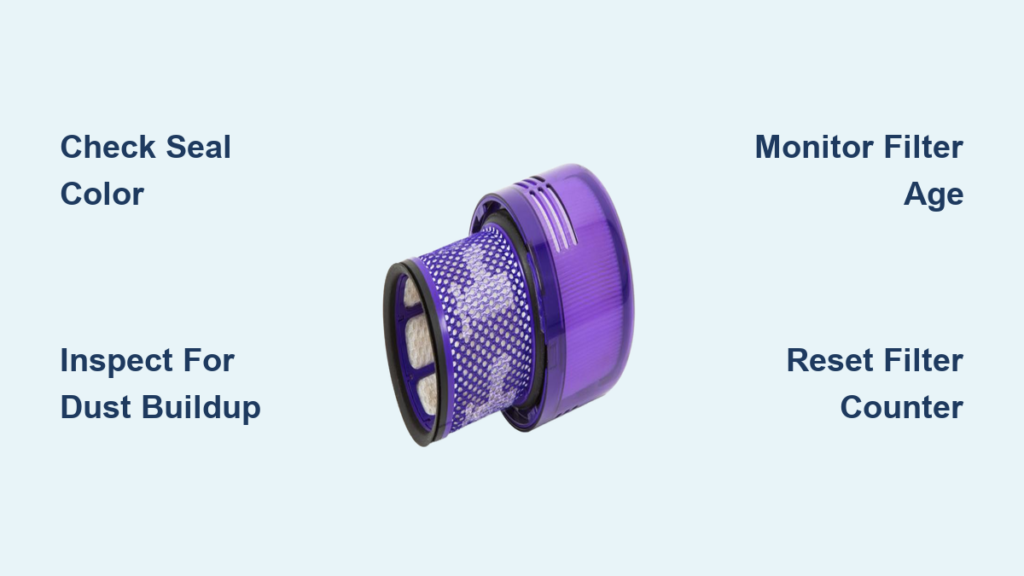
Your Dyson air purifier silently battles dust, pollen, and pollutants—but when its filter fails, performance plummets. Knowing exactly how to check your Dyson filter is non-negotiable for maintaining clean air in your home. If you notice weaker airflow, persistent odors, or error messages flashing on your unit, a clogged or expired filter is likely the culprit. This guide cuts through the confusion with specific, actionable steps to inspect, troubleshoot, and maintain your filter—no guesswork required. You’ll learn to decode seal colors, spot saturation signs, and reset your system like a Dyson technician.
Identify Your Dyson Filter by Seal Color and Model Number

Confusing filter types is the #1 mistake Dyson owners make. Your machine won’t function properly with the wrong filter, so precise identification is critical before any inspection.
Purple vs. Green vs. Teal: What Your Filter’s Seal Color Means
Your filter’s seal color instantly reveals compatibility—no model number needed. Purple seals (HP04, HP06, HP09, TP09) indicate filters designed for formaldehyde removal in newer Hot+Cool models. Green seals fit older TP-series units like the TP04, TP06, and original Pure Cool. Teal/cyan seals are exclusive to Cryptomeria formaldehyde filters in TP09/TP7A models. If you spot a cream/white seal, you have an early-generation TP02 filter. Never force a mismatched filter into your unit—this triggers “Check Filter” errors and damages internal sensors.
Measure Filter Height to Confirm Compatibility
Seal color alone isn’t foolproof. Grab a ruler: all Dyson filters share an 8-3/8″ diameter, but height varies significantly. 5-7/8″ filters work in HP-series and TP09/TP10 models, while older TP units (TP04-TP07) require 8-9″ filters. If your filter stands taller than a standard coffee mug, it’s for pre-2020 models. Always cross-check the part number stamped on the filter’s plastic frame against Dyson’s online compatibility tool—especially if buying replacements.
How to Perform a Visual Check of Your Dyson Filter

A monthly visual inspection takes 90 seconds and prevents 80% of performance issues. Skip this, and your purifier struggles to capture pollutants—even if the machine seems operational.
Inspect the Pre-Filter for Dust Buildup
Unplug your unit, rotate the base counterclockwise, and lift the shroud. The washable pre-filter is the thin black mesh ring covering the main filter. Hold it under bright light: if dust coats more than 30% of the surface or appears thick like felt, it’s clogged. Never ignore this step—a dirty pre-filter forces debris into the HEPA layer, shortening its lifespan. Rinse it under lukewarm water monthly, then air-dry 24 hours before reinstalling.
Examine the HEPA and Carbon Layers for Saturation
Remove the main cylindrical filter. Healthy units show distinct white/grey HEPA pleats between carbon layers. If the entire surface looks uniformly dark gray—like charcoal briquettes—the carbon is saturated and can’t absorb odors or VOCs. Critical red flags:
– Gray carbon completely obscuring white HEPA material
– Visible dust packed deep between pleats (not just surface dust)
– Filter media appearing “puffy” or warped from moisture exposure
If you see these, replacement is urgent—your purifier is recirculating pollutants.
Assess Dyson Filter Age and Lifespan Beyond Visual Cues
Filters degrade even when they look clean. Relying solely on appearance risks breathing contaminated air while your machine runs silently.
When to Replace Based on Time (Not Just Looks)
Dyson’s 12-month replacement rule isn’t arbitrary—it’s based on carbon exhaustion science. Activated carbon loses 40% of adsorption capacity after 9 months in typical homes. Replace immediately if:
– It’s been 10+ months since your last change (set phone reminders!)
– You live near heavy traffic or use strong chemicals indoors
– Allergy sufferers notice increased symptoms despite running the purifier
Pro tip: Write the install date on the filter frame with a permanent marker—no app needed.
Use the Dyson App to Check Filter Life Percentage
For connected models (TP09, HP07+), skip guesswork. Open the Dyson Link app, tap your device, and scroll to “Filter Life.” Interpret these readings:
– 90-100%: Optimal performance (new filter)
– 30-50%: Start budgeting for replacement; clean pre-filter monthly
– <10%: Immediate replacement required—odors will return
If your app shows “0%” but the filter looks clean, trust the sensor—the carbon layer is depleted. Reset only after installing a new genuine filter.
Troubleshoot 5 Common Dyson Filter Error Codes and Warnings
Error messages often point to filter issues—not machine failure. Fix these without technician fees.
Fix “Check Filter” Alerts and Reset Failures
This warning appears when:
1. The filter isn’t fully seated (listen for the distinct click when installing)
2. You used a third-party filter (Dyson sensors reject non-genuine units)
3. The reset sequence was incomplete
Solution: Unplug the unit, remove the filter, and wipe the sensor contacts inside the base with a dry microfiber cloth. Reinstall the filter firmly, then reset via:
– Button method: Hold “Power” + “Oscillation” for 7 seconds until chime
– App method: Settings > Maintenance > Reset Filter Life
Stop Musty Odors Caused by Saturated Carbon Filters
Musty smells mean the carbon layer can’t absorb VOCs anymore—not mold in your unit. If rinsing the pre-filter doesn’t help:
1. Run the purifier on max for 24 hours to exhaust residual carbon
2. Place an open box of baking soda near the intake for 48 hours
3. Replace the filter if odors persist—this is non-negotiable for air quality
Never wash the main filter to “clean” odors; water destroys the carbon structure.
How to Reset Your Dyson Filter Life Counter Correctly
A failed reset triggers false “0% life” warnings, making you think replacement is needed prematurely.
Reset via Buttons on the Machine
Most owners press the wrong buttons. Exact sequence for TP/HP series:
1. Ensure machine is on (not standby)
2. Press and hold both “Power” and “Oscillation” buttons
3. Keep holding for 7 full seconds (ignore early beeps)
4. Release when you hear two chimes and “Filter Life Good” appears
If it fails, unplug the unit for 60 seconds first—power glitches block resets.
Reset Using the Dyson Link App
App resets fail when Wi-Fi disconnects mid-process. Guaranteed method:
1. Close the app completely on your phone
2. Reopen and wait for full connection (check Wi-Fi symbol)
3. Tap device > Settings (gear icon) > Maintenance
4. Select “Reset Filter Life” and confirm
5. Immediately power-cycle the purifier (unplug 10 sec, replug)
This syncs the new counter to the machine’s internal sensor.
Replace Your Dyson Filter: Step-by-Step Installation Guide
Annual replacement is essential—but improper installation causes 60% of post-change errors.
Unbox and Prepare the New Genuine Filter
Before installation:
– Cut open the vacuum-sealed plastic (don’t tear the filter frame)
– Shake the filter gently to settle carbon granules
– Never remove the thin protective mesh on pleats
Verify authenticity: genuine filters have crisp Dyson logos laser-etched into the frame—not stickers. Counterfeits lack the purple/green seal’s precise hue.
Install and Reset to Avoid Error Messages
- Wipe the filter chamber with a dry cloth (no cleaners!)
- Insert the new filter seal-side down until it clicks firmly
- Close the base and rotate clockwise to lock
- Immediately reset the counter (don’t wait)—delayed resets confuse sensors
- Run on max for 10 minutes to calibrate airflow sensors
Critical: If “Check Filter” flashes after install, the seal is misaligned—reseat with firm downward pressure.
Avoid These 3 Costly Mistakes When Checking Dyson Filters
Amateur errors destroy filters and void warranties. Sidestep these pitfalls.
Never Wash the Main HEPA/Carbon Filter
The pre-filter is washable—but water immersion ruins the main filter. Moisture:
– Clumps carbon granules, creating airflow blockages
– Warps pleats, triggering false “clog” sensors
– Promotes mold growth inside the media
If your main filter gets wet, discard it—drying takes weeks and damages performance.
Why Third-Party Filters Damage Your Machine
Generic filters cost 40% less but cause long-term harm:
– Incorrect density strains the fan motor (increasing noise by 15dB)
– Loose carbon granules jam internal sensors
– Non-HEPA media fails to capture 0.3-micron particles
Dyson’s sensors detect non-genuine filters and throttle performance—making your $500 machine work like a $50 model.
Final Note: Regular filter checks keep your Dyson purifier capturing 99.95% of pollutants as designed. Perform visual inspections every 30 days, reset the counter immediately after replacements, and always use genuine filters. Set a calendar alert for your 12-month replacement deadline—your lungs will thank you. For model-specific guidance, use Dyson’s online filter finder with your machine’s serial number (located on the baseplate). Clean air starts with a filter you can trust.

