
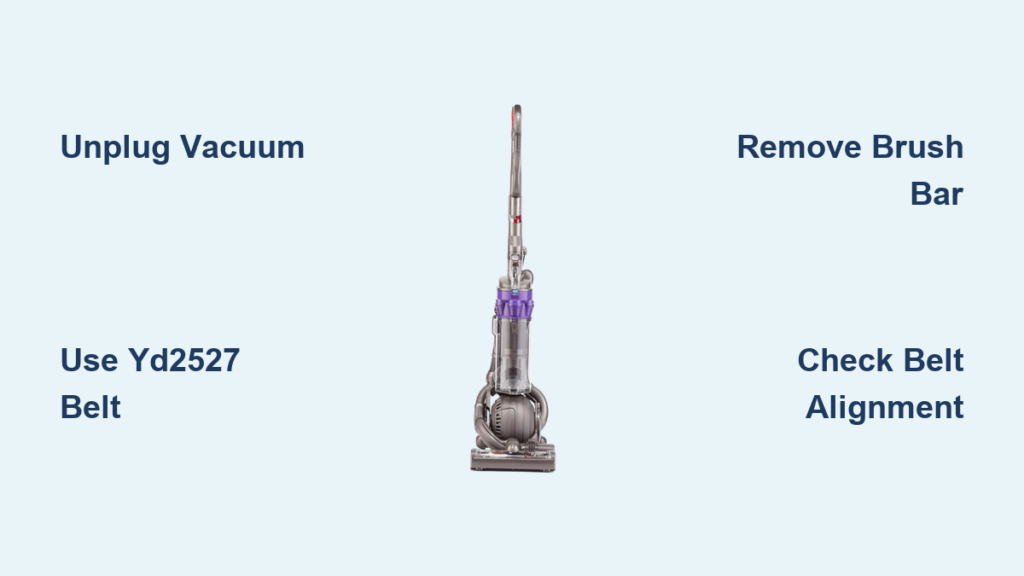
Your Dyson DC25 suddenly stops agitating carpets during a routine vacuuming session. The roller brush lies motionless while suction continues—a classic sign of a snapped or stretched drive belt. This critical component transfers power from the motor to the brush bar, and when it fails, your vacuum loses its deep-cleaning capability. Replacing the how to change belt on Dyson DC25 is a manageable 20-minute DIY fix that prevents costly service calls. In this guide, you’ll learn exactly how to diagnose belt failure, install the correct YD2527 replacement, and implement maintenance habits that extend your vacuum’s lifespan.
Unlike newer Dyson models with tool-free access, the DC25 requires careful disassembly due to its iconic Ball technology base. Many users mistakenly purchase generic smooth belts, only to discover they shred within minutes against the DC25’s toothed motor shaft. We’ll show you how to avoid this critical error while navigating the DC25’s unique clutch assembly. By the end, you’ll confidently restore your vacuum’s scrubbing power and prevent recurring failures through proper maintenance techniques.
Why Your DC25 Brush Roll Stops Spinning (It’s Almost Always the Belt)
When your Dyson DC25’s brush bar ceases rotation but suction remains strong, the drive belt has likely snapped or stretched beyond functionality. This occurs because the YD2527 belt endures constant friction against the motor’s cogged shaft and clutch assembly—a wear item designed for replacement every 6-12 months with regular use. Unlike beltless Dyson models, the DC25 relies entirely on this component to spin its motorized brush bar.
Identifying Belt Failure vs. Motor Issues
Listen for these telltale signs confirming belt replacement is needed:
– Complete brush bar silence during operation (no humming or grinding)
– Visible belt fragments trapped in the brush bar housing
– Burning rubber odor after prolonged use indicating slippage
– Manual brush bar rotation that feels loose or disconnected from the motor
Crucially, if the motor housing vibrates but the brush won’t spin, the belt has slipped off its pulleys—often due to hair buildup jamming the roller. This differs from electrical failures where the entire motor remains silent. Always inspect the belt first before assuming motor damage.
How the DC25’s Clutch Assembly Protects Your Vacuum
The DC25 features an intelligent clutch mechanism that disengages the brush bar when obstructions occur. When excessive strain hits the belt—like a shoelace wrap—the clutch slips to prevent motor burnout. However, this safety feature means repeated jams rapidly degrade the belt. You’ll notice the clutch housing (a large white or black plastic component near the brush bar) clicking during operation when debris is present. This design explains why belt replacement is more frequent on the DC25 than newer models.
Critical Safety Steps Before Opening Your DC25
UNPLUG THE VACUUM IMMEDIATELY—this isn’t just advice, it’s non-negotiable. The DC25’s brush bar motor remains electrically live even when the main unit is “off.” We’ve seen users receive shocks by touching metal components while the plug remains in the outlet. Physically disconnect the power cord before any disassembly.
Workspace Setup to Prevent Costly Mistakes
Prepare your repair area with these essentials:
– Non-slip surface: Place the vacuum on a rubber mat or towel to prevent rolling
– Screw organization: Use a magnetic tray or labeled container for the 5-7 baseplate screws
– Debris containment: Work over newspaper to catch hair and dust dislodged during cleaning
– Lighting: Position a bright task lamp to illuminate the belt compartment
Skipping these precautions risks stripped screw heads, lost components, or electrical hazards. The DC25’s baseplate screws are notoriously fragile—overtightening during reassembly cracks the plastic housing.
Getting the Correct YD2527 Belt and Tools
Never use generic smooth belts—the DC25 requires the genuine toothed YD2527 replacement. Its cogged design meshes precisely with the motor shaft’s grooves. Third-party smooth belts slip violently, overheating the clutch and melting internal components. Expect to pay $15-$25 for authentic Dyson belts from authorized retailers.
Essential Tools for DC25 Belt Replacement
Gather these before starting:
– #2 Phillips screwdriver (precision tip to avoid cam-out)
– Small flathead screwdriver (for tensioner access)
– Scissors or seam ripper (for hair removal)
– Soft toothbrush (to clean pulley grooves)
– Lint-free cloth (for final wipe-down)
A torque screwdriver prevents over-tightening baseplate screws—a common cause of housing cracks. If you don’t own one, practice gentle pressure on spare screws first.
Removing the DC25 Baseplate Without Damage

Lay your unplugged DC25 on its side with the Ball base facing up. The clear plastic baseplate secures with 5-7 perimeter screws—typically 4 along the front curve and 1-3 near the rear. These screws often hide under rubber bumper strips; peel back the rubber gently with your fingernail to expose them.
Locating All Hidden Fasteners
Check these critical spots:
– Front curve: Two screws beneath the curved rubber bumper
– Rear corners: One screw under each rubber foot pad
– Motor housing: Additional screws near clutch assembly access points
Remove screws methodically in a star pattern (like lug nuts) to prevent warping the baseplate. As the last screw releases, support the plate—it may cling due to static or minor adhesive residue.
Freeing the Baseplate From Wiring Clips
The DC25 baseplate often connects to the brush bar motor via a wiring harness. Before lifting the plate:
1. Identify the small electrical connector (usually white)
2. Press the release tab while gently wiggling the plug
3. Never yank wires—this severs internal connections
If resistance persists, shine a light to check for hidden clips. Forcing the plate risks breaking plastic retention tabs—a $100 mistake requiring full base replacement.
Extracting the Old Belt and Cleaning the Brush Bar
With the baseplate removed, locate the clutch assembly—the large plastic housing where the belt connects to the motor shaft. The worn belt will appear frayed, stretched, or completely snapped. Before removal, note its routing path: it loops from the small motor shaft gear to the larger brush bar pulley.
Releasing Belt Tension Safely
The DC25 uses a spring-loaded tensioner arm that maintains belt pressure. To release:
1. Insert a flathead screwdriver into the tensioner slot
2. Gently push the arm toward the motor shaft
3. Slide the belt off the motor gear while holding tension
Warning: Never pry against plastic components—the tensioner mechanism breaks easily. If stuck, rotate the brush bar manually to relieve strain.
Deep Cleaning the Brush Bar Housing
This is your opportunity to prevent future failures:
– Remove the brush bar by sliding it sideways from its mounts
– Cut hair缠绕 with scissors (never pull—it damages bearings)
– Scrub pulley grooves with a toothbrush to remove embedded fibers
– Wipe clutch assembly with a dry cloth to eliminate dust buildup
Hair accumulation is the #1 cause of premature belt wear. Spend 5 extra minutes here to double your new belt’s lifespan.
Installing the New YD2527 Belt Correctly
Position the new belt over the motor shaft gear first—the small cogged wheel near the clutch assembly. Ensure the teeth face inward to grip the shaft. The belt should sit snugly without forcing; if resistance occurs, verify it’s the correct YD2527 model.
Routing and Tensioning the Belt
Follow this sequence:
1. Slide the brush bar back into its housing channels
2. Loop the belt’s free end over the brush bar pulley
3. Visually confirm alignment: Teeth must fully seat in both pulley grooves
4. Manually rotate the brush bar to check for smooth movement
The DC25’s clutch automatically tensions the belt during reassembly—no manual adjustment needed. If the belt slips during rotation, it’s either twisted or incorrectly sized. A properly installed belt has slight flex (about 1/4″ deflection) when pressed.
Reassembling and Testing Your DC25
Position the baseplate carefully, ensuring no wires pinch between the housing and plate. Start screws by hand to avoid cross-threading, then tighten in a star pattern to 15-20 inch-pounds (snug but not forceful). Overtightening cracks the plastic—stop when resistance increases noticeably.
Critical Pre-Power Checks
Before plugging in:
– Spin the brush bar freely by hand (no grinding or binding)
– Verify belt alignment through the clear baseplate
– Confirm all wires are clear of moving parts
Power on the vacuum and activate the brush roll. Listen for smooth operation—new belts may emit a faint rubber smell for 2-3 minutes. Immediately unplug if you hear:
– Grinding (misaligned belt)
– Loud clicking (hair jam)
– Burning odor (wrong belt type)
Preventing Future Belt Failures With DC25 Maintenance
Clean the brush bar weekly to avoid belt-destroying jams:
1. Turn off and unplug the vacuum
2. Release the brush bar access door (front of base)
3. Cut hair缠绕 with scissors while rotating the bar
4. Wipe pulleys with a dry cloth
Replace the belt proactively every 9 months even if functional—stretched belts strain the motor. Always keep a spare YD2527 belt on hand; failure typically occurs during deep cleaning sessions when you need it most.
When to Seek Professional DC25 Repair Help
Stop immediately if you encounter:
– Stripped screw holes in the baseplate (requires epoxy repair)
– Cracked clutch housing (visible plastic fractures)
– Motor humming without brush movement (internal electrical fault)
– Persistent burning smells after correct belt installation
These indicate damage beyond DIY repair. Contact Dyson support for authorized service centers—attempting advanced fixes voids warranties and risks electrical hazards. For most users, belt replacement solves 95% of brush roll failures, restoring your DC25’s deep-cleaning power for years. By mastering this process, you’ve not only saved $100+ in service fees but gained confidence to handle future maintenance. Keep this guide handy for your next routine belt swap—your carpets will thank you.

