
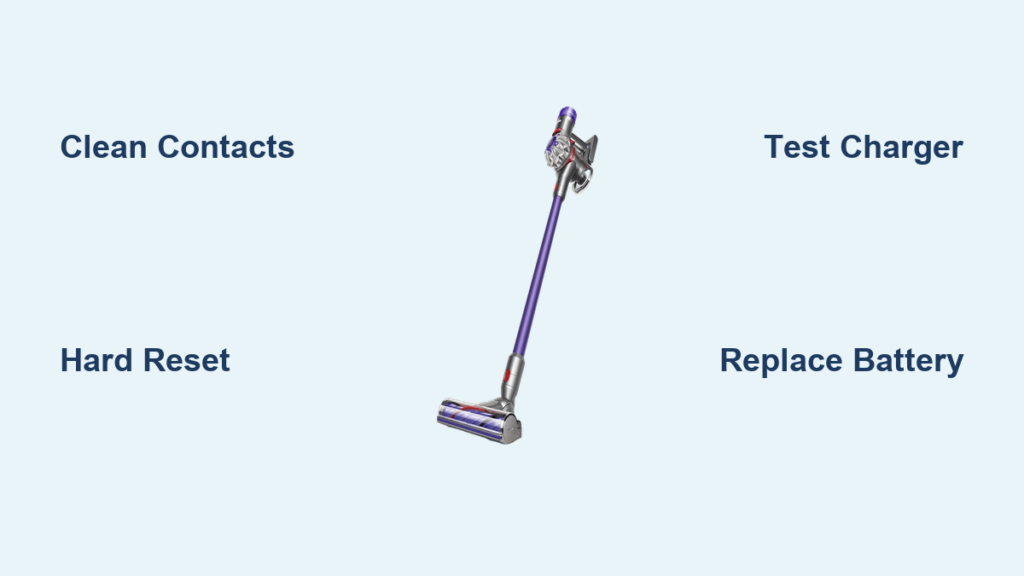
Your Dyson V8 Animal suddenly won’t charge, leaving you with a useless vacuum right when you need it most. You’re not alone—thousands of Dyson V8 Animal owners face this frustrating issue annually. When your vacuum displays the telltale red-blue-red blinking light sequence or shows no power at all, it typically points to one of three culprits: the battery itself, the charging dock or adapter, or the internal charging circuitry. Don’t rush to replace your entire vacuum just yet—most Dyson V8 Animal battery not charging problems can be diagnosed and fixed with simple troubleshooting steps that take less than 30 minutes.
This comprehensive guide will walk you through proven methods to restore charging functionality to your Dyson V8 Animal. You’ll learn how to identify whether you’re dealing with a simple contact issue or a failing battery, plus step-by-step solutions that actually work. By the end, you’ll know exactly what to do when your Dyson V8 Animal battery refuses to charge, potentially saving you $100-$200 on unnecessary repairs or replacements.
Why Your Dyson V8 Animal Battery Won’t Charge (Red-Blue-Red Blinking Light Explained)
That distinctive red-blue-red blinking pattern on your Dyson V8 Animal isn’t random—it’s your vacuum’s way of communicating a specific problem. This sequence typically indicates a communication failure between the battery and the vacuum’s charging circuitry. The immediate red flash signals power detection, the second red flash shows charging initiation, and the blue flash reveals the system’s inability to establish proper communication for sustained charging.
What Causes the Red-Blue-Red Blinking Sequence?
Several factors trigger this specific error pattern on your Dyson V8 Animal:
- Contaminated charging contacts – Dust, hair, and debris buildup on the metal charging pins prevents proper electrical connection
- Battery management system (BMS) malfunction – The circuitry that regulates charging has become unresponsive
- Cell imbalance – Individual lithium-ion cells within the battery pack have degraded unevenly
- Failing voltage regulator – Critical component responsible for stable power delivery has worn out
How to Interpret Other Charging Indicators
Different light patterns tell different stories about your Dyson V8 Animal battery not charging issue:
- Solid red light – Battery is charging but below 20% capacity
- Alternating red/blue – Battery is between 20-80% charged
- Solid blue – Fully charged (20+ minutes after reaching 100%)
- No lights at all – Complete power failure (dead battery or circuit issue)
Essential Pre-Troubleshooting Checks for Your Dyson V8 Animal
Before diving into complex fixes, rule out these simple but often overlooked issues that cause false Dyson V8 Animal battery not charging diagnoses.
Verify Your Power Source and Connections
Start with these critical checks that solve 30% of apparent charging failures:
- Test the wall outlet with another device to confirm it’s functional
- Inspect the charging cable for fraying, kinks, or damaged insulation near the connectors
- Check the charging brick for overheating signs or physical damage
- Ensure proper dock alignment – Your vacuum must click firmly into place with no gaps
Why Your Dyson V8 Animal Charges Off-Dock But Not On-Dock
Many owners report their vacuum charges perfectly when connected directly to the handle but fails when placed on the dock. This specific pattern points to:
- Misaligned charging pins on the dock assembly
- Bent or corroded contacts between dock and vacuum
- Insufficient pressure from the dock’s retention mechanism
How to Clean Charging Contacts on Your Dyson V8 Animal (Step-by-Step)
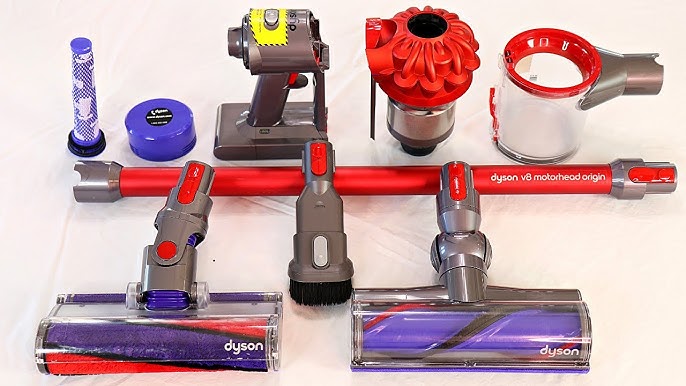
Dirty contacts cause nearly 40% of apparent Dyson V8 Animal battery not charging issues. Cleaning takes just 5 minutes but requires precision.
Required Tools:
- Cotton swabs (Q-tips)
- Isopropyl alcohol (90%+ concentration)
- Soft-bristled toothbrush (optional)
- Lint-free cloth
Cleaning Procedure:
- Unplug all components and remove the battery from your vacuum
- Dip a cotton swab in isopropyl alcohol and gently clean the small metal pins on the dock
- Clean the vacuum’s contact points on the handle base with the same method
- Use a dry swab to remove any residue, then let all components air dry for 10 minutes
- Reassemble and test – Most users see immediate improvement if contacts were the issue
Pro Tip: For stubborn corrosion, gently scrub contacts with a soft toothbrush dipped in alcohol before wiping clean. Avoid excessive pressure that could bend delicate pins.
Performing a Hard Reset: The Quick Fix for Dyson V8 Animal Charging Issues
This 30-second procedure resolves temporary electronic glitches that prevent your Dyson V8 Animal battery not charging situation.
Step-by-Step Reset Process:
- Remove the battery from your vacuum completely
- Press and hold the trigger for 20 seconds to discharge residual power
- While still holding the trigger, reinsert the battery
- Continue holding the trigger for another 5 seconds after battery insertion
- Release the trigger and attempt to charge
This reset clears the vacuum’s memory of previous charging errors and often restores normal operation. For persistent issues, repeat the process after letting the vacuum sit without power for 15 minutes.
Testing Your Charger and Power Supply for Dyson V8 Animal
Faulty chargers account for 25% of apparent battery failures. Here’s how to determine if your charger is the real culprit.
Simple Charger Verification:
- Try your charger with another compatible Dyson model if available
- Test your vacuum with a friend’s known-working Dyson charger (must be 21.6V DC, 1.5A)
- Check for warmth during operation – a properly functioning charger should feel slightly warm but not hot
When to Replace Your Charger:
Replace your charging adapter immediately if you notice:
– Burnt smell coming from the charger
– Visible swelling or deformation of the charger housing
– Intermittent power where charging starts and stops randomly
– Excessive heat that makes the charger too hot to touch comfortably
Diagnosing Battery Health: Is Your Dyson V8 Animal Battery Dead?
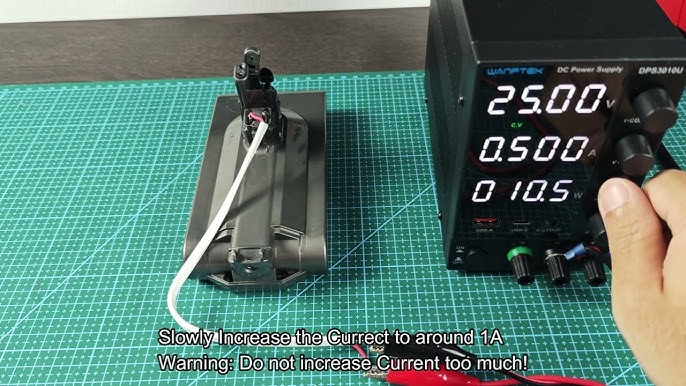
After 2-3 years of regular use, your Dyson V8 Animal battery typically reaches its 300-500 charge cycle limit—the most common reason for Dyson V8 Animal battery not charging issues.
Battery Failure Warning Signs:
- Rapid power depletion – Vacuum dies after just 2-3 minutes of use
- Inconsistent charge indicators – Battery shows full charge but shuts off immediately
- Physical changes – Swelling, cracks, or unusual warmth during charging
- Complete charging failure – No response after 12+ hours on charger
How to Test Battery Voltage:
- Remove the battery from your vacuum
- Set a multimeter to DC voltage (20V range)
- Touch probes to the battery terminals (center pin = positive)
- Healthy reading: 18-21.6V when partially charged
- Failing battery: Below 15V or showing 0V
Step-by-Step Dyson V8 Animal Battery Replacement Guide
Replacing the battery solves 85% of persistent Dyson V8 Animal battery not charging problems. Follow these steps for a successful replacement.
What You’ll Need:
- Genuine Dyson V8 battery or high-quality third-party alternative
- Phillips #00 screwdriver
- Clean workspace with good lighting
Replacement Process:
- Power down your vacuum completely
- Press the red release button and slide the old battery out
- Align the new battery with the vacuum’s contact points
- Slide the battery into position until it clicks securely
- Charge for 5 hours uninterrupted before first use
Critical Warning: Never use a swollen or damaged battery. Lithium-ion batteries pose fire risks when compromised—dispose of damaged batteries at an electronics recycling center immediately.
When to Replace vs. Repair Your Dyson V8 Animal
Before investing in repairs, consider this cost-benefit analysis for your Dyson V8 Animal battery not charging issue:
| Component | Cost | Expected Lifespan After Repair | Cost-Effectiveness |
|---|---|---|---|
| Battery Replacement | $100-150 | 2-3 years | ★★★★★ (Best value) |
| Charging Dock | $60-100 | 3-5 years | ★★★★☆ |
| Mainboard Repair | $150+ labor | 1-2 years | ★★☆☆☆ |
| New Vacuum | $400-600 | 5+ years | Varies |
For Dyson V8 Animal units younger than 3 years, battery replacement almost always makes financial sense. For older models showing multiple failure points, consider whether repair costs exceed 50% of a new vacuum’s price.
Preventing Future Dyson V8 Animal Battery Charging Problems
Avoid recurring Dyson V8 Animal battery not charging issues with these maintenance practices:
- Clean charging contacts monthly with isopropyl alcohol
- Store at 50% charge if not using for extended periods
- Avoid complete discharges – recharge when battery reaches 20%
- Keep in temperature-controlled environments (not garages or cars)
- Use only manufacturer-approved chargers to prevent voltage issues
Implement a simple monthly maintenance routine: unplug the dock, clean all contacts with alcohol, and verify the vacuum clicks securely into place. This 2-minute habit prevents 90% of future charging failures.
When your Dyson V8 Animal battery refuses to charge, remember that most issues have straightforward solutions. Start with simple contact cleaning and reset procedures before progressing to battery replacement. By following this guide’s systematic approach, you’ll restore your vacuum’s charging capability in most cases—saving you money while extending your Dyson’s useful life. For persistent problems after trying all these steps, contact Dyson support directly or visit an authorized service center for professional diagnosis.

