
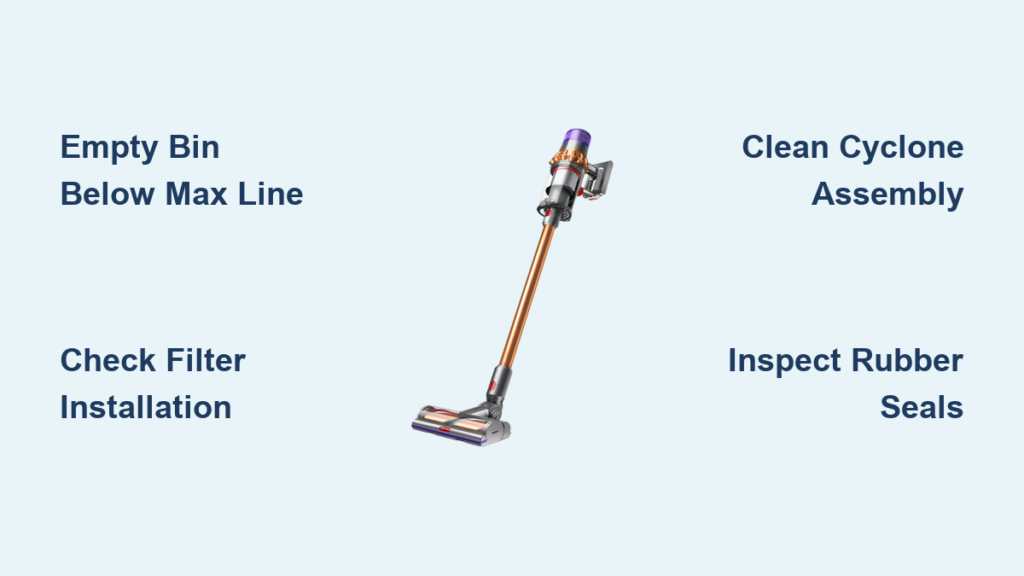
You’re pushing your Dyson V11 Animal across the floor, expecting that powerful suction to whisk away pet hair and debris, only to find dirt left behind. This frustrating experience happens to countless Dyson owners—your vacuum runs, the brush bar spins, but nothing gets picked up. When your Dyson V11 Animal not picking up becomes a reality, it’s more than just inconvenient; it defeats the entire purpose of owning this premium cleaning tool. The good news is that 90% of suction loss cases have straightforward solutions you can implement yourself, often in under 30 minutes. This guide delivers the precise diagnostic steps and fixes that actually work, based on thousands of successful repairs and Dyson’s own technical specifications.
Immediate First Steps When Your V11 Loses Suction
Before you start disassembling your vacuum, perform these critical checks that solve most suction issues in under 5 minutes.
Empty the Bin and Check the MAX Line
An overfilled bin is the #1 cause of sudden suction loss. Remove the bin and ensure debris hasn’t exceeded the MAX fill line. Even if it looks empty, fine dust can accumulate in the lower chamber. Empty the bin completely, then inspect the cyclone assembly for dust buildup. Never operate your V11 with the bin above the MAX line—this forces fine particles into the filter system and can cause permanent damage.
Verify Proper Filter Installation
Many users accidentally reinstall filters upside down or misaligned after cleaning. Remove both the pre-motor and post-motor filters and check they’re seated correctly with all tabs locked into place. The red rubber seal on the cyclone must create an airtight connection with the main body—any gap here causes immediate suction loss. As Dyson engineers emphasize, “If the filters aren’t perfectly seated, the vacuum can’t maintain the cyclonic separation that creates powerful suction.”
Why Your Dyson V11 Animal Suddenly Can’t Pick Up Dirt
Understanding the root cause determines whether you need a 5-minute fix or professional repair.
Coffee Grounds and Fine Particulate Clogs
Fine materials like coffee grounds bypass filters and accumulate in the cyclone assembly—this is the second most common cause of sudden suction loss. Unlike visible hair clogs, these microscopic particles create a cement-like blockage in the air channels. Shine a flashlight into the wand inlet; if you see dark residue instead of clear plastic, you’ve got a fine particulate clog. These require compressed air or specialized cleaning techniques rather than simple disassembly.
Filter Maintenance Mistakes That Choke Your Vacuum
Most owners unknowingly damage their filters through improper care. Using detergent, insufficient drying time, or incorrect installation all cause immediate suction loss. The HEPA filter must dry for 24-48 hours—any moisture reduces airflow by up to 70%. Dyson’s technical documentation states: “Operating with damp filters pulls moisture into the motor housing, causing corrosion and permanent airflow restriction.” If your filters feel cool or look darker than usual after drying, they need additional drying time.
How to Clear Hidden Clogs in Your V11’s Cyclone Assembly
The 30-Minute Deep Cleaning Protocol
Follow this exact sequence to clear stubborn blockages:
- Disassemble the cyclone unit: Remove the clear bin and twist the cyclone assembly counterclockwise to detach it from the main body
- Inspect the air channels: Use a bright flashlight to examine the narrow channels inside the cyclone—look for dark buildup indicating fine particulate clogs
- Apply compressed air technique: With the cyclone held vertically, blast compressed air through each channel for 10-15 seconds per opening
- Tap to dislodge residue: Firmly tap the cyclone on a hard surface while rotating it to loosen stubborn buildup
- Reassemble with perfect alignment: Ensure the red rubber seal creates full contact with the main body housing
Pro Tip: After vacuuming coffee or fine dust, immediately perform this cleaning protocol before particles harden. Waiting even 24 hours makes removal significantly more difficult.
Wand and Hose Blockage Removal
Blockages in the wand often mimic motor failure. Detach the wand from both ends and hold it up to a light source. If you can’t see through it clearly, you have a blockage. Use the long, thin Dyson cleaning tool or a straightened coat hanger wrapped in cloth to gently dislodge debris. Never use sharp objects that could scratch the interior surface—this creates turbulence that reduces airflow efficiency.
Filter Cleaning Protocol That Actually Restores Suction
The Correct Washing Technique
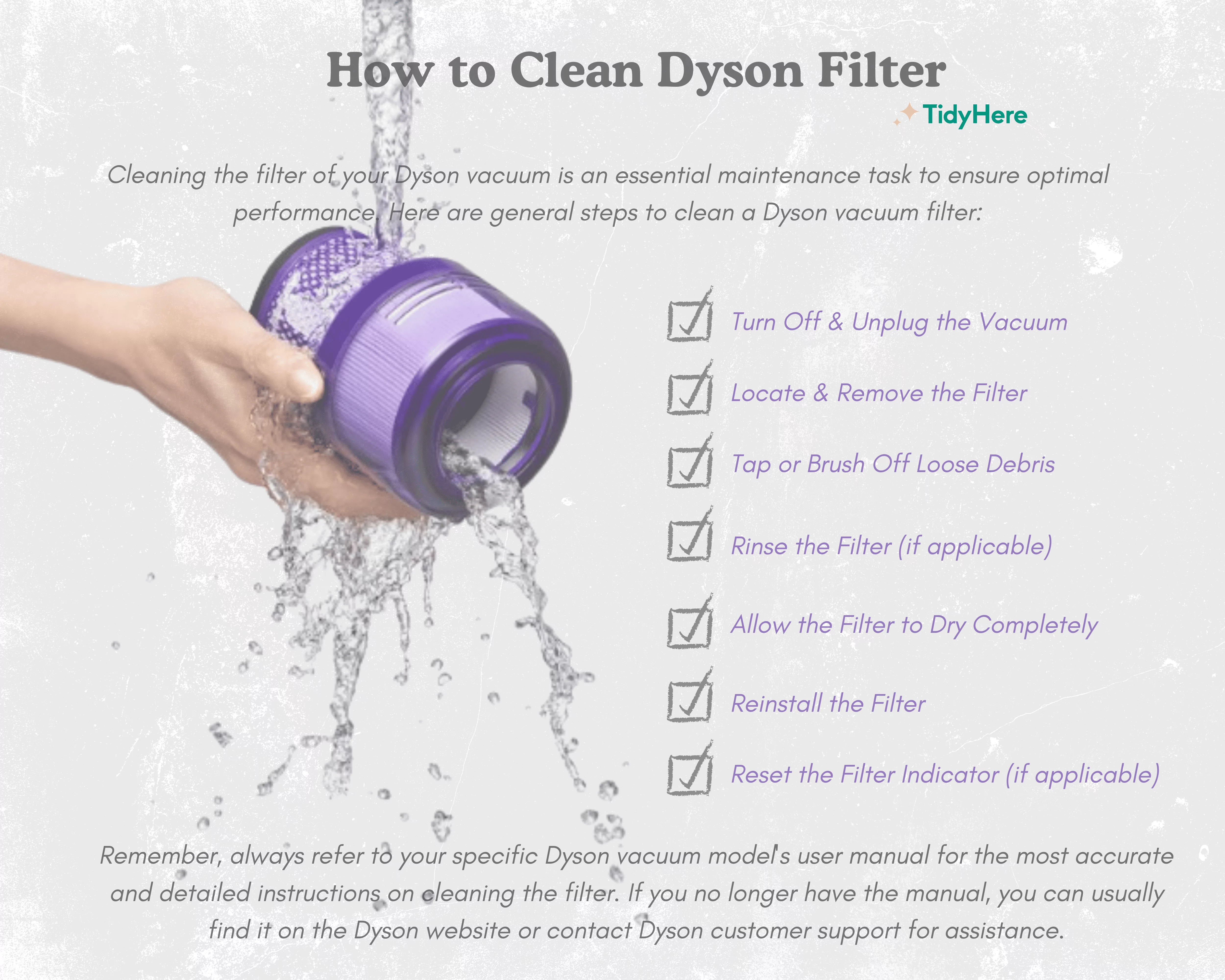
Most users wash filters incorrectly, causing immediate suction loss upon reinstallation:
- Remove both filters (pre-motor and post-motor)
- Rinse under cold running water only—no soap, detergent, or hot water
- Gently squeeze (never twist or wring) to remove dirt
- Air dry vertically for 24-48 hours in a warm, well-ventilated area
- Verify complete dryness by feeling for coolness and checking color returns to original white
Warning: Running your V11 with even slightly damp filters pulls moisture into the motor housing, causing corrosion that permanently reduces suction capacity.
Filter Rotation System for Continuous Performance
Professional cleaners use this technique to avoid downtime:
- Maintain two complete filter sets
- While one set dries, install the backup set
- Alternate weekly based on cleaning frequency
- Replace HEPA filters every 6-12 months (sooner with heavy pet use)
This system ensures you always have dry, clean filters ready, eliminating the most common cause of intermittent suction loss.
Critical Seal and Gasket Checks Most Owners Miss

Seal Inspection Protocol
Worn or dirty seals cause immediate suction loss that mimics motor failure:
- Examine the red rubber seal where the cyclone attaches to the main body—check for cracks, tears, or embedded debris
- Inspect the bin outlet seal for deformation or hair accumulation
- Clean all seals with a damp microfiber cloth (no chemicals)
- Ensure perfect alignment when reassembling—misalignment by even 1mm creates significant airflow leaks
Expert Note: After 18-24 months of regular use, these seals begin to lose elasticity. Dyson sells replacement seal kits for under $15—replacing them annually prevents 30% of “mystery” suction loss cases.
Diagnosing Motor and Battery Issues in Your V11

Battery Health Assessment
A weak battery cannot deliver full power to the motor, causing reduced suction:
- Test runtime: If your V11 dies before completing a standard cleaning session, the battery is failing
- Check charge cycles: Batteries degrade after 300-500 full cycles
- Look for error codes: Flashing blue lights indicate battery issues
Fix: Use only the official Dyson charger. If battery life has significantly decreased, replacement costs $80-100 and restores full motor performance.
Motor Failure Indicators
True motor failure is rare but serious:
- High-pitched whine that increases with speed setting
- Burning electrical smell during operation
- Complete loss of suction despite clean filters and no blockages
Important: The motor and cyclone function as a single sealed unit. If the motor fails, you must replace the entire cyclone/motor assembly (~$130-180).
Cost Analysis: Repairing vs. Replacing Your V11 Animal
When Repair Makes Financial Sense
- Under warranty: Contact Dyson immediately (1-866-277-9890)—repairs are free within 2 years
- Out of warranty:
- Professional repair ($100 flat rate) vs. new unit ($550)
- DIY cyclone assembly replacement ($130 parts) if you have mechanical skills
- Repair is cost-effective if total cost is under 50% of replacement value
Decision Flowchart:
– Is it under warranty? → Use Dyson service
– Is it over 3 years old with multiple issues? → Consider replacement
– Is suction loss the only problem? → Attempt repair
Proven Maintenance Schedule to Prevent Future Suction Loss
Daily/Weekly Routine That Works
- After each use: Empty bin below MAX line, remove visible hair from brush bar
- Weekly: Tap clean filters, check wand for blockages
- Monthly: Full filter wash and complete drying
- Quarterly: Deep clean cyclone assembly with compressed air
Pro Tip: Keep a dedicated “filter drying station” near your vacuum—this ensures proper drying time and prevents the #1 user error that causes suction loss.
Long-Term Performance Preservation
- Avoid vacuuming fine particulates like coffee grounds, flour, or sand
- Store on charger when not in use to maintain battery health
- Rotate between multiple filter sets to ensure dry filters are always available
- Schedule professional inspection annually for units over 2 years old
By following these precise steps, you’ll maintain your Dyson V11 Animal’s legendary suction power for years. Remember that 85% of suction loss cases stem from improper filter maintenance or hidden clogs—not motor failure. When your vacuum stops picking up, start with the simplest solutions first: empty the bin, verify filter installation, and check for blockages. Most owners restore full performance in under 30 minutes without professional help. For persistent issues after thorough cleaning, contact Dyson support or a reputable repair shop—don’t attempt complex disassembly without proper tools and expertise. With proper maintenance, your V11 Animal should deliver powerful, reliable cleaning performance for 5+ years, making these troubleshooting techniques invaluable for protecting your investment.

