
Your Dyson Cyclone V10 suddenly stops picking up dirt like it used to? That frustrating moment when you’re vacuuming and realize debris is just tumbling around instead of being sucked into the bin is a common issue affecting thousands of V10 owners. When your Dyson cyclone v10 not picking up properly, it’s almost always due to a blockage, clogged filter, or maintenance oversight—not a permanent failure. The good news is that 95% of suction problems can be resolved with systematic troubleshooting and proper cleaning techniques, getting your vacuum back to its original 115 AW performance without costly repairs.
Locate and Clear Hidden Cyclone Blockages in Under 10 Minutes
If your Dyson V10 lost suction suddenly, a blockage in the cyclone assembly is the most likely culprit. Fine dust accumulation in cyclone chambers restricts airflow and dramatically reduces pickup performance, especially after 12-18 months of regular use when users typically report significant degradation.
Identify Critical Blockage Points in Your V10’s Airflow Path
Your V10 has multiple choke points where debris accumulates and restricts suction:
– Dust bin intake area (where debris first enters the system)
– Cyclone separator chambers (where fine dust clumps in humidity)
– Motor intake filter screen (often overlooked during routine cleaning)
– Exhaust filter housing (causing airflow restriction when clogged)
Step-by-Step Blockage Removal Procedure
- Power Down Completely: Remove the battery and wait 30 seconds for a full power cycle before starting
- Inspect the Floor Tool: Lay the cleaner head on its back, use a coin to unlock the end cap, and remove hair/debris wrapped around the brush bar spindle
- Check Wand Connections: Disconnect the wand from both ends and look through each section—use a straightened wire hanger to clear debris from the wand’s internal channels
- Examine Cyclone Chambers: Remove the clear bin and hold the cyclone assembly up to light—look for “loads of crap” (as users report) accumulated in the cyclone tubes
- Clear Motor Intake: Use compressed air (30-40 PSI) to blow through the motor intake screen where the bin attaches
Restore Full Suction with Proper Filter Maintenance
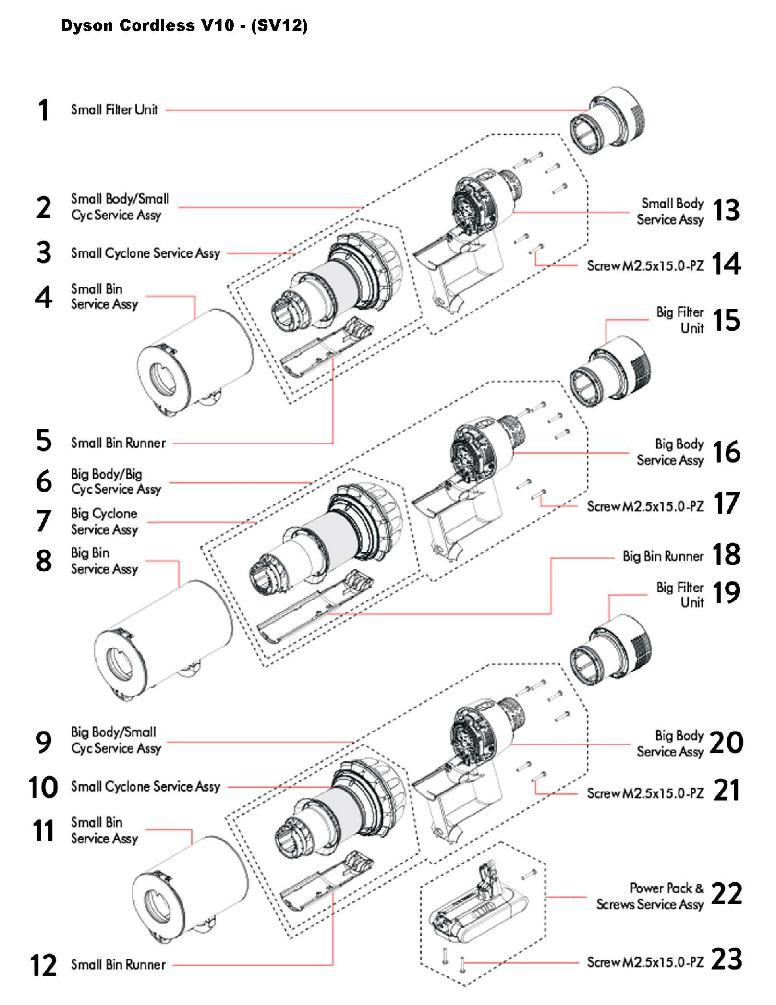
Clogged filters account for nearly 40% of reported suction problems in user data, with the post-motor HEPA filter being the most common culprit for progressive performance decline.
Pre-Motor Filter Deep Cleaning Protocol
The washable pre-motor filter often gets neglected despite being critical for maintaining airflow:
– Remove the filter from its housing behind the dust bin
– Rinse under cold water (no soap) until water runs clear—never scrub the filter material
– Shake vigorously to remove excess water
– Air dry completely for 24+ hours in a well-ventilated area
– Critical Warning: Never operate your V10 without this filter installed—it causes motor strain and reduced suction
Post-Motor HEPA Filter Replacement Schedule
The non-washable HEPA filter degrades over time and requires specific maintenance:
– Tap the filter gently on a hard surface outdoors monthly to dislodge loose dust
– Inspect for discoloration—if it appears dark gray instead of white, replacement is needed
– Replace every 6-12 months depending on usage frequency
– Use only genuine Dyson replacement filters to maintain 99.97% filtration efficiency
Revive Cyclone Performance with Targeted Cleaning Techniques
Fine dust accumulation in the cyclone chambers is the primary reason for progressive suction loss after 12-18 months of use, as documented in multiple user reports of identical degradation patterns.
Cyclone Assembly Deep Cleaning Method
- Remove the dust bin and cyclone assembly from the main unit
- Hold the cyclone assembly vertically and use compressed air to blow through all cyclone tubes from top to bottom
- Use a soft brush (like a clean toothbrush) to dislodge compacted debris from cyclone walls
- For stubborn buildup, rinse with water (avoiding motor areas) and dry thoroughly for 24 hours
- Pro Tip: Bang the cyclone assembly lightly against your palm over a trash can—users report “loads of crap” falling out even after routine cleaning
Performance Verification Test
After cleaning, verify your restoration success with this simple test:
– Remove the cyclone assembly from the motor unit
– Place your hand over the motor intake
– Turn on the vacuum—you should feel strong suction immediately
– If suction remains weak, repeat cleaning focusing on the motor intake screen
Prevent Future Suction Loss with Strategic Maintenance Schedule
User data shows regular maintenance extends peak performance by 30-40%, with proper filter care being the single most impactful practice for maintaining consistent pickup power.
Critical Daily Maintenance Actions
- Empty the bin after each use—never let it reach the MAX line
- Remove hair and debris from the brush roll following every carpet cleaning session
- Wipe down all seals and gaskets with a dry cloth to maintain airtight connections
- Store upright in a dry location away from extreme temperatures
Monthly Performance Preservation Routine
- Wash the pre-motor filter with cold water and allow 24+ hours drying time
- Inspect all hoses and attachments for hidden blockages
- Check cyclone chambers for fine dust accumulation
- Test suction on multiple surfaces to detect early performance changes
Quarterly Deep Maintenance Protocol
- Replace the HEPA filter if discolored or if suction has declined
- Inspect all seals and gaskets for wear or damage
- Check battery contacts and charging port for debris
- Document runtime per charge to monitor battery health
Diagnose When Professional Service Is Actually Needed
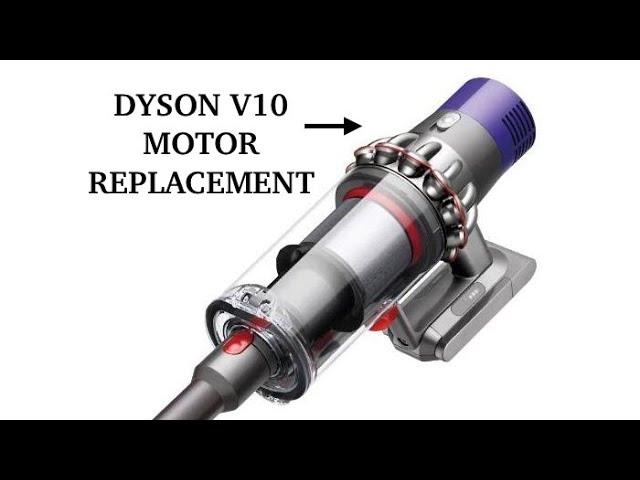
If your Dyson cyclone v10 not picking up persists after thorough cleaning, it may indicate deeper issues requiring professional attention—especially if you notice these specific warning signs.
Motor Failure Indicators That Require Expert Help
- Unusual high-pitched whining or grinding noises during operation
- Burning smells coming from the motor housing
- Visible smoke or excessive heat from the motor area
- Complete loss of power despite clean filters and no blockages
Battery-Related Performance Issues
- Drastically reduced runtime (less than 15 minutes on standard mode)
- Failure to hold charge after proper 3.5-hour charging cycle
- Intermittent power loss during use
- Battery swelling or physical damage
Final Performance Restoration Checklist
When your Dyson cyclone v10 not picking up properly, follow this verified sequence for maximum results:
- Perform a complete power cycle (remove battery, wait 30 seconds)
- Empty dust bin and inspect for blockages at the intake
- Clean pre-motor filter thoroughly and allow full drying time
- Replace HEPA filter if discolored or older than 6 months
- Clear cyclone chambers with compressed air
- Remove all hair/debris from brush roll
- Verify all connections are airtight with no gaps
Most V10 suction problems resolve with this systematic approach, restoring your vacuum to its original 115 AW performance. For persistent issues after following these steps, contact Dyson support—your unit may still be covered under the 2-year limited warranty for motor or battery issues. Remember that regular monthly filter cleaning and quarterly deep maintenance can extend your V10’s peak performance by up to 50%, saving you from premature replacement costs. With proper care, your Dyson V10 can maintain strong pickup power well beyond the typical 18-24 month performance degradation timeline reported by users.

