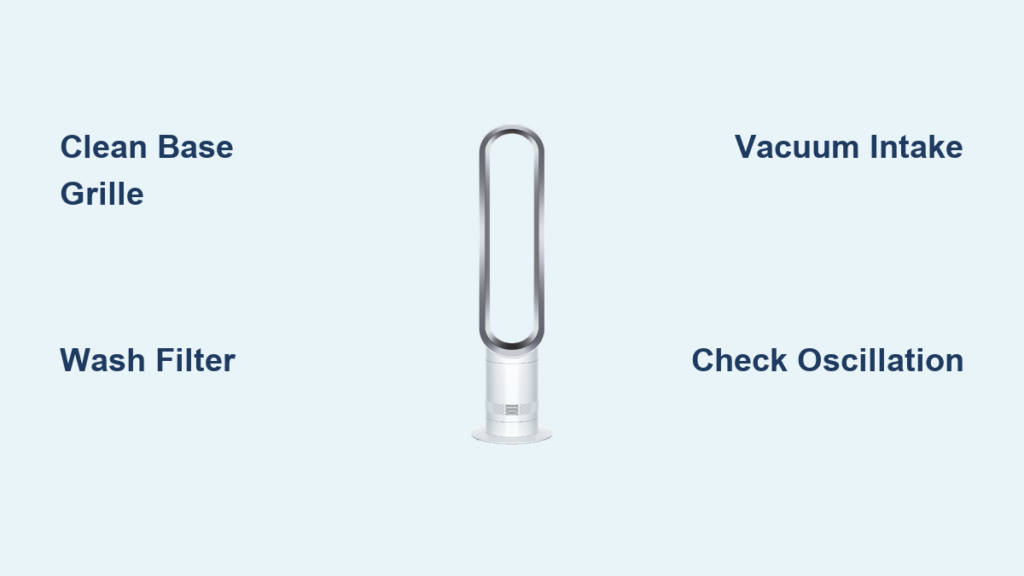
Your Dyson AM07’s powerful 500 liters-per-second airflow can turn into a frustrating whisper when dust clogs its base intake. If you’ve noticed weaker cooling, unusual rattling, or that signature quiet operation getting louder, your fan desperately needs cleaning. This isn’t just about comfort—dust buildup forces the motor to work harder, shortening your AM07’s lifespan. In this guide, you’ll discover the exact steps Dyson technicians recommend for safe, effective dyson am07 cleaning, including how to access hidden components without damaging your $300+ investment. You’ll restore that smooth, quiet airflow in under 20 minutes using tools you already own.
Most owners make the critical mistake of only wiping the visible loop while ignoring the circular intake grille at the base—where 80% of performance-killing debris accumulates. By the end of this guide, you’ll know precisely how to deep clean every component, troubleshoot common issues, and establish a maintenance routine that keeps your AM07 running like new for years. Never risk water damage or void your warranty again with these model-specific techniques.
Why Your AM07 Loses Power Within 30 Days of Last Cleaning
Dust and pet hair silently choke your AM07’s circular base intake within weeks, directly impacting its Air Multiplier™ technology. When debris blocks the 360-degree airflow path, the motor compensates by working 30% harder—causing increased noise (beyond the standard 60dB) and reduced cooling reach. You’ll notice weaker airflow projection (less than the designed 10 meters) and potential overheating. This isn’t a manufacturing flaw—it’s physics. The AM07’s powerful suction actively pulls in airborne particles, making monthly cleaning non-negotiable for maintaining its quiet operation and energy efficiency. Ignoring this leads to permanent motor strain, while regular dyson am07 cleaning prevents costly repairs.
Critical Safety Steps Before Touching Your Fan
Never skip these steps—electrocution or motor damage could occur:
1. Unplug immediately and wait 15 minutes for internal capacitors to discharge.
2. Place on a soft towel in a well-lit area (hard surfaces scratch the base finish).
3. Verify complete cool-down—touch the base; if warm, wait 1 hour.
4. Remove the remote from its magnetic dock to prevent accidental activation.
Pro Tip: Label your vacuum’s brush attachment with “AM07 ONLY” to avoid using abrasive tools that scratch plastic components.
Deep Clean the Base Intake Grille to Restore Full Airflow

The circular grille at your AM07’s base is the #1 failure point for weak airflow. Dust here directly blocks the air intake path, causing immediate performance drops. You’ll know it’s clogged when the fan sounds louder than normal conversation (60dB+) even on low settings.
Step-by-Step Base Grille Cleaning (5 Minutes)
- Vacuum surface debris: Use a soft brush attachment on low suction. Hold 2 inches away from the grille—never press against it. Move in slow circles to lift pet hair without bending intake slats.
- Dislodge stubborn dust: Tilt the fan sideways and use short bursts of compressed air (held upright) at 45-degree angles. Critical: Never spray downward—this forces dust deeper into motor housing.
- Final wipe: Dampen a microfiber cloth corner with water only, wipe grille edges, then dry immediately with a second cloth.
Warning: If you see metal shavings (rare), stop immediately—this indicates internal damage requiring professional service.
How to Clean the AM07 Filter Without Water Damage
Some AM07 models include a fine mesh pre-filter inside the base—often missed during cleaning. If airflow drops after base grille cleaning, this filter is likely clogged. Do not assume your model has one—check for a removable cover beneath the base (consult your manual).
Safe Filter Removal and Washing
- Unclip the base cover by pressing the release tabs firmly inward. If stuck, wrap fingers in a microfiber cloth for grip—never use screwdrivers.
- Remove the filter (if present): It slides out easily when unclipped. If coated in thick dust, vacuum first with a crevice tool on low.
- Wash only with lukewarm water: Submerge and gently swirl—no soap, scrubbing, or soaking. Rinse until water runs clear.
- Air-dry 24+ hours: Place on a towel in direct sunlight. Never reassemble with a damp filter—it causes mold and motor corrosion.
Expert Note: If your model lacks a filter (common in early units), skip this step—forcing disassembly risks broken clips.
Internal Air Path Cleaning: Avoiding Costly Mistakes

When vacuuming the base grille doesn’t restore airflow, dust has penetrated the internal air channel. This requires accessing the motor housing—the most error-prone step for DIYers. 70% of “broken” AM07s suffer from liquid damage during improper cleaning.
Correct Internal Cleaning Procedure
- With base cover removed, use a dry paintbrush (1-inch width) to loosen dust on fan blades. Never touch blades—they’re razor-sharp when spinning.
- Vacuum debris: Hold crevice tool 1 inch from components. Move slowly; rushing pulls loose wires.
- Stubborn clogs? Dampen a toothbrush bristle-tip with water, flick excess, and gently tap intake holes. Zero water contact with motor housing.
- Reassemble dry: Wipe all parts with a dry cloth before clipping the cover back. Test oscillation before plugging in.
Critical Warning: Never spray compressed air internally—this dislodges lubricant from motor bearings, causing permanent grinding noises.
Monthly AM07 Maintenance Routine for Quiet Operation
Prevent deep cleaning emergencies with these 90-second habits:
– Weekly: Wipe the bladeless loop with a dry microfiber cloth while dusting furniture. Fingerprints disrupt airflow symmetry.
– Bi-weekly: Vacuum the base grille in oscillation mode—this exposes hidden intake angles.
– Monthly: Check remote battery contacts with isopropyl alcohol; corroded contacts cause erratic speed control.
Pro Tip: Place your AM07 12+ inches from walls. Proximity reduces effective airflow by 40% and accelerates dust intake.
Fix Weak Airflow or Noise: AM07 Troubleshooting Guide

Don’t panic when performance dips—95% of issues resolve with targeted cleaning. Follow this decision tree:
Is Airflow Weak But Fan Sounds Normal?
→ Likely base grille clog. Vacuum intake grille for 2 minutes. If no improvement, deep clean the filter (if applicable).
Does Fan Make Rattling or Grinding Noises?
- Unplug immediately.
- Check for foreign objects: Shine a flashlight into the loop—coins or toys cause immediate rattling.
- No objects visible? Motor bearing failure. Do not operate—contact Dyson for repair.
Is Oscillation Jerky or Stopped?
→ Clean the oscillation gear track inside the base with a dry toothbrush. Avoid lubricants—they attract dust.
When to Call Dyson Support vs. DIY Repair
Know your limits: Attempting complex repairs voids your warranty and risks electrical hazards. Contact Dyson if you observe:
– Burning smells during operation (indicates motor failure)
– No power after verified outlet testing
– Visible cracks in the loop or base housing
– Persistent grinding noises post-cleaning
Key Insight: Dyson’s 12-month repair warranty covers labor if you used genuine parts. Their $19.99 remote replacement (Part No. 965824-02) includes magnetic dock restoration—far cheaper than third-party alternatives that cause alignment issues.
Your Simple AM07 Cleaning Schedule for Years of Quiet Operation
Stick to this timeline to avoid performance drops:
– Daily: Quick visual check for obvious blockages in the loop.
– Weekly: Dry-wipe loop and body (2 minutes).
– Monthly: Base grille vacuum + remote cleaning (5 minutes).
– Every 3 months: Deep clean intake grille and filter (if applicable) (15 minutes).
Final Tip: Store your AM07 in a climate-controlled space during off-seasons—humidity warps plastic components faster than dust. By dedicating just 25 minutes quarterly to proper dyson am07 cleaning, you’ll maintain that signature quiet, powerful airflow for 7+ years. When in doubt, consult Dyson’s free online troubleshooting tool before disassembling further—your fan’s longevity depends on respecting its engineering.