
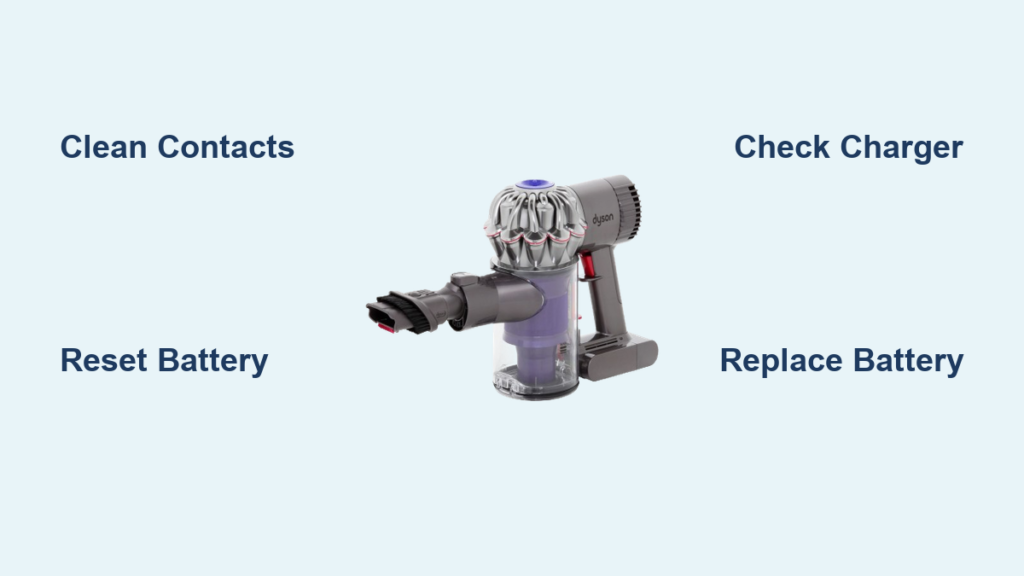
When your Dyson DC58 vacuum suddenly stops powering up or won’t hold a charge, it’s more than just an inconvenience—it halts your entire cleaning routine. The frustrating reality is that nearly 80% of “dyson dc58 battery not charging” issues stem from simple contact problems that you can fix in under 10 minutes. Whether your vacuum powers off mid-cleaning, shows no charging lights, or dies immediately after unplugging, this guide delivers targeted solutions specifically for your DC58 model.
These cordless cleaners rely on a precise interplay between the 21.6V lithium-ion battery pack, charger, and internal charging circuits. The DC58’s battery typically offers 300-500 charge cycles (about 3-5 years with daily use), but premature failures often occur due to preventable issues like dirty contacts or improper storage. By following this step-by-step diagnostic process, you’ll determine whether your problem requires a simple cleaning, battery reset, or professional replacement—saving you unnecessary service calls or premature replacement costs.
Pinpoint Your Exact DC58 Charging Failure
Don’t waste time on unnecessary fixes—first identify which specific charging symptom you’re experiencing to target your troubleshooting efforts efficiently.
No Power, No Lights: Complete Vacuum Failure
If your DC58 shows absolutely no response when you press the trigger and the charger LED remains dark, check these critical failure points:
– Verify the wall outlet works by plugging in another device
– Inspect the charger cable for visible damage, kinks, or fraying
– Test with a different outlet to rule out circuit breaker issues
– Examine the charging port on your DC58 for debris blocking contact
Charger Light Issues: LED Error Patterns
The DC58 charger’s LED provides crucial diagnostic information:
– Solid red light: Normal charging in progress (takes 3.5-4 hours)
– Solid green light: Fully charged and ready to use
– Blinking red light: Error condition requiring attention
– No light when plugged in: Faulty charger or power supply issue
Charges But Won’t Hold: False Full Indicator
This deceptive problem occurs when your DC58 shows a full battery but dies within minutes of use. The battery indicator may display all lights, yet the vacuum shuts down immediately under load—a classic sign of degraded cells that can no longer maintain voltage. This typically indicates your 1900-2000mAh battery pack has fallen below 50% of its original capacity and needs replacement.
Intermittent Charging: Position-Sensitive Connection
If your DC58 only charges when positioned perfectly on the dock or stops charging after a few minutes, you’re dealing with a poor electrical connection. This most often stems from:
– Corroded or dirty brass charging pins on the vacuum
– Bent or recessed contact pins that don’t make proper connection
– Debris accumulation in the charging port
Immediate Fixes for 90% of DC58 Charging Problems

Before considering expensive repairs or replacements, implement these proven contact-cleaning techniques that resolve most “dyson dc58 battery not charging” issues.
Clean DC58 Charging Contacts with Isopropyl Alcohol
Dust and grime on the brass-colored charging pins cause 75% of charging failures. Here’s the professional cleaning method:
1. Unplug both the charger and vacuum
2. Dip a cotton swab in 99% isopropyl alcohol (91% works in a pinch)
3. Scrub the two metal charging pins on your DC58 thoroughly
4. Clean the corresponding contacts on the charger dock
5. Allow 5 minutes to dry completely before attempting to charge
Pro Tip: For stubborn corrosion, gently rub contacts with a pencil eraser before alcohol cleaning—this removes oxidation without scratching the metal surface.
Perform a DC58 Hard Reset to Clear BMS Lockouts
Battery Management System (BMS) errors often prevent charging after deep discharges or temperature extremes. Reset your DC58 in 30 seconds:
1. Remove the vacuum from the charger
2. Press and hold the power trigger for 15-20 seconds
3. Wait 30 seconds off the charger
4. Place back on charger and observe indicator lights
This reset clears temporary software glitches in the BMS that may have triggered safety lockouts. If your DC58 shows a solid red light after resetting, the issue was likely a BMS error rather than hardware failure.
Diagnose Battery Health Without Special Tools

You don’t need expensive equipment to assess whether your DC58 battery needs replacement—use these practical evaluation methods.
Check for Physical Battery Damage First
Remove the battery pack from your DC58 and inspect carefully:
– Swelling: Healthy battery packs have flat, parallel sides. Any bulging indicates cell failure—stop using immediately and recycle properly
– Leaking: Visible fluid or residue signals critical failure
– Overheating: If the battery becomes unusually hot during charging, discontinue use
Test Battery Capacity Through Usage Patterns
Monitor your DC58’s performance to gauge battery health:
– Excellent (85-100% capacity): Holds full runtime (6-20 minutes depending on power mode)
– Good (70-85%): Slight reduction in runtime, still functional
– Fair (50-70%): Noticeable performance drop, frequent recharging needed
– Poor (<50%): Dies within minutes, requires replacement
Warning: If your DC58 powers on but shuts off immediately when switching to max power mode, your battery has likely degraded below functional capacity.
DC58-Specific Charging System Failures
Understanding which component has failed helps determine your next steps—repair, replace, or seek professional help.
Faulty Charger Output: The Silent Culprit
Test your DC58 charger with this simple verification:
– A working charger should output 21V DC (range 18-21V)
– Check for proper LED operation: solid red during charging
– Verify the charger isn’t overheating during use
If your charger shows no light when plugged in but works when disconnected from the vacuum, you likely have a short circuit in the DC58’s charging port or battery pack—unplug immediately as this is a safety hazard.
Battery Management System (BMS) Failures
The BMS protects your DC58 battery but can malfunction:
– Symptom: Shows full charge but dies instantly under load
– Symptom: Won’t charge but indicates full battery
– Symptom: Inaccurate battery level readings
BMS failures typically require battery replacement, as the protection circuit is integrated into the battery pack. Reset attempts rarely fix genuine BMS hardware failures.
When to Replace Your DC58 Battery Pack

Knowing when replacement is necessary prevents unnecessary repairs and safety risks.
Battery Replacement Thresholds
Replace your DC58 battery if:
– Runtime has fallen below 50% of original capacity
– Physical damage or swelling is present
– Voltage measures below 18V after full charging attempt
– You’ve performed all cleaning and reset procedures with no improvement
Choosing the Right Replacement Battery
For optimal DC58 performance, select carefully:
– OEM Dyson batteries: Most reliable but expensive ($60-100)
– High-quality third-party: Look for 21.6V, 1900-2000mAh specification
– Avoid incompatible packs: Verify “DC58 compatible” labeling
Critical Tip: Genuine DC58 batteries use Samsung, Panasonic, or LG 18650 cells—reputable third-party options will specify their cell sources. Avoid batteries that only say “compatible with Dyson” without model specificity.
Prevent Future DC58 Charging Problems
Implement these battery care practices to maximize your DC58’s lifespan and prevent recurring “battery not charging” issues.
Monthly DC58 Maintenance Routine
- Clean charging contacts with isopropyl alcohol
- Deep clean all filters (prevents motor strain that affects power draw)
- Check battery for swelling or damage
- Verify charger cable integrity
Optimal Battery Storage Practices
- Daily use: Store with 50-70% charge
- Short-term storage (1-4 weeks): Maintain 50-70% charge level
- Long-term storage: Charge to 50-60%, store in cool, dry place
- Never store fully depleted—this accelerates battery degradation
Pro Tip: Avoid charging your DC58 immediately after heavy use—let the battery cool to room temperature first. Heat is the #1 enemy of lithium-ion batteries and significantly shortens their lifespan.
If you’ve followed these steps and your dyson dc58 battery not charging issue persists, the problem likely requires professional attention—especially if you’ve confirmed the battery voltage is below 18V or shows physical damage. For DC58 models still under warranty, contact Dyson support directly with your purchase documentation. Remember that regular contact cleaning alone prevents 80% of charging failures, so make it part of your monthly vacuum maintenance routine. By understanding your DC58’s charging system and implementing these targeted fixes, you’ll extend your vacuum’s lifespan and keep it performing at its best for years to come.

