
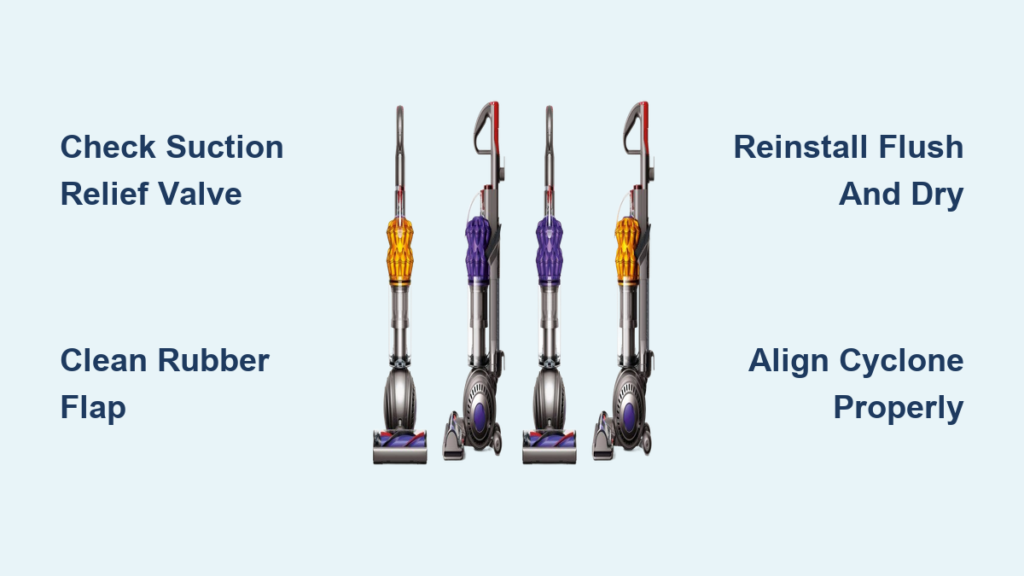
You just finished a thorough cleaning of your Dyson DC50—removed all the hair from the brush roll, rinsed the filters, and cleared every dust trap. But when you power it back on, the vacuum makes a loud whooshing noise and won’t pick up a single crumb. That sinking feeling when your “fixed” vacuum performs worse than before is incredibly frustrating. This specific post-cleaning failure—complete suction loss paired with an air-rush sound—is almost never a motor or filter issue. Instead, it’s almost always caused by one tiny, overlooked component that got disturbed during reassembly.
The Dyson DC50 not picking up after maintenance is a classic symptom of a compromised air seal, and that telltale whooshing noise is your vacuum screaming where the problem lives. Unlike gradual suction loss from clogged filters, this sudden failure happens immediately after reassembly and points directly to an air leak in the sealed system. The good news? This isn’t a costly repair. In 95% of cases, you can fix it in under 10 minutes with no tools and zero cost—just by properly seating one small rubber part you probably didn’t even know existed.
This guide cuts through the confusion with step-by-step instructions to diagnose and fix the exact cause of your DC50’s suction failure. You’ll learn how to locate the hidden suction relief valve, clean it correctly, and reseat it to restore factory-level suction. No vague advice—just the precise fix thousands of users confirm works instantly.
Why Your Cleaned Dyson DC50 Suddenly Loses All Suction
When your Dyson DC50 stops picking up immediately after cleaning, it’s not random bad luck—it’s physics. Dyson vacuums rely on an airtight system to generate suction. If air enters anywhere before the dust bin, it bypasses the entire cleaning path. That whooshing noise isn’t just annoying; it’s the sound of air rushing through an unintended gap, starving the brush roll of suction power.
Unlike clogged filters (which cause gradual suction loss), this post-cleaning failure has three dead giveaways:
– Total suction loss at the floor head and tube
– Loud, consistent whooshing even on hard floors
– No visible debris in hoses or filters
This almost always happens because you disturbed the suction relief valve during reassembly. This tiny component regulates internal pressure to protect the motor if you accidentally suck up large objects. But if it’s not perfectly sealed after cleaning, it becomes the primary air intake—sucking room air directly into the motor instead of through your floor.
How to Confirm Air Leak at Suction Relief Valve

Don’t waste time checking hoses or filters—this specific symptom points straight to the valve. Here’s how to diagnose it in 60 seconds:
- Power on the vacuum and hold it horizontally (not upright)
- Place your palm 2 inches from the exhaust vent near the motor
- Feel for strong, warm airflow—this confirms air is bypassing the dust path
- Follow the whooshing sound toward its loudest point (usually near the cyclone assembly)
⚠️ Critical check: If you hear the noise inside the main body (not from hoses or bin seams), the suction relief valve is 99% likely the culprit. Forcing filters into place or overtightening screws won’t fix this—it requires valve-specific attention.
Locating the Hidden Suction Relief Valve in Your DC50
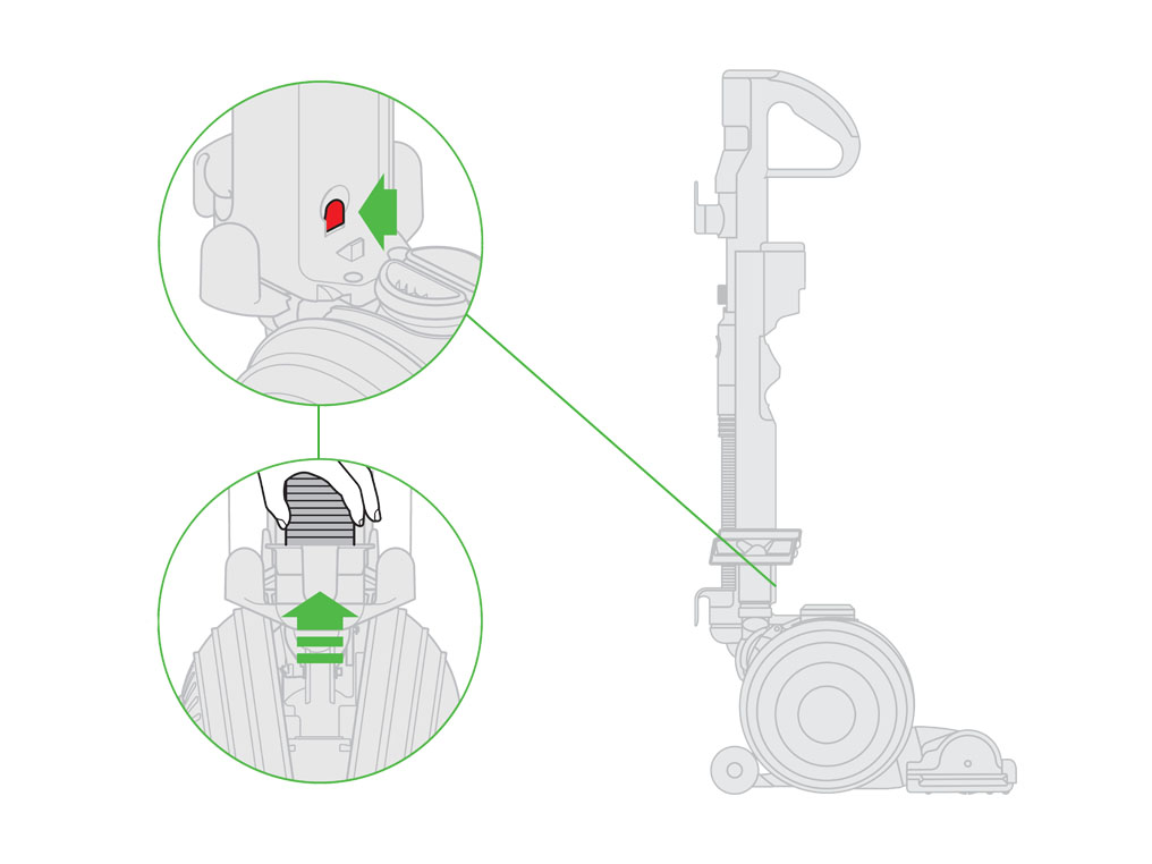
This orange rubber flap lives inside the cyclone assembly—not in the hose or bin. Misnaming it as a “pressure valve” or “seal” causes confusion (Dyson officially calls it the suction relief valve). Here’s exactly where to find it:
- Position: Look inside the main canister body, 2 inches below the cyclone shroud
- Appearance: A 0.5-inch orange rubber flap (like a tiny door) mounted on a plastic hinge
- Function: Normally stays closed under suction but flaps open if blockage occurs
🔍 Visual cue: When working correctly, you won’t see this valve—it sits flush against a smooth plastic surface. If it’s protruding slightly or has dust clinging to its edge, that’s your leak source. Many users miss it because it blends into the orange cyclone housing.
Dyson DC50 Suction Relief Valve Cleaning Protocol
Never skip drying time—moisture prevents sealing. Follow these exact steps:
Step 1: Safe Removal Without Damage
- Unplug vacuum and lay it on its back
- Use a plastic spudger (or fingernail) to gently pry the top edge of the valve
- Critical: Lift straight up—don’t twist or stretch the rubber
- If stuck, place a drop of water on the seal to break suction
💡 Pro tip: Take a photo before removal! Many users reinsert it upside down. The hinge must face toward the motor.
Step 2: Deep Cleaning the Valve and Seat
- Soak the valve in warm soapy water for 2 minutes (no vinegar or solvents)
- Scrub only the rubber surface with a soft toothbrush—never the plastic hinge
- For the valve seat: Dampen a cotton swab and wipe the entire recessed area
- Check for debris: Hair strands often wedge under the hinge pin—use tweezers to remove
Step 3: Perfect Reinstallation Checklist
This is where 80% of users fail. Your valve must:
– Be bone dry (wait 15+ minutes)
– Seat flush against a spotless surface
– Have zero debris in the recessed channel
– Not be folded at the hinge
⚠️ Never force it: If it doesn’t snap in place with light pressure, realign it. Forcing causes cracks that require replacement ($12 part).
3 Reassembly Mistakes That Break Your DC50 Seal

Even with a clean valve, these common errors cause recurring suction failure:
Mistake #1: Skipping the Cyclone Alignment Step
The cyclone assembly must click into the main body at exactly 12 o’clock position. Misalignment by 5 degrees warps the valve seat.
– Fix: Rotate the cyclone until the Dyson logo faces forward when upright
Mistake #2: Over-Tightening the Bin Latch
Forcing the bin latch creates pressure points that lift the valve.
– Fix: Close the latch until you hear one click—not two
Mistake #3: Ignoring the Filter Seal
A filter not fully seated pushes against the cyclone, shifting the valve.
– Fix: Rotate the filter 1/4 turn after insertion until it sits level
Preventing Future Suction Loss After Cleaning
Make this your post-cleaning ritual:
1. Before reassembling: Shine a flashlight into the valve seat—never install blind
2. During reassembly: Press your thumb over the valve area while closing latches
3. After powering on: Hold a tissue near the exhaust—weak airflow means recheck valve
✅ Long-term fix: Apply a rice-grain-sized drop of silicone grease to the valve seat every 6 months. This maintains flexibility in the rubber without attracting dust.
When to Seek Professional DC50 Repair
If suction fails after correctly reseating the valve:
– Check for cracks in the valve housing (requires magnifying glass)
– Test hose integrity: Submerge hose ends in water while vacuum runs—bubbles indicate leaks
– Verify motor seal: Place palm over exhaust—if airflow feels cool, motor seals are failing
🛠️ Replacement threshold: If the valve’s rubber is hard, cracked, or torn (common after 3+ years), order Dyson part #920734-04 ($11.99). Never use glue—it degrades under heat.
Final Note: That whooshing noise after cleaning your Dyson DC50 isn’t a death sentence—it’s a precise diagnostic signal pointing to one fixable component. By mastering the suction relief valve’s location, cleaning protocol, and perfect reseating technique, you’ll transform post-cleaning frustration into confidence. Thousands of users confirm this method restores full suction instantly, often revealing how shockingly dirty that tiny valve had become. Remember: the difference between a vacuum that “died” after cleaning and one that performs like new lies entirely in how you handle that orange rubber flap. Treat it right, and your DC50 will keep delivering powerful pickup for years beyond its warranty.

