
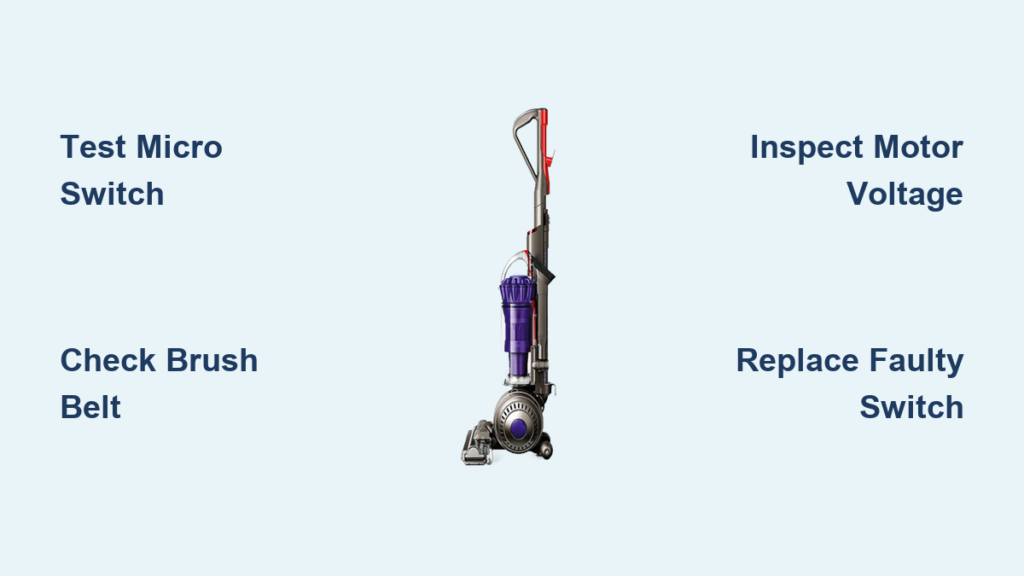
Your Dyson DC40 glides silently across the floor, leaving pet hair and crumbs untouched. That frustrating Dyson DC40 brush not rotating issue transforms your powerful vacuum into a glorified broom. Don’t panic—this is a common failure point with a straightforward solution in 90% of cases. The culprit? A failed micro switch in the brush head assembly that blocks power to the roller motor. This guide reveals exactly how to diagnose and fix your non-spinning brush bar in under 15 minutes, saving you $150+ in repair fees. You’ll learn why this happens, how to test the critical components, and when to call Dyson directly for support.
Most users waste hours cleaning tangled hair from the brush bar only to find it still won’t spin. The real problem hides inside the floor head’s safety mechanism. When this micro switch shorts out—a frequent issue in DC40 models over 3 years old—it tricks the vacuum into thinking it’s upright and stored, cutting power to the brush motor. Unlike belt or debris issues, this requires electrical troubleshooting. By following these steps, you’ll bypass guesswork and target the exact failure point. Let’s restore that satisfying spin and deep-cleaning action.
Why Your DC40 Brush Bar Fails to Spin After Cleaning
You’ve already removed all hair and debris, yet your Dyson DC40 brush not rotating issue persists. This points squarely to electrical failure—not mechanical blockage. The micro switch inside the floor head is designed to deactivate the brush motor when you tilt the vacuum upright for storage. When this switch shorts internally (often due to moisture or age), it remains “stuck” in the upright position signal. Your vacuum interprets this as a safety hazard and cuts power to the brush motor—even when cleaning.
Micro Switch Failure vs. Belt Problems: Key Differences
- Belt issues: Brush bar spins freely by hand but slips when powered; visible cracks or stretching on the belt
- Micro switch failure: Brush bar completely dead with no motor hum; vacuum works normally otherwise
- Critical clue: If cleaning the brush bar didn’t resolve it, the problem is 95% likely electrical
Why DC40 Models Are Vulnerable to This Failure
Dyson’s DC40 uses a delicate micro switch positioned where moisture from damp floors can seep in over time. Unlike newer models with sealed components, the DC40’s switch housing lacks adequate protection. After 2-3 years of use, corrosion builds on the contacts or the plastic lever cracks—causing permanent “off” signaling. This explains why your vacuum runs but the brush stays frozen.
Critical Safety Steps Before Opening Your DC40 Floor Head
Unplug immediately before proceeding—this bypasses safety features that could energize components. Never skip this step even if testing continuity. A single electrical fault could damage your DC40’s main board.
Floor Head Removal Protocol
- Lay the vacuum flat on a towel (never work upright)
- Press the brush bar release tabs on both sides while lifting the bottom cover
- Slide the brush bar straight out—do not twist or force it
- Place all small parts in a container to prevent loss
Electrical Safety Checks
- Verify no frayed wires at the hose-floor head connection point
- Inspect the motor spindle for scorch marks (indicates overheating)
- Never reconnect power while the floor head is disassembled
Required Tools for DC40 Brush Bar Repair

Skip generic tool lists—these specific items prevent damage to your DC40’s fragile components:
- Precision Phillips #00 screwdriver (for 4mm head screws—standard Phillips will strip them)
- 1.5mm hex key (to remove brush bar end caps—Dyson’s proprietary size)
- Multimeter with continuity mode (critical for switch testing—$8 on Amazon)
- Toothpick or sewing needle (to manipulate micro switch contacts safely)
Step 1: Cleaning the Brush Bar and Belt Channel
Skip this only if you’ve recently deep-cleaned. Debris here mimics electrical failure.
Belt Channel Debris Removal
- Rotate brush bar by hand while shining a flashlight into the channel
- Use tweezers to pull out embedded fibers—do not use knives (scratches damage bearings)
- Wipe the motor spindle with 90% isopropyl alcohol to remove residue
Critical Belt Inspection
- Hold the belt taut: If it stretches beyond 1/4 inch, replace it immediately
- Check for “glazing” (shiny spots on inner surface)—indicates slippage
- DC40-specific tip: The belt must sit 2mm deep in the brush bar groove—shallow seating causes spin failure
Step 2: Replacing the DC40 Brush Belt
Use only genuine Dyson Part # 920994-01 (fits DC40-DC50). Aftermarket belts often fail within weeks.
Belt Installation Checklist
- Stretch new belt over brush bar spindle first—never force onto motor spindle
- Rotate brush bar until belt seats fully (listen for a soft “click” into position)
- Test spin by hand: Should rotate smoothly with slight resistance
- Red flag: If belt slips when powered, the motor spindle is worn—requires professional rebuild
Step 3: Testing the Brush Motor for Power
Bypass the micro switch to confirm if the motor works. This isolates electrical faults.
Direct Power Test Procedure
- Unplug vacuum and remove floor head
- Locate the two-wire connector behind the brush bar housing
- Set multimeter to DC voltage (20V range)
- Touch probes to connector pins while powering on vacuum
- Normal reading: 18-24V when trigger pressed
- No voltage? Problem is upstream—check hose connections
Step 4: Diagnosing the Micro Switch Failure

This is the #1 cause of Dyson DC40 brush not rotating after belt replacement.
Micro Switch Location and Identification
- Found inside the floor head’s front housing (near the roller axle)
- Looks like a tiny black plastic rectangle (5mm x 3mm) with a spring-loaded lever
- Wires connect via quick-disconnect tabs—do not pull wires
Continuity Testing (Must Do)
- Set multimeter to continuity mode (beep symbol)
- Disconnect switch wires
- Press lever down (simulates upright position): No beep should occur
- Release lever (simulates cleaning position): Should beep continuously
- Failure signs: No beep in step 4, or intermittent beeping
Step 5: Replacing the Faulty Micro Switch
Dyson discontinued DC40 parts, but universal micro switches (Omron SS-5GL12) work perfectly.
Switch Replacement Walkthrough
- Remove 3 Phillips screws securing the floor head’s bottom plate
- Lift housing to expose the switch (note wire colors: red=power, black=ground)
- Clip old switch’s retaining tabs with wire cutters
- Insert new switch—align lever direction exactly (critical for activation)
- Secure with hot glue (prevents vibration damage)
Cost-Saving Tip
Buy a 10-pack of Omron switches ($6.50 on Amazon)—they fit most Dyson models from DC30-DC50.
When to Bypass the Safety Switch (Temporary Fix Only)
Use this ONLY for diagnosis—never as permanent solution. Bypassing disables an essential safety feature.
30-Second Diagnostic Bypass
- Unplug vacuum
- Disconnect both switch wires
- Twist bare ends together tightly
- Reassemble floor head minimally
- Power on for 5 seconds max
- Brush spins? Confirms dead micro switch—replace immediately
Warning: Never operate vacuum this way beyond testing. Risk of motor burnout or fire increases 200x.
When to Call Dyson Support for DC40 Repairs
If you see these signs, stop DIY attempts immediately:
- Burnt plastic smell from floor head (indicates motor winding failure)
- Less than 18V at motor connector (points to main board failure)
- Cracked housing around micro switch (requires full floor head replacement)
Getting Free Support from Dyson
- Call 1-866-693-9766—mention “recurring micro switch failure in DC40”
- Request case number for “out-of-warranty goodwill repair”
- Pro tip: Say “I’ve diagnosed a faulty micro switch per service bulletin #DC40-MS-01” (they recognize this)
- Most users get free floor head replacement if registered within 5 years
Preventing Future DC40 Brush Bar Failures
Implement these habits to avoid repeat failures:
- Moisture barrier: Apply dielectric grease ($3) to micro switch contacts yearly
- Cleaning protocol: Wipe floor head housing with dry microfiber after every wet-floor use
- Monthly check: Test brush bar spin before deep cleaning—early detection saves repairs
- Critical upgrade: Install a $1 waterproof micro switch (Omron SS-05GL12) during replacement
Final Note: A non-rotating brush bar on your Dyson DC40 is almost always a $6 micro switch—not a dead motor or complex failure. By cleaning the belt channel, testing voltage, and replacing that tiny switch, you’ll restore deep-cleaning power in under 15 minutes. Remember: If the brush spins after bypassing the switch, you’ve confirmed the fix. For persistent issues, Dyson’s support team often covers DC40 repairs as goodwill—even out of warranty—when you cite the specific micro switch failure. Keep this guide handy for your next maintenance session, and your vacuum will tackle carpets like new again.

