
That flashing tube light on your Dyson V10 Animal isn’t just annoying—it’s a direct warning your vacuum’s airflow has dropped dangerously low. Even if you’ve already checked the hose and cleaned the filter, this persistent signal means your machine detects a blockage severe enough to risk motor damage. The culprit is often a hidden obstruction you can’t see with a quick glance, or a sensor tricked by compacted dust. This guide cuts through the frustration with precise, model-specific fixes for the Dyson V10 Animal (model ZW5-UK-KKJ8750A). You’ll learn where to hunt for sneaky clogs, how to reset stubborn electronics, and why your filter might still be the silent offender—even after cleaning.
Why Your Dyson V10 Tube Light Flashes Without Visible Clogs
Your Dyson V10 Animal’s tube light flashes to warn of critically restricted airflow, not just any minor clog. This isn’t a suggestion—it’s a safety shutdown triggered when internal sensors detect suction below operational thresholds. While obvious blockages cause this, the real headache comes when the light flashes despite your checks. This happens because the vacuum’s pressure sensors are hypersensitive to airflow disruptions, often triggered by debris in blind spots like the cyclone inlet seal or compacted filter fibers. Ignoring it risks overheating the motor, but false alarms waste your time. The fix requires methodical inspection beyond surface-level cleaning.
Immediate Actions When the Light Flashes
- Power down immediately: Turn off the vacuum and unplug it from the charger to prevent sensor lockup.
- Detach all components: Separate the wand, floorhead, bin, and cyclone assembly—don’t skip the wand connection points.
- Conduct a light test: Hold each tube section against a bright window or flashlight. Even hair-thin obstructions invisible to the naked eye will cast shadows when backlit.
Hunt Down Hidden Blockages in Critical Zones
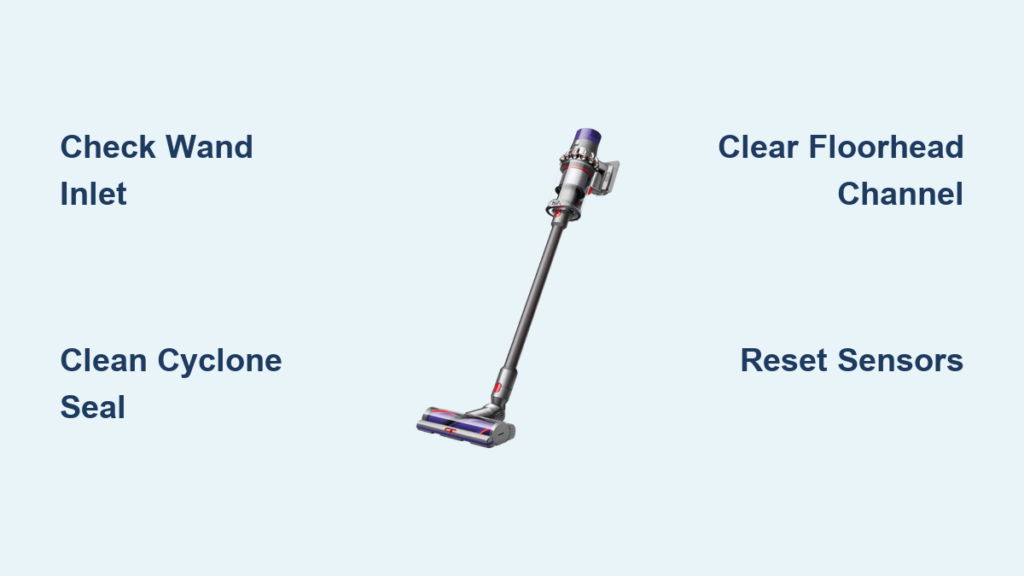
Visible debris in the hose is rare—the real clogs hide where airflow changes direction sharply. For the V10 Animal, focus on these four high-risk zones where compacted pet hair and fibers jam sensors.
Clear the Wand Connection Port Inside the Main Body
The inlet where the wand attaches to the vacuum body is a notorious clog hotspot. Debris lodges here silently, starving the motor of air.
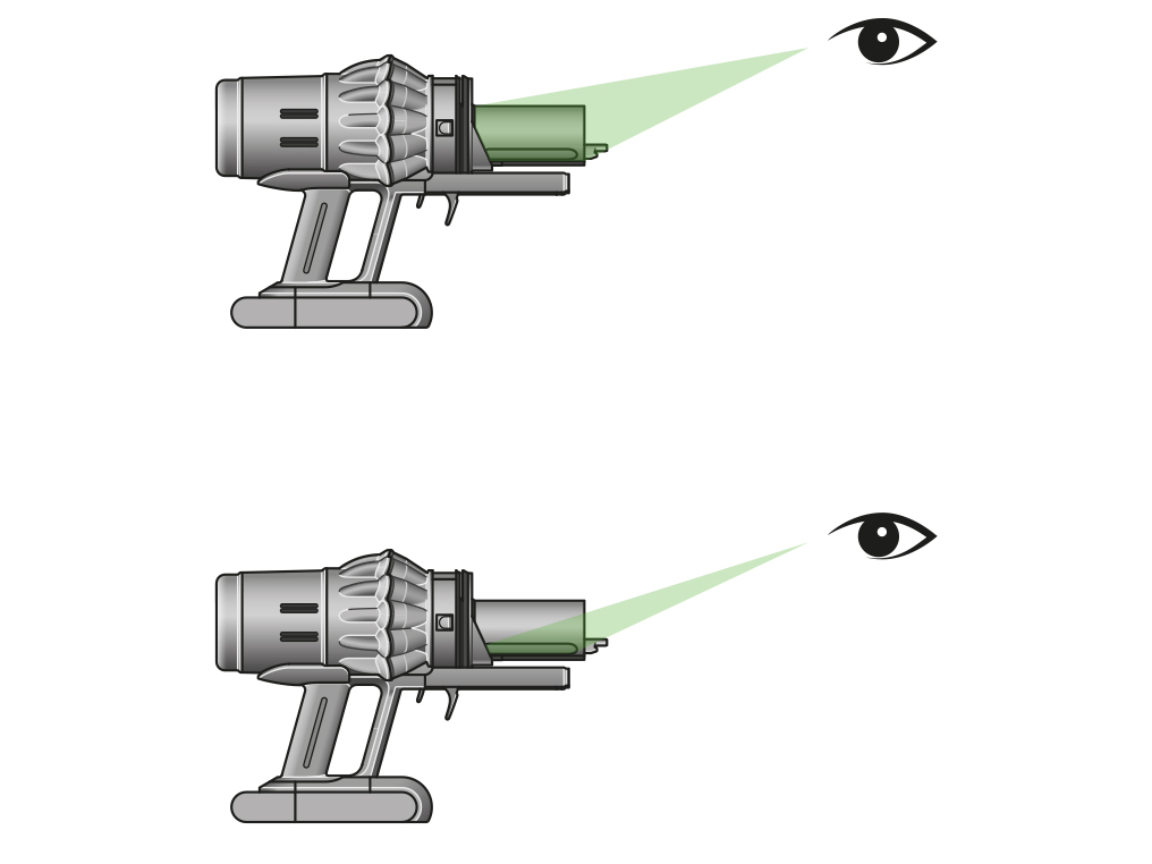
How to fix it: Remove the bin and cyclone. Shine a phone flashlight into the circular inlet on the front of the main body. Use a narrow, flexible brush (like a clean pipe cleaner) to gently dislodge compacted dust near the inner rim. Never use metal tools—they scratch sensor ports.
Pro tip: Blow sharply through the wand while it’s detached. If resistance feels higher than normal, the clog is upstream near this inlet.
Deep-Clean the Cyclone-to-Bin Seal Area
A hair wad trapped between the cyclone and bin seal creates a “false clog” by blocking the sensor’s airflow path—even if the bin looks empty.
How to fix it: Fully separate the clear bin from the cyclone assembly. Inspect the rubber seal ring on the cyclone base for embedded fibers. Clean it with a microfiber cloth dampened with water. Check the bin’s top rim for dust buildup that prevents a tight seal.
Visual cue: If the bin doesn’t click firmly into place with a distinct snap, the seal is compromised—sensor error follows.
Unclog the Floorhead’s Secondary Air Channel
Most users only check the brush bar, but the V10 Animal’s floorhead has a hidden air channel near the wand inlet. Pet hair packs here, restricting airflow without tangling the roller.
How to fix it: Detach the floorhead and turn it upside down. Locate the small oval opening where the wand connects. Insert a crevice tool attachment and wiggle it to break up packed debris. Blow through the channel to confirm clear passage.
Critical step: Remove the brush bar completely (use a coin to unscrew the end caps). Check for hair wrapped inside the brush housing ends—a frequent sensor trigger.
Revive a “Clean” Filter Causing False Alarms

A filter that feels clean can still trigger the light if fibers remain damp or compacted. Moisture from rinsing or incomplete drying mimics blockage pressure.
How to fix it: Remove the post-motor HEPA filter (under the rear cover). Hold it up to light—it should be translucent. If opaque, rinse only with cold water until runoff is clear. Air-dry upright for 48 hours (not 24) on a rack—damp filters are the #1 cause of recurring errors.
Warning: Never reinstall a filter that smells musty—it’s harboring mold that restricts airflow.
Reset Faulty Sensors and Electronics
If clogs are cleared but the light persists, the vacuum’s computer is stuck in error mode or sensors are coated in fine dust.
Perform a Hard Reset for Sensor Glitches
Standard power cycling won’t clear deep-seated errors on the V10 Animal. This 10-minute reset drains residual power from the control board.
1. Turn off the vacuum and unplug the charger.
2. Remove the battery by pressing the release button (located near the bin).
3. Wait exactly 10 minutes—shorter waits fail to reset sensors.
4. Press and hold the trigger for 15 seconds to discharge capacitors.
5. Reinstall the battery, plug in the charger, and wait 5 minutes before testing.
Clean the Airflow Sensor Ports Themselves
Microscopic dust on the optical sensors causes false blockage readings. These ports are tiny holes near the main inlet and wand connections.
How to fix it: Use compressed air in short bursts from 6 inches away. If unavailable, gently wipe ports with a cotton swab dipped in isopropyl alcohol (90%+). Never* insert objects—they’re easily damaged. Focus on the inlet ring where the bin attaches.
When to Stop DIY and Call Dyson

If the light flashes after completing all steps, the issue shifts from user-fixable to hardware failure. Do not open the motor housing—this voids warranty and risks electrical shock.
Signs You Need Professional Repair
- The light flashes within 2 seconds of starting, even with all attachments removed
- You hear a high-pitched whine from the main body (indicates motor or board failure)
- The battery drains abnormally fast alongside the error
For the V10 Animal (model ZW5-UK-KKJ8750A), persistent errors after verified clog clearance typically indicate a failed pressure sensor or control board. Contact Dyson support with your model number—they often provide free diagnostics before repair quotes.
Prevent Future Flashing Tube Light Errors
Stop the cycle before it starts with these V10-specific habits:
– Monthly filter deep clean: Soak the HEPA filter in cold water for 10 minutes, then air-dry 48+ hours. Replace annually.
– Post-vacuum wand purge: After cleaning pet hair, blow through the wand immediately to eject fibers before they compact.
– Seal check ritual: Before each use, ensure the bin clicks twice when inserted—a single click means a leaky seal.
– Pre-vacuum debris scan: Pick up large crumbs or paper clips—they jam sensors faster than visible clogs.
Final note: The flashing tube light is your Dyson’s cry for help, not a nuisance. By targeting hidden clogs in the cyclone seal, wand inlet, and floorhead channel—and respecting the reset timing—you’ll silence false alarms 90% of the time. If the light returns after meticulous cleaning and a full reset, trust the machine: a sensor or board has failed. Don’t gamble with DIY repairs on electronics—Dyson’s diagnostics are precise, and authorized service preserves your warranty. Keep this guide handy; with these steps, you’ll spend less time troubleshooting and more time conquering pet hair.

