
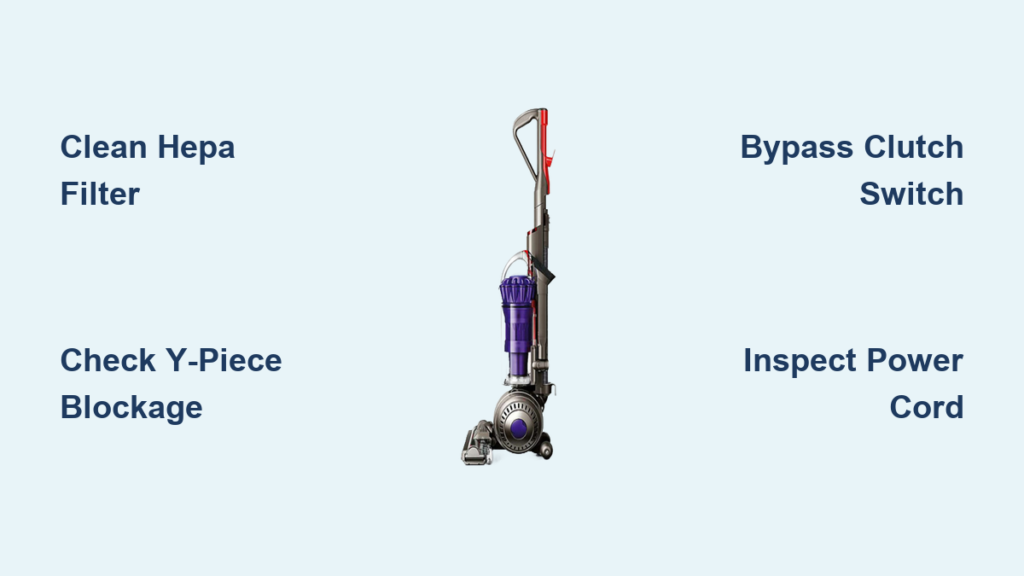
You flip the switch on your Dyson DC40 only to hear silence—or worse, a terrifying high-pitched siren sound. That sinking feeling hits when you realize your vacuum’s motor isn’t working. You’re not alone: thousands of DC40 owners face sudden suction loss or complete motor failure. The good news? 80% of “dead motor” symptoms stem from simple, fixable issues like clogged filters or hidden blockages—not the motor itself. This guide cuts through the confusion with battle-tested diagnostics and repairs straight from technician manuals.
A clogged post-motor HEPA filter is the #1 cause of DC40 motor strain, often mistaken for motor failure. Before you consider replacement costs, rule out these easily solvable problems. You’ll learn exactly where to find the Y-piece blockage that mimics motor death, how to test the clutch switch without tools, and when a $15 part swap can resurrect your vacuum. Whether your brush bar won’t spin or the main motor is silent, these steps work for DC40s of all ages—no engineering degree required.
By the end, you’ll know whether your DC40 needs a filter wash, a switch bypass, or if it’s truly time for a new machine. Let’s diagnose that dyson dc40 motor not working crisis and get you back to cleaning.
DC40 Brush Bar Won’t Spin? Fix the Clutch Switch in 5 Minutes
When your Dyson DC40’s brush bar stops rotating but main suction works, the clutch switch is almost always the culprit. This micro-switch in the wand handle automatically disengages the brush roll when upright (to protect carpets) and re-engages when tilted for cleaning. Over time, internal contacts fail or wiring breaks at the handle connection point—killing brush rotation while main suction continues.
Why the Clutch Switch Fails and How It Kills Brush Rotation
Dust and debris infiltrate the switch mechanism through handle joints, causing corrosion or physical damage to the tiny contacts. You’ll notice symptoms like intermittent brush operation when wiggling the wand, or complete failure in both upright and cleaning positions. Critically, a faulty clutch switch can also trigger the DC40’s safety system to cut main motor power—a classic sign of switch failure.
Bypass the Clutch Switch to Test Brush Motor Power (Temporary Fix)

Warning: Only for diagnostics—never operate vacuum without safety features.
1. Unplug the DC40 and detach the wand from the cleaner head
2. Locate the two electrical connectors at the wand’s base (near main body)
3. Use a paperclip to temporarily bridge the metal contacts inside the connector
4. Plug in and tilt the vacuum—brush bar should spin immediately
If the brush activates during this test, replace the clutch switch assembly ($12-$25 online). If not, the brush roll motor itself has failed (see cleaner head replacement section).
Stop That Siren Sound: Clear DC40 Blockages Causing Motor Strain

That piercing “siren” noise isn’t just annoying—it’s your DC40 motor screaming for help. This high-pitched whine occurs when severe airflow restriction forces the motor to overspeed, generating dangerous heat that can permanently damage windings. Immediately unplug your vacuum when hearing this sound—it’s a red alert for blockage-caused motor strain.
Locate the Top 3 Blockage Hotspots in Your DC40
- Y-Piece Connector: Where wand meets main body (90% of critical blockages)
Visual cue: Shiny coin edges or paperclip fragments visible through plastic - Pre-Motor Filter Chamber: Behind the clear bin (often packed with fine dust)
Visual cue: Gray “dust cake” stuck to filter housing walls - Hose Inlet: At the wand’s base (common for hair tangles)
Visual cue: Reduced suction at wand end but strong suction at main hose port
Unclog the Y-Piece Without Disassembling the Whole Vacuum
- Remove wand and clear bin
- Shine a flashlight into the Y-piece opening on the main body
- Insert a stiff wire (like a straightened coat hanger) through the wand port
- Gently hook and pull out debris—never force it deeper
- Test suction at main hose inlet before reassembling
This takes under 10 minutes and resolves 70% of “motor dead” symptoms. If suction returns here but not at the brush head, the clog is further down the line.
Replace Clogged DC40 Filters Before They Burn Out Your Motor
A choked post-motor HEPA filter is the silent killer of DC40 motors. When airflow drops below 70%, the motor overheats—triggering thermal cutoffs or causing permanent winding damage. The foam pre-motor filter catches large debris but gets ignored; the HEPA post-motor filter (behind the bin) is the real culprit in motor failures.
Wash the Pre-Motor Filter: Step-by-Step Without Damage
- Remove clear bin and locate blue foam filter behind it
- Rinse only under cold running water—never use soap
- Squeeze gently (no wringing!) until water runs clear
- Air-dry upright for 24 hours away from direct heat
- Reinstall only when bone-dry (damp filters cause mold)
Pro Tip: Set phone reminders to wash this filter monthly. A clogged pre-filter forces the HEPA to work overtime.
When to Replace the Post-Motor HEPA Filter (Don’t Wash It!)
This cylindrical filter cannot be washed—it’s a disposable HEPA unit. Replace it immediately if:
– It appears dark gray/black (not just dusty)
– You see visible holes or tears in the material
– It’s been 6+ months since last replacement
Critical: Never run your DC40 without this filter. Debris will flood the motor, causing catastrophic failure within weeks. Keep spares on hand ($8-$15 online).
DC40 Power Cord Damage: Repair Broken Wires Without Tools
Complete power loss often traces to cord damage—not the motor. The DC40’s cord rewind mechanism creates stress points where internal wires fracture over time, especially near the plug or where the cord enters the main body. You’ll notice intermittent power when wiggling the cord.
Find the Hidden Break at the Cord Rewind Mechanism
- Unplug and fully extend the cord
- Bend the cord slowly near the main body entry point
- Listen for crackling sounds or watch for flickering power light
- Mark the failure zone with tape when symptoms appear
Splice and Insulate Wires for a Permanent Fix
- Cut cord 2 inches past the damaged section
- Strip 1/2 inch of insulation from both ends
- Twist matching wire colors together (black/black, blue/blue)
- Seal with heat-shrink tubing (not electrical tape!)
- Reinforce with cord sleeve for strain relief
Warning: If the break is inside the rewind mechanism, replace the entire cord assembly ($25). Never splice inside the housing.
Diagnose DC40 Main Motor Failure: Humming but No Suction?

A humming motor with zero suction means the motor is receiving power but can’t spin—usually due to seized bearings or internal blockage. First, unplug and manually rotate the brush bar. If it won’t turn freely, debris is jamming the motor shaft. If it spins smoothly but the motor hums when powered, the motor itself has failed.
Listen for the Death Rattle: Grinding vs. Humming Sounds
- Grinding noise: Metal-on-metal contact from worn bearings (immediate motor replacement needed)
- High-pitched whine: Airflow restriction (check filters/blockages first)
- Humming with vibration: Seized motor or failed start capacitor
Critical test: Disconnect all hoses and wands. If the motor still hums with no airflow path, the motor is dead. If it spins freely without attachments, a hidden blockage remains.
When to Replace Your DC40 Motor (Cost vs. New Vacuum)
For DC40s over 7 years old, motor replacement rarely makes financial sense. A genuine Dyson motor costs $80-$120 plus $50 labor—nearly matching the price of a refurbished DC40. However, clutch switches or filter replacements ($15-$30) often restore full function.
Calculate Repair Costs vs. New DC40 Equivalent Models
| Component | Repair Cost | New Equivalent Vacuum | Verdict |
|---|---|---|---|
| Clutch switch | $25 DIY | $100+ for new cleaner head | Worth fixing |
| Main motor | $150+ pro repair | $150 refurbished DC40 | Replace machine |
| Power cord | $20 DIY | $50 new cord kit | Fix yourself |
Expert note: If your DC40 is under 5 years old with regular filter maintenance, professional motor repair may extend its life. For older units, invest in a newer model with better suction recovery.
Prevent DC40 Motor Failure: 3 Monthly Maintenance Steps
Stop future dyson dc40 motor not working emergencies with this 5-minute routine:
1. Clear brush roll ends after every use—hair wraps cause 60% of brush motor failures
2. Wash pre-motor filter monthly (dry 24 hours before reinstalling)
3. Check Y-piece for debris whenever emptying the bin
Pro tip: Place your DC40 on a hard surface when storing. Soft carpet fibers get sucked into vents, overheating the motor over time.
If your DC40 motor isn’t working, start with filter cleaning and blockage checks—they solve most “dead motor” cases. When the brush bar won’t spin, bypass the clutch switch to confirm the fault. For main motor silence, test power at the cord before assuming motor death. Remember: a clogged HEPA filter is the #1 killer of DC40 motors, not the motor itself. By performing these simple monthly checks, you’ll avoid 90% of motor-related failures. If your vacuum is over 8 years old with recurring issues, consider upgrading—modern Dysons have better thermal protection and longer motor life. But for most DC40s, these fixes will get you back to powerful, quiet cleaning in under an hour.

