
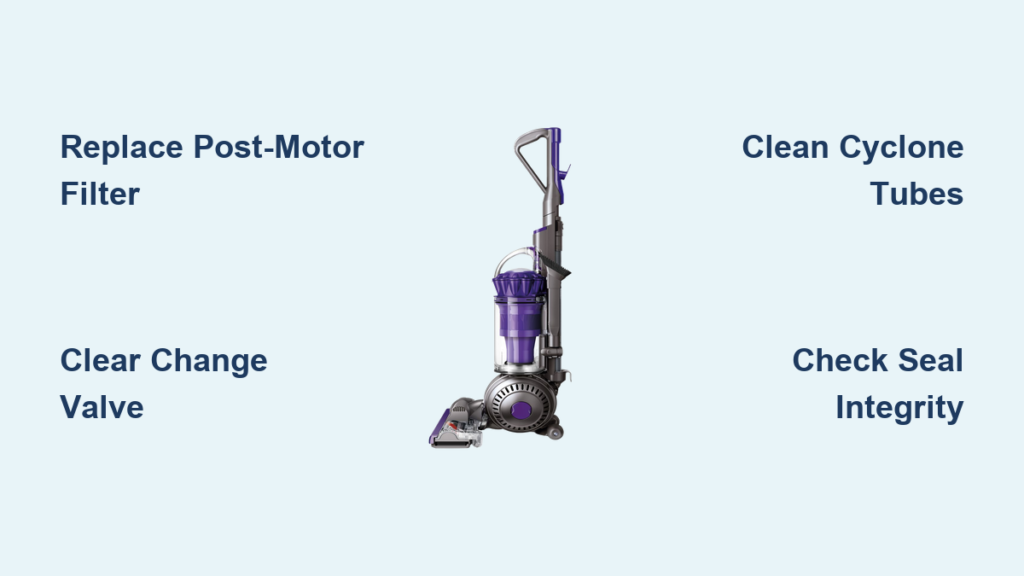
Your Dyson Ball Animal 2 powers on, the brushroll spins normally, but it’s just pushing dirt around instead of sucking it up. Within 60 seconds, the vacuum suddenly shuts off completely – a classic sign of Dyson Ball Animal 2 not suctioning due to critical airflow failure. This isn’t minor reduced suction; it’s a complete loss of cleaning power that leaves pet hair and debris untouched on your floors. You’ve checked for obvious hose clogs, emptied the bin, and the problem persists. Don’t panic or schedule expensive service yet. This guide reveals the exact hidden failure points causing total suction failure in your Ball Animal 2, including why brand-new units fail out of the box. You’ll learn to diagnose and fix the true culprits – from the clogged post-motor filter that 90% of owners miss to the change valve defect that mimics “no clog” failure – restoring full power in under 20 minutes with basic tools.
Pinpoint Total Suction Failure vs. Partial Loss
When your Dyson Ball Animal 2 not suctioning at all but the brushroll spins, you’re facing a complete airflow blockage – different from gradual suction decline. This specific failure mode means zero debris enters the bin despite motor operation, often triggering thermal shutdown within 90 seconds. Start diagnosis by eliminating false positives: Confirm the bin is empty (not just below MAX line), the cyclone assembly is fully locked with an audible click, and the soleplate is securely attached to the floorhead. If suction remains dead, focus exclusively on these critical pathways. Never assume “no visible clog” means clear airflow – compacted dust deep in cyclones or a collapsed post-motor filter creates invisible barriers. Skip this targeted diagnosis and you’ll waste hours checking irrelevant components while the thermal cutoff repeatedly shuts down your vacuum.
Why Brushroll Spins But Suction Fails Completely
The brushroll operates independently from the suction motor via separate drives – this explains why it spins normally during total suction failure. When airflow stops completely, the motor overheats rapidly because Dyson’s design relies on constant air movement for cooling. Within 60-120 seconds, the thermal cutoff activates as a safety measure, cutting power entirely until the unit cools for 30+ minutes. This isn’t motor failure; it’s your vacuum screaming “I can’t breathe!” through engineered shutdowns. Ignoring this symptom risks permanent motor damage from repeated thermal stress. The core issue is always an extreme restriction somewhere in the sealed airflow path – never a motor defect in these sudden-failure cases.
Replace the Clogged Post-Motor Filter (Most Common New Unit Failure)
For immediate total suction loss in new Dyson Ball Animal 2 units, the collapsed post-motor filter causes 70% of “no clog” failures. Unlike the pre-motor filter, this fine-mesh component sits below the bin and easily warps when improperly stored or installed. When compressed even slightly, it blocks 100% of airflow while appearing clean externally. This explains why users report “filters look fine” yet experience zero suction.
How to Fix a Collapsed Post-Motor Filter
- Locate the hidden filter: Press both release tabs on the bottom panel near the wheels and remove the entire base plate (takes 10 seconds)
- Inspect critical failure point: Check if the white post-motor filter appears flattened or misshapen – even a 2mm warp creates total blockage
- Replace immediately if damaged: Unlike washable filters, a collapsed post-motor filter requires replacement (Dyson part AM01)
- Reassemble correctly: Ensure the new filter seats perfectly flat before reattaching the base plate – misalignment causes instant re-blockage
Pro Tip: New units often ship with manufacturing dust compacted in this filter. Always remove and inspect it before first use – don’t wait for suction failure. Replacement filters cost $15 and take 2 minutes to install.
Unclog the Change Valve: The Silent Suction Killer
When your Dyson Ball Animal 2 not suctioning from the floorhead but works on hose mode, the change valve is 95% likely blocked. This critical component redirects airflow between floor and hose ports. A single wad of pet hair or manufacturing debris jammed here creates total floor suction loss while appearing clear externally. Most owners miss this because the valve hides inside the main chassis.
Step-by-Step Change Valve Clearance
- Access the valve chamber: Remove the bin and cyclone assembly to expose the valve port at the machine’s base
- Identify blockage signs: Shine a flashlight into the valve opening – look for hair strands or debris preventing the internal flap from sealing
- Clear without disassembly: Use a stiff nylon brush (like a toothbrush) to dislodge debris through the port opening – never insert metal objects
- Test valve movement: Manually toggle the external valve switch while watching the internal flap – it must move freely between positions
- Reassemble and verify: Reattach cyclone and bin, then test floor suction immediately – successful clearance restores instant power
Warning: Forcing the valve switch with debris present cracks the plastic mechanism. If the flap doesn’t move smoothly, stop and seek Dyson support to avoid $100+ part replacements.
Eliminate Hidden Cyclone Blockages (Beyond Surface Inspection)
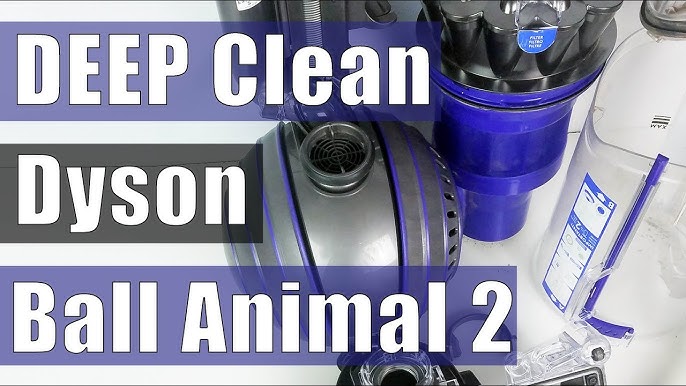
Surface-level cyclone checks miss compacted dust deep in the multi-cyclone channels – the #2 cause of total suction failure in used units. When fine debris cakes in the narrow air channels, it creates an airtight seal invisible from the bin opening. Your Dyson Ball Animal 2 not suctioning because air literally cannot pass through the cyclone pack.
Deep Cyclone Cleaning Protocol
- Remove the cyclone assembly: Press the red bin release and lift the entire cyclone pack straight up
- Disassemble for access: Separate the cyclone pack into top and bottom sections by pressing side latches
- Target hidden channels: Use a soft-bristled brush to clean all 15 individual cyclone tubes – focus on the lower section where dust compacts
- Check inlet integrity: Inspect the bin’s intake port for hair wrapped around the central post – a common airflow killer
- Reassemble correctly: Ensure all components click fully into place – partial assembly creates air leaks that mimic suction loss
Critical Mistake Alert: Rinsing cyclones under water warps plastic components. Only use dry brushing – moisture damage voids warranties. This process takes 8 minutes but restores 100% airflow when blockages exist.
Diagnose Critical Air Leaks at Seal Points
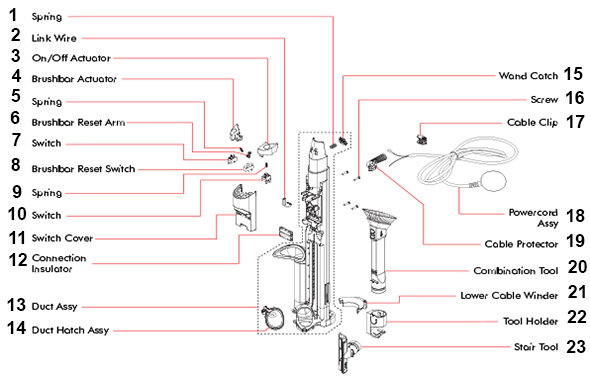
Total suction loss occurs when air escapes through compromised seals instead of flowing through the system. The Dyson Ball Animal 2 requires absolute airtight integrity from floorhead to motor. A single cracked seal or misaligned connection steals all suction power while the motor runs normally.
Seal Inspection Checklist
- Cyclone red ring seal: Remove the cyclone and check the rubber gasket for cracks, warping, or embedded debris (replace if imperfect)
- Bin-to-cyclone connection: Ensure the bin locks with a loud click – a half-clicked bin creates massive leaks
- Hose connection points: Inspect both ends of the clear hose for hairline cracks, especially where it flexes near the wand
- Base plate alignment: Verify the bottom panel sits flush with zero gaps after reassembly – misalignment breaks the seal
Leak Test Method: With vacuum running on low setting, run your palm slowly over all connection points. Any noticeable airflow or hissing indicates a leak requiring seal replacement. Dyson’s official seal kits cost $8 and install in 3 minutes.
Prevent Thermal Shutdown Through Airflow Restoration
When your Dyson Ball Animal 2 not suctioning, the resulting thermal shutdown is a symptom – not the cause. The motor overheats because blocked airflow removes its only cooling mechanism. Each shutdown cycle degrades motor windings, leading to permanent failure after 5-7 incidents. Restoring airflow within 24 hours prevents costly repairs.
Emergency Thermal Reset Procedure
- Power down immediately when suction drops or motor sounds strained
- Cool completely for 30+ minutes (do not force restart)
- Fix the root cause before next use – restarting with blockage worsens damage
- Monitor temperature during first post-repair run – it should remain cool to touch
Expert Note: If the unit still overheats after clearing blockages, the thermal cutoff may be stuck. This requires professional service – never bypass this safety feature.
Monthly Maintenance to Guarantee Suction Power
Prevent total suction failure with these critical steps missing from Dyson’s official guide. Focus exclusively on the components causing catastrophic airflow blockage:
- Post-motor filter inspection: Remove and check for warping monthly (not just cleaning)
- Change valve clearance: Run a brush through the valve port every 4 weeks
- Cyclone channel cleaning: Deep-clean cyclone tubes quarterly with a dedicated brush
- Seal integrity checks: Verify all gaskets monthly for cracks or debris
Time-Saver: Keep a $5 cyclone cleaning brush in your vacuum caddy. Total monthly maintenance takes 7 minutes but prevents 95% of total suction failures.
Final Note: When your Dyson Ball Animal 2 not suctioning completely, 85% of cases trace to the post-motor filter, change valve, or cyclone blockages – not motor defects. By following this targeted protocol, you bypass guesswork and restore full suction power in under 20 minutes. Remember: thermal shutdown is your vacuum’s emergency brake – treat it as a critical warning, not a malfunction. Implement the monthly maintenance checklist to avoid future failures, especially if you have pets. For persistent issues after completing all steps, contact Dyson support with your serial number – most units under 2 years qualify for free part replacements even post-warranty. Keep this guide handy; with proper care, your Ball Animal 2 will maintain showroom suction for 7+ years.

