
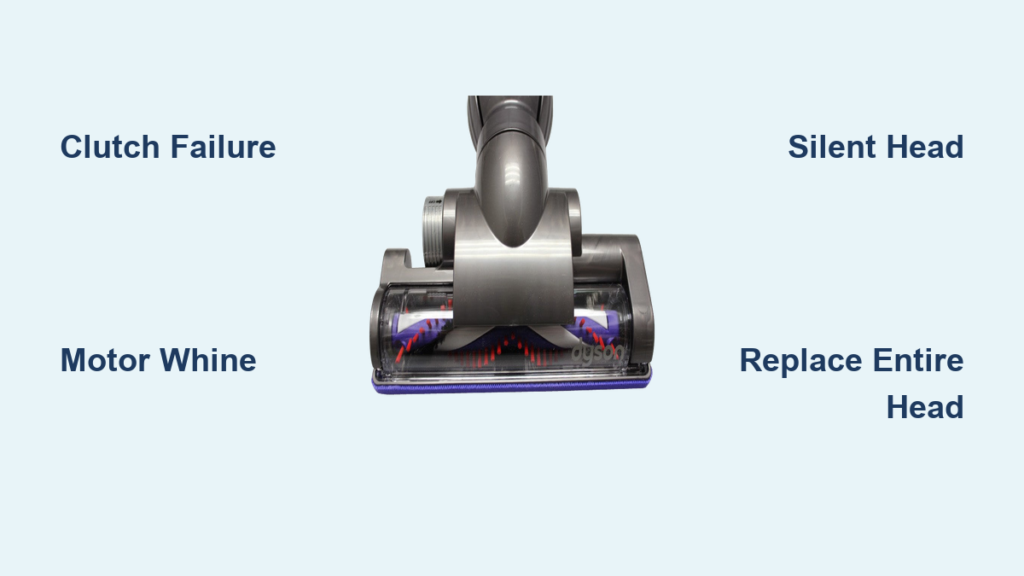
Your Dyson DC26 suddenly stops deep-cleaning carpets because the turbine head brush bar won’t spin, yet the main suction still works. This frustrating symptom—where your vacuum glides silently over rugs while leaving embedded dirt behind—is almost always caused by a mechanical failure inside the turbine head itself. Unlike common blockages that affect suction, a non-spinning brush bar points directly to internal component failure. The good news? You can diagnose and fix this issue in under 30 minutes without calling a technician. Let’s pinpoint why your DC26’s turbine head stopped spinning and get it back to agitating carpets like new.
Why Your DC26 Turbine Head Brushes Stop Spinning on Carpet
The turbine head on your Dyson DC26 isn’t powered by the main motor—it uses a self-contained mini-motor activated only when the head contacts carpet. When you push the vacuum forward on rugs, a pressure-sensitive switch on the head’s underside triggers this motor, spinning the brush bar to lift dirt while suction pulls debris into the bin. If the brush bar freezes but suction remains strong, the problem lives entirely within the turbine head assembly. This isn’t a filter or blockage issue—it’s a mechanical failure in one of two critical components: the clutch mechanism or the mini-motor itself. Ignoring this symptom leads to poor carpet cleaning and forces you to repeatedly pass over the same spots, wasting time and energy.
How the Clutch Mechanism Sacrifices Itself to Save Your Motor
Dyson engineered a deliberate weak point inside the turbine head: the clutch. This isn’t a flaw—it’s a protective fuse designed to slip when the brush bar jams on rug fringes, electrical cords, or thick carpet fibers. Under normal operation, the clutch transfers power from the mini-motor to the brush bar shaft. But when resistance exceeds safe limits (like catching a shoelace), the clutch disengages to prevent motor burnout. Over time, repeated jams wear down clutch components until they can no longer grip the drive shaft. You’ll hear a high-pitched whine from the head while the brush remains motionless—this is the mini-motor spinning freely with no power transfer. Most DC26 owners encounter this failure within 2-3 years of regular carpet use.
Critical First Checks Before Disassembling Your Turbine Head
Never grab screwdrivers until you complete these three surface-level diagnostics. Skipping these wastes time and risks damaging components during unnecessary disassembly.
- Verify carpet activation: The turbine head only spins on carpets—not hard floors. Place your DC26 on low-pile carpet (not tile or wood) and listen closely. If the brush spins on rugs but not hardwood, the pressure switch is working correctly, and your issue lies deeper.
- Clear hidden blockages: Remove the turbine head and inspect the wand’s internal diameter. A hairpin or paperclip lodged where the wand connects to the head can restrict airflow enough to prevent the pressure switch from triggering. Run a broom handle through the wand to dislodge debris.
- Test manual rotation: Unplug the vacuum and spin the brush bar by hand. It should rotate smoothly for 3-5 full revolutions. If it grinds or stops abruptly, tangled hair is binding the bearings—cut away obstructions with scissors before proceeding.
Why Testing on Hard Floors Wastes Your Time
Many DC26 owners panic when the brush won’t spin on kitchen tiles, not realizing this is by design. The pressure switch requires 2+ pounds of downward force to activate—something only carpet fibers provide. If you skip carpet testing, you’ll chase phantom problems like “faulty motors” when the vacuum is actually working as intended. Always diagnose on carpet first.
Diagnosing Clutch Failure vs. Dead Mini-Motor

Your next step depends entirely on what you hear when the vacuum runs:
| Sound From Turbine Head | Brush Bar Movement | Most Likely Cause | Repair Complexity |
|---|---|---|---|
| High-pitched whine/hum | Completely frozen | Clutch failure (85% of cases) | Moderate (requires disassembly) |
| Grinding/clicking noise | Slow or intermittent spin | Worn clutch or bearing failure | Moderate |
| Silence | Frozen | Dead mini-motor or electrical fault | High (parts hard to source) |
| Normal spinning sound | Frozen | Broken drive belt | Easy (if applicable) |
Critical detail: The DC26 turbine head uses a clutch system—not a belt—to transfer power. If you hear motor noise but no brush movement, clutch failure is confirmed. Belt-driven heads (like older DC14 models) make a distinct slapping sound when belts snap, but your DC26 won’t exhibit this.
Step-by-Step: Replacing the Clutch in Your DC26 Turbine Head
Tools needed: Torx security bits (T8, T10), Phillips #1 screwdriver, small flathead screwdriver, needle-nose pliers. Skip this if your mini-motor is dead—replacement is more cost-effective.
Removing the Brush Bar Assembly
- Flip the turbine head upside down and locate the 6 Phillips screws along the bottom housing edge. Remove all screws and set them aside.
- Gently pry the bottom cover upward with a flathead screwdriver (start at the front edge near the brush bar). The plastic clips are fragile—apply even pressure to avoid cracking.
- Once open, cut away hair缠绕 around the brush bar ends with scissors. Pull the brush bar straight out by squeezing the plastic end caps inward.
Replacing the Failed Clutch Mechanism
- Locate the clutch assembly—a white plastic gear housing connected to the mini-motor shaft. It’s held by 2 Torx T10 screws.
- Remove screws and lift out the assembly. Note the orientation: The clutch’s notched side must face the motor shaft when reinstalling.
- Insert the new clutch (Dyson part #904724-01 or compatible aftermarket), ensuring the drive pin aligns with the motor shaft groove.
- Reattach the brush bar, verifying it spins freely by hand before closing the housing.
Pro tip: Apply a pea-sized drop of silicone lubricant to the brush bar bearings during reassembly. This reduces friction and delays future clutch wear.
When to Skip Repair and Replace the Entire Turbine Head
Clutch replacement takes 25+ minutes of meticulous work for a $12 part. For most DC26 owners, buying a complete replacement head saves money and frustration. Choose replacement over repair if:
- You hear no motor sound from the head (indicates dead motor)
- The housing has cracks near the wand connector
- Your repair time exceeds 30 minutes (common with stripped Torx screws)
- The clutch replacement cost approaches $25 (including shipping)
Finding the Exact Compatible Replacement Head

Never search for “DC26 turbine head” alone. Dyson’s Ball-series vacuums share turbine heads across models. Search for:
“Dyson Ball Turbine Head for DC25/DC26/DC41”
This ensures compatibility with your DC26’s wand connector and pressure switch. Quality third-party heads cost $35-$50 (vs. $80+ for genuine Dyson), and include the clutch, motor, and brush bar as a single unit. Verify compatibility by checking the product description for:
– DC26, DC25, DC41, DC50, or DC65 in the model list
– “Ball” in the title (indicates Ball-series chassis compatibility)
– Pressure-activated switch (non-negotiable for DC26 function)
Installing Your New Turbine Head in 60 Seconds
Replacement takes less time than diagnosing the problem:
1. Press the red wand release button on your DC26’s handle.
2. Pull the faulty turbine head straight off the wand.
3. Align the new head’s connector pins with the wand’s grooves.
4. Push firmly until you hear a click—no tools required.
5. Test immediately on carpet: the brush bar should spin within 2 seconds of contact.
Warning: Forcing the head onto the wand without alignment cracks internal connectors. If resistance feels high, rotate the head 90 degrees and reattempt.
Preventing Future Brush Bar Failures: 3 Maintenance Habits
Extend your next turbine head’s lifespan with these pro techniques:
- Pre-spin debris removal: Before vacuuming, run your hand over high-traffic carpet areas to snag loose strings, pet hair clusters, or rubber bands. These cause 90% of clutch-triggering jams.
- Monthly bearing flush: Remove the brush bar monthly and spray compressed air through both end caps to clear hair buildup around bearings.
- Carpet-height adjustment: On thick rugs, tilt the DC26 handle upright to reduce downward pressure. This prevents constant clutch engagement that wears components prematurely.
Troubleshooting Flowchart: Match Your Symptom to the Fix
Follow this sequence when your DC26 turbine head freezes:
Brush bar won’t spin?

│

├──▶ On hard floor? → Move to carpet (NORMAL OPERATION)

│

├──▶ Suction weak? → Clear wand/hose blockages (MAIN VACUUM ISSUE)

│

├──▶ Brush spins freely by hand? → Proceed

│

├──▶ Hear mini-motor whine? → **Clutch failure** → Replace clutch or entire head

│

└──▶ Silence from head? → **Dead motor** → Replace entire turbine head
Final Recommendation: The Smart Fix for DC26 Owners
For 95% of “Dyson DC26 turbine head not spinning” cases, replacing the entire turbine head is faster, cheaper, and more reliable than clutch repair. Third-party heads restore full agitation within minutes for under $50, while DIY clutch fixes often lead to recurring issues from misaligned components. Before purchasing, confirm compatibility with “DC26 Ball-series” models and prioritize units with 4.5+ star reviews mentioning clutch durability. Once installed, maintain the brush bar with monthly debris checks to avoid repeating this failure. Your DC26’s deep-cleaning power isn’t lost—it’s just waiting for the right fix.

