
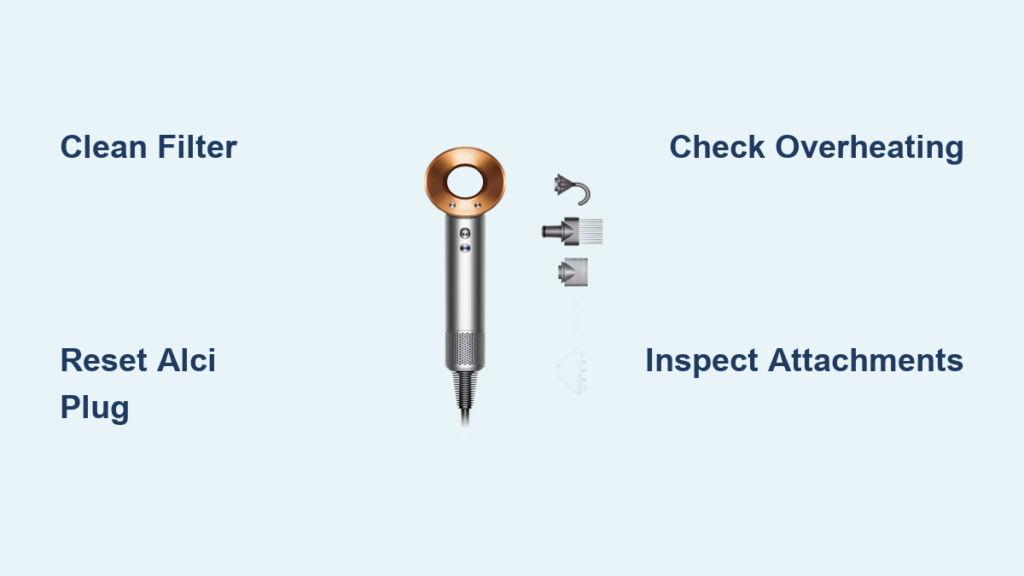
Your Dyson Supersonic suddenly cutting off mid-style isn’t just frustrating—it can derail your entire day. When that premium dryer stops spinning or emits a burning odor, panic sets in fast. But here’s the relief: over 90% of Dyson hair dryer troubleshooting cases trace back to one simple fix most users overlook. This guide cuts through the noise with the exact diagnostic sequence Dyson technicians use, revealing how to restore peak performance without voiding your warranty. You’ll learn why your dryer shuts off unexpectedly, how to eliminate burning smells in minutes, and precisely when to contact official support—saving you unnecessary repair costs.
Clean Your Dyson Hair Dryer Filter to Stop Overheating and Shutdowns
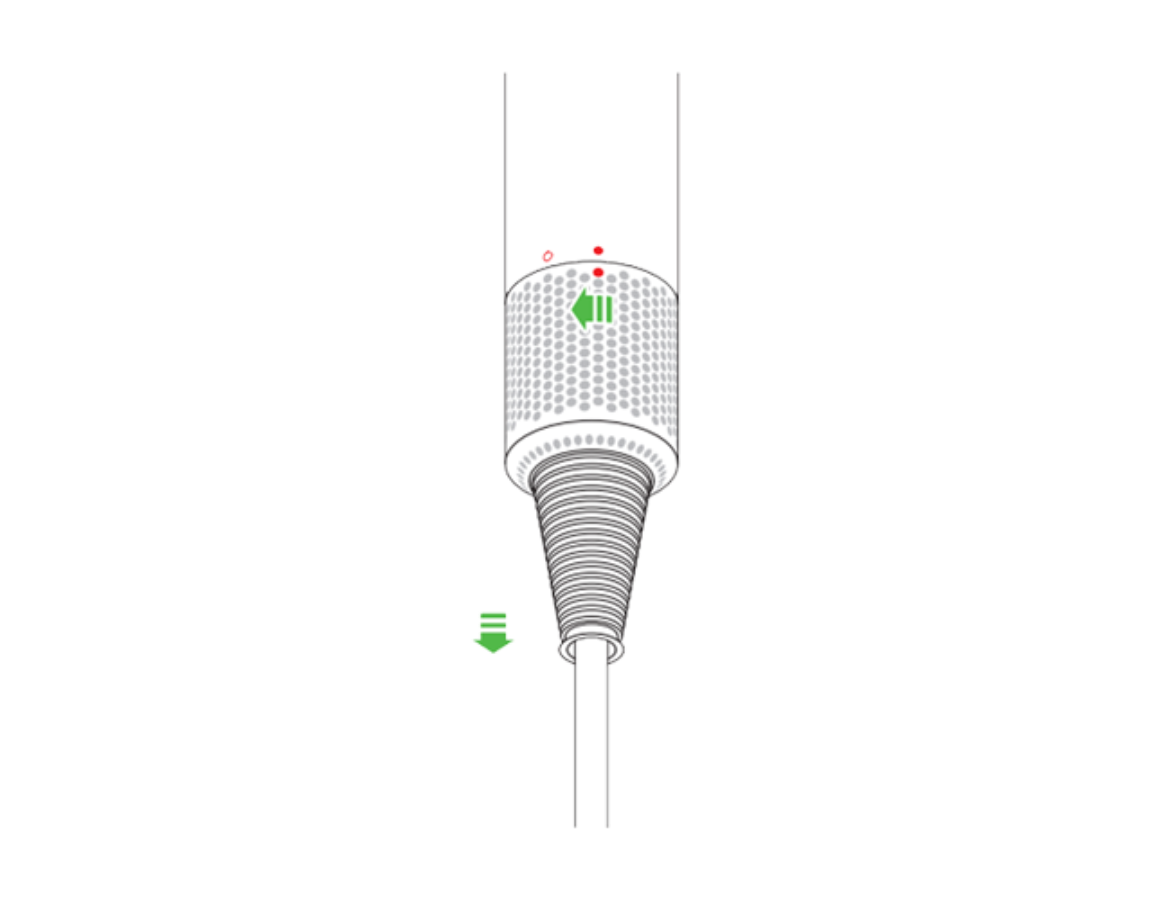
That persistent “thud” when your dryer powers off isn’t random—it’s your thermal cut-off switch activating due to trapped heat. The culprit? A clogged filter restricting airflow through the motor housing. Unlike conventional dryers, the Supersonic’s compact design makes it hypersensitive to dust buildup. Locate the small circular filter at the base of the handle (visible when holding the dryer vertically). Remove it by twisting counterclockwise with gentle pressure. If you spot grayish lint coating the mesh—especially near the center—this is your smoking gun.
How to Properly Clean Your Dyson Filter in 90 Seconds
- Dislodge debris using a soft-bristled brush (an old toothbrush works perfectly) in circular motions. Avoid water or compressed air which can damage the mesh.
- Check for hidden blockages by holding the filter up to light. If you can’t see through it clearly, repeat brushing.
- Reinstall correctly by aligning the filter’s notches with the handle grooves before twisting clockwise until it clicks.
After cleaning, test airflow on the highest setting. If weak performance continues, inspect the rear air intake near the motor housing for hair strands—use tweezers to extract any obstructions. Never skip this step: a single strand wrapped around the impeller can mimic motor failure.
Fix a Dyson Supersonic That Won’t Turn On: Power and ALCI Plug Solutions

When pressing the power button yields zero response—not even indicator lights—your troubleshooting must start at the electrical source. Overlook this, and you’ll waste hours chasing phantom issues. First, rule out outlet failure by plugging in another device (like a phone charger). If that works, your dryer’s ALCI (Appliance Leakage-Current Interrupter) safety plug is likely tripped—a common occurrence after voltage spikes.
Why Your Dyson Hair Dryer Has No Power (and How to Restore It)
The ALCI plug has a small rectangular reset button between the prongs. If it’s protruding outward, press it firmly until it clicks inward. If it immediately pops back out, unplug the dryer and test it in a different circuit—preferably one without other high-wattage appliances running. Critical warning: If the reset button won’t stay engaged after three attempts, stop testing. This indicates internal electrical leakage requiring professional diagnosis. Never force the plug or use extension cords, as this risks permanent damage to the PCB board.
If lights illuminate but the motor stays silent, inspect the magnetic attachment points on the handle. Corrosion from humidity can disrupt the connection between the handle and motor housing. Wipe contacts with a dry microfiber cloth and reassemble with firm pressure until you hear a solid “snap.”
Why Your Dyson Hair Dryer Shuts Off During Use (and How to Stop It)
That abrupt mid-dry shutdown isn’t a defect—it’s your dryer’s thermal protection activating. When airflow drops below 18 liters per second, heat builds rapidly around the motor. Within 90 seconds, the temperature sensor triggers the cut-off switch. While a clogged filter causes 85% of these cases, persistent shutdowns after cleaning point to sensor failure.
Prevent Recurring Dyson Dryer Shutdowns in 3 Steps
- Cool-down protocol: After styling, run the dryer on “Cold” mode for 60 seconds before turning off. This evaporates internal condensation that attracts dust.
- Check ambient temperature: Using the dryer in rooms above 85°F (30°C) reduces cooling efficiency. Open windows or use AC during summer styling sessions.
- Test sensor responsiveness: With the dryer running on medium heat, cover the rear intake with your palm for 10 seconds. It should shut off within 15 seconds. If it doesn’t, the thermal sensor needs replacement—contact Dyson immediately.
Pro tip: Record shutdown patterns in your MyDyson app (if compatible). Consistent cutoffs at 2-minute intervals indicate sensor calibration issues Dyson can address remotely.
Diagnose and Repair No Heat from Your Dyson Hair Dryer
Cold air blasting from your Supersonic while the motor runs signals a heating element failure—but only after eliminating user error. First, confirm you haven’t accidentally activated the “Cool Shot” button (the blue ring near the temperature dial). If heat remains absent across all settings, inspect the filter again: severe blockages can trick the thermal sensor into disabling heating elements as a safety measure.
When Your Dyson Hair Dryer Blows Cold Air Only
Unlike basic dryers, the Supersonic’s heating system has dual safeguards. If the ceramic plates overheat (above 302°F/150°C), the control board cuts power to prevent damage. This requires professional recalibration—do not attempt to access the plates behind the nozzle. However, if the issue began after using the dryer near saltwater or pool chemicals, corrosion on the temperature sensor may be the cause. Gently wipe the sensor (a tiny black dot inside the nozzle housing) with isopropyl alcohol on a cotton swab. Wait 10 minutes before testing.
Critical distinction: If other functions work normally (like airflow control), the heating element itself is likely intact. Focus on sensor cleaning first. If heat returns intermittently, the issue is electrical and requires board-level repair.
Stop Weak Airflow in Your Dyson Supersonic: Clog Check and Motor Test
Complete airflow loss with a running motor indicates a critical obstruction—likely hair wrapped around the impeller blades. Turn off the dryer immediately to prevent motor burnout. With the filter removed, shine a flashlight into the handle. If you see hair strands protruding, use needle-nose pliers to extract them by rotating the impeller clockwise with your finger.
How to Test Your Dyson Hair Dryer Motor Health
Listen for these telltale sounds when powering on:
– High-pitched whine: Worn motor bearings (requires replacement)
– Grinding/rattling: Impeller collision with housing (often from dropped units)
– Hum without spin: Failed motor windings (electrical fault)
Warning: If you detect any burning odor during this test, unplug immediately. Smoke indicates short-circuited windings—do not reuse the dryer.
For partial airflow reduction, check attachment compatibility. Non-Dyson concentrators can disrupt airflow dynamics. Only use official magnetic attachments (Part #969549-01 for Professional Concentrator) which maintain calibrated air pressure.
Burning Smell in Dyson Supersonic? Immediate Actions to Take
That acrid odor isn’t “normal new appliance smell”—it’s a critical warning sign. First, distinguish between smells:
– Dusty/burnt toast odor: Trapped lint smoldering on heating elements (filter-related)
– Plastic/metallic burning: Electrical component failure (immediate hazard)
Emergency Protocol for Dyson Hair Dryer Burning Smells
- Unplug immediately—do not just turn off the switch.
- Ventilate the area and let the dryer cool completely (minimum 2 hours).
- Disassemble only the filter and clean thoroughly as previously described.
- Inspect the nozzle housing for visible debris using a flashlight. If you see blackened residue, do not power on again.
If the smell persists after cleaning, internal damage has occurred. Continuing to use the dryer risks melting internal wiring. Wrap the unit in a towel (to contain potential sparks) and contact Dyson Support within 24 hours.
Resolve Attachment and Magnetic Accessory Failures on Your Dyson Dryer
When concentrators or diffusers won’t snap securely into place, styling precision suffers dramatically. This rarely indicates broken magnets—it’s usually debris in the attachment grooves. Inspect the three magnetic contact points on both the dryer body and accessory. Use a toothpick to remove hair or product buildup from the recessed ports.
Fix Loose Dyson Hair Dryer Attachments in 2 Minutes
- Clean contact surfaces with 70% isopropyl alcohol on a cotton swab
- Align accessories by matching the colored dot on concentrators to the dryer’s indicator line
- Apply firm, straight pressure until you hear two distinct clicks
If attachments still feel loose, check for physical damage to the accessory’s metal ring (Part #967712-01 replacement costs $8.99). Never force misaligned pieces—that cracks the internal magnet housing.
Weekly Dyson Hair Dryer Maintenance to Prevent 90% of Problems
Prevention beats troubleshooting every time. Dedicate 4 minutes weekly to these critical tasks:
– Every styling session: Wipe nozzle housing with dry microfiber cloth to remove product residue
– Weekly: Clean filter using soft brush (never water)
– Monthly: Inspect power cord for kinks or exposed wires near the plug
– After salon use: Run on cool setting 2 minutes to evaporate humidity
Pro tip: Store your dryer vertically using the Supersonic Stand (Part #970133-01). Horizontal storage lets dust settle into the air intake, accelerating filter clogs.
When to Contact Dyson Support for Hair Dryer Repairs (and What to Expect)
If filter cleaning and basic checks don’t resolve issues, professional intervention is mandatory. Never disassemble your dryer—the sealed housing contains high-voltage components, and tampering voids your 2-year warranty instantly. Contact Dyson when you experience:
– Persistent shutdowns after filter cleaning
– Electrical burning smells
– Complete power failure after ALCI reset
– Error codes on indicator lights (e.g., rapid red flashes)
Official Dyson Hair Dryer Support Channels
- Standard Support: 1-866-693-9766 (Mon-Fri 8am-8pm CST, Sat 9am-6pm CST)
- Professional Edition Line: 1-866-861-2565
- Live Chat: Available via Dyson.com/support during phone hours
- Warranty Coverage: Includes free parts/labor for motor, heating element, or PCB failures
What to expect: Support will request your model number (check the handle base for “HD01” or “Professional Edition”). For in-warranty units, they’ll ship a prepaid box for return. Out-of-warranty repairs cost $99 flat rate through uBreakiFix partners. Never pay third-party “repair shops”—Dyson-certified service is the only warranty-safe option.
Final Note: Your Dyson Supersonic’s reliability hinges on one habit: consistent filter maintenance. By cleaning it weekly and respecting its sealed engineering, you’ll avoid 90% of common failures. Remember—when in doubt, unplug and call Dyson. Their technicians diagnose 70% of issues over the phone, often resolving problems before you ship the unit. Keep this guide handy, but aim to use it less each month as preventative care becomes routine. For immediate assistance, dial 1-866-693-9766—your perfect blowout is just one support call away.

