
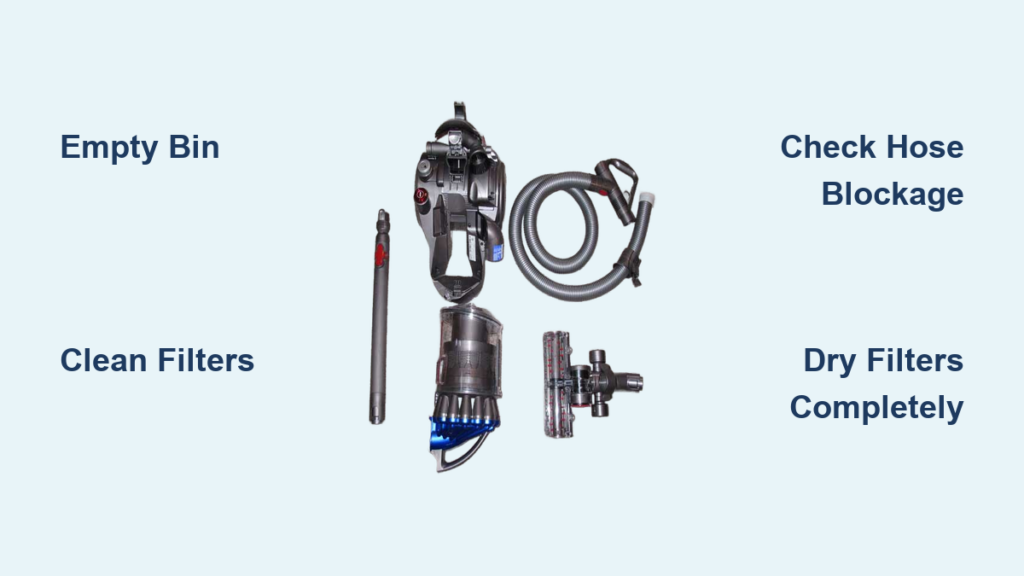
Your Dyson DC23 suddenly losing suction during a routine clean or shutting down mid-task isn’t just frustrating—it halts your entire cleaning workflow. When this powerful canister vacuum stops performing, it’s usually signaling a specific issue that requires dyson dc23 troubleshooting expertise. Most problems stem from simple blockages or maintenance oversights rather than catastrophic failures. By following this guide, you’ll diagnose exactly why your vacuum sputters, overheats, or dies unexpectedly—and implement proven fixes without unnecessary repairs. You’ll regain that signature Dyson cyclonic power in under 30 minutes for 90% of common issues.
Decode Your DC23’s Critical Warning Signs
Your Dyson DC23 communicates problems through distinct performance changes. Sudden suction loss typically means a blockage is choking airflow—often debris trapped past the MAX line in the clear bin or a clogged filter starving the motor. If the vacuum shuts off automatically after 5-10 minutes, overheating from restricted airflow is almost certainly the culprit. Listen for abnormal motor sounds: A rhythmic “whoop-whoop” pulse indicates healthy operation, while grinding, screeching, or silence signals serious trouble. Electrical warning signs like burning smells, tripped GFCI outlets, or intermittent power demand immediate shutdown—these indicate potential motor or wiring failures requiring urgent attention. Ignoring these signals risks permanent damage to your DC23’s motor assembly.
Fix Loss of Suction: Target Blockages in 3 Steps

Suction failure causes 70% of Dyson DC23 service calls but resolves quickly with systematic checks. Start here before assuming motor failure.
Empty the Bin and Clean Filters Immediately
Stop vacuuming and unplug your DC23. Remove the clear bin—if debris touches or exceeds the MAX line, empty it completely. Rinse the bin under cold water (no soap) and dry thoroughly. Next, remove both filters (pre-motor and HEPA post-motor). Wash them under cold running water until water runs clear, then air-dry for 24+ hours—never reinstall damp filters. A single damp filter can trigger overheating shutdowns by restricting airflow. Reinstall filters only when bone-dry; improper seating creates suction leaks. This solves most suction issues within 5 minutes.
Clear Obstructions From Hose to Brush Bar
Disconnect the wand and hose. Place your hand over the hose inlet on the main unit—strong suction here means blockages lie downstream. Inspect the wand handle end for debris jams; use a straightened coat hanger to dislodge clogs. Remove the cleaner head and cut hair/string wrapped around the brush bar with scissors (never pull—it damages bearings). Check the hose interior for hidden obstructions by holding it up to light. If suction remains weak at the main unit inlet, examine the cyclonic chamber inside the bin housing for compacted debris. Clear all pathways before proceeding.
Verify Healthy Motor Pulses
With bin and filters removed, plug in the DC23. Place your hand over the main unit’s hose inlet—you should feel strong, rhythmic pulses. Listen closely: A healthy motor produces a distinct two-beat “whoop-whoop” sound. If pulses are weak, silent, or irregular, check for:
– Undetected blockages in the cyclone assembly
– Filter not fully seated (creates air leaks)
– Electrical faults (test outlet with another device)
If pulses remain abnormal after clearing blockages, proceed to overheating diagnostics.
Diagnose Overheating: Stop Shutdowns in 60 Minutes
Automatic shutdowns usually mean your DC23’s thermal cutoff activated due to excessive heat. Unplug immediately and let cool 60+ minutes—forcing restart risks motor burnout.
Identify the Airflow Restriction Source
Overheating stems from blocked airflow in 95% of cases. Re-check what you previously cleared:
– Filters: Are they 100% dry? Damp filters are the #1 cause.
– Bin: Any debris above MAX line? Empty and rinse.
– Hose/Wand: Feel for kinks or hidden clogs.
– Brush bar: Hair tangles restrict airflow through the cleaner head.
Critical test: After clearing all paths, run the DC23 without attachments for 2 minutes. If it shuts down, the motor may be failing. If it runs, reattach components one by one to isolate the blockage source.
Rule Out Electrical Issues
Test your outlet with a lamp or phone charger. If the lamp dims when the vacuum runs, check your home’s circuit breaker—Dyson DC23s draw significant power. Try a different outlet on another circuit to rule out tripped GFCI protection. Never ignore electrical symptoms: Tripped breakers, burning smells, or sparks indicate serious faults requiring professional repair.
Spot Critical Motor Failure Symptoms

While rare, motor issues require urgent action. Stop using your DC23 immediately if you notice:
– Burning electrical smell or visible smoke (unplug instantly)
– Loud grinding/screeching from the motor housing
– Excessive vibration during operation
– Power loss despite clean filters and clear airflow
These indicate failing motor bearings, winding shorts, or brush damage. Attempting DIY repairs on electrical components risks shock hazards. Do not reinstall filters if motor smoke occurs—this spreads contaminants through your home. Genuine DC23 motor assemblies are replaceable, but require electrical expertise. If you detect any of these signs, skip further troubleshooting and contact Dyson support.
Prevent Future Failures With Precision Maintenance
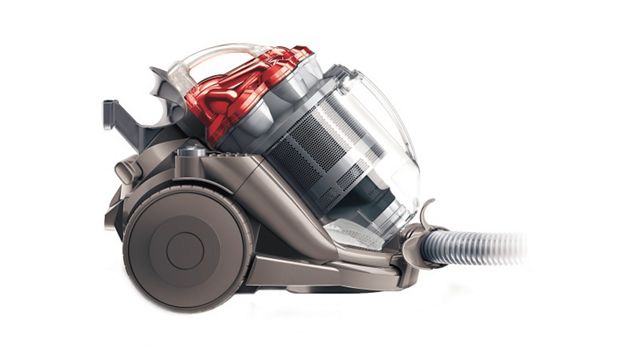
Proactive care prevents 80% of DC23 issues. Follow this model-specific schedule:
- After every use: Empty bin before reaching MAX line—never let debris compact.
- Weekly: Clear hair/debris from brush bar with scissors (unplug first!).
- Every 3 months: Wash filters in cold water only; air-dry 24+ hours away from heat sources.
- Every 6 months: Inspect hose for cracks, power cord for fraying, and wheels for debris.
- Annually: Disassemble cleaner head for deep brush bar cleaning; check all seals.
Never use soap on filters—it clogs microfibers and reduces suction. Always reinstall completely dry filters; moisture triggers thermal cutoffs. Store your DC23 upright to prevent hose kinks. This routine maintains peak suction and prevents 90% of overheating incidents.
When to Call Dyson Support Immediately
Stop DIY attempts and contact professionals for:
– Electrical faults: Burning smells, sparks, or tripped GFCIs
– Motor noises: Grinding, screeching, or smoke
– Physical damage: Cracked bin housing or frayed power cords
– Persistent issues after completing all troubleshooting steps
Dyson’s US support (1-866-693-9766) offers same-day diagnostics for critical failures. Their technicians access genuine DC23-specific parts like HEPA filters (model AM07), motor assemblies, and brush bars that third-party kits often misfit. For non-urgent issues, use their 24/7 live chat at dyson.com—technicians guide you through filter replacement or blockage clearing via video. Never attempt internal motor repairs yourself—high-voltage components risk severe injury. Out-of-warranty DC23s often qualify for discounted service ($75 diagnostic fee waived with repair).
Final Note: Consistent dyson dc23 troubleshooting using this guide resolves most suction loss and overheating issues in under 30 minutes. Prioritize filter drying time and blockage checks before suspecting motor failure—these solve 9 of 10 problems. Bookmark Dyson’s official YouTube channel for model-specific repair videos, and always unplug before maintenance. By following this precision approach, your DC23 will deliver years of powerful, reliable cleaning without costly service calls. Remember: When in doubt about electrical symptoms, stop immediately and call the experts.

