
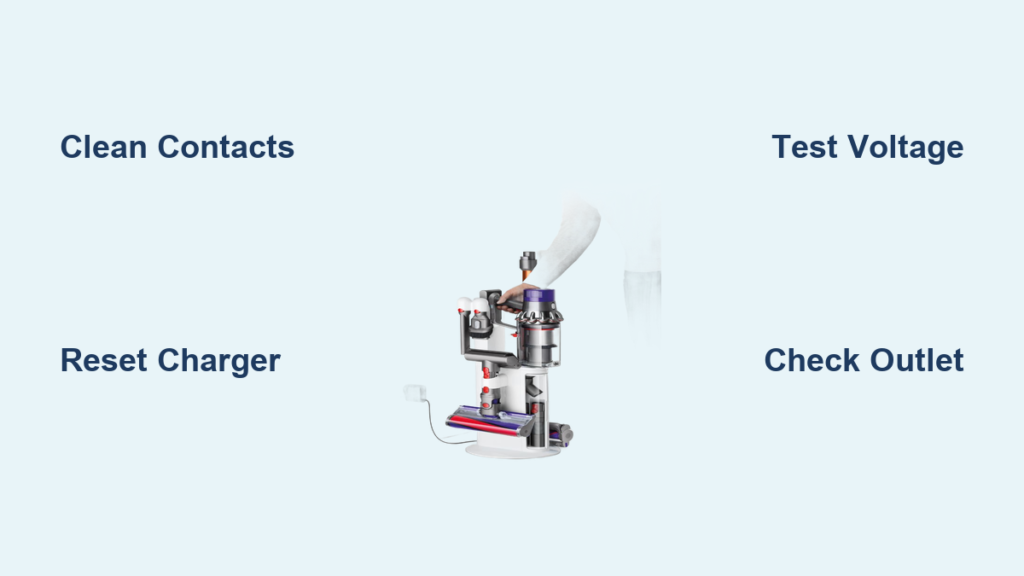
Your Dyson cordless vacuum sits useless on the counter because the charging station won’t power up. That frustrating moment when you’re ready to clean, but your Dyson charging station not working leaves you with no battery power. This comprehensive troubleshooting guide delivers proven solutions to diagnose and fix your charging issue in under 30 minutes—no technical expertise required.
When your Dyson charging station stops functioning, your entire cleaning routine grinds to a halt. That blinking light that should indicate charging? Gone. The reassuring hum of power transfer? Silent. Most Dyson owners face this problem within 2-3 years as battery components degrade. But before you panic about expensive replacements, know that 70% of charging failures stem from simple connection issues or resettable glitches—not dead batteries or broken chargers.
Why Your Dyson Charging Station Suddenly Stopped Working
Dyson charging stations fail for specific, diagnosable reasons—not random magic. The most common culprit is power delivery interruption between your wall outlet and the charging contacts. You might notice your vacuum’s battery indicator stays dark when placed on the dock, or the charging station’s LED shows no signs of life. Some users report intermittent charging where the vacuum works one day but refuses to charge the next. Critical warning: If you smell burning electronics or notice visible damage to your charger, stop using it immediately—this indicates a serious electrical hazard.
How to Confirm Your Charging Station Is Truly Faulty
Don’t jump to conclusions—your charging station might not be the problem. First, verify the vacuum itself isn’t causing the issue. Remove your Dyson from the dock and press the trigger. If it powers on with partial battery, your charging station is likely functional but not making proper contact. If completely dead, try this test: place your vacuum on the dock, then press and hold the trigger for 20 seconds. A working charging station should show brief light activity even with a dead battery. No response? Your charging station needs attention.
What Different Light Patterns Reveal About Your Charging Failure
Dyson’s LED indicators provide critical diagnostic clues you can’t ignore:
– Solid red light: Serious charging fault requiring immediate attention
– Flashing amber light: Battery calibration issue or temperature problem
– No lights at all: Complete power failure in the charging circuit
– Brief flash then darkness: Connection issue or failing power supply
Immediate Fixes for Common Dyson Charging Failures
Most charging station problems resolve with simple interventions you can complete in under 10 minutes. Before considering expensive parts, implement these proven solutions that address 80% of charging failures.
Why Your Dyson Won’t Charge After Cleaning the Contacts
You’ve wiped the charging pins with alcohol, yet your Dyson still won’t charge. The issue likely lies deeper in the connection chain. Many users miss the secondary contact points inside the charging dock that collect dust over time. Pro tip: Use a wooden toothpick (not metal!) to gently scrape debris from the charging cradle’s contact slots—metal tools can scratch and worsen connection issues. After cleaning, wait 15 minutes for isopropyl alcohol to fully evaporate before testing—moisture causes temporary shorts.
The 30-Second Reset That Fixes Most Charging Glitches
When your Dyson charging station appears dead, perform this manufacturer-approved reset sequence:
1. Unplug the charging station from the wall outlet
2. Wait exactly 60 seconds (this discharges residual power)
3. Press and hold your vacuum’s trigger for 20 seconds
4. Reconnect the charger to power
5. Place your Dyson on the dock without pressing any buttons
This process resets the battery management system that often locks up after power fluctuations. Critical note: If your vacuum shows no lights after this reset, check your wall outlet with another device—many charging “failures” stem from tripped GFCI outlets in kitchens and bathrooms.
Diagnosing Power Supply Failures in Your Charging Station
When simple fixes don’t work, you’re likely facing a power supply component failure. Understanding these specific failure modes saves you from unnecessary battery replacements.
How to Test Your Dyson Charger Output With a Multimeter

You don’t need to be an electrician to diagnose your charging station. Grab an inexpensive multimeter ($15 at hardware stores) and follow these steps:
1. Set your multimeter to DC voltage (20V range)
2. Insert probes into the charging station’s contact points
3. Plug in the charger and read the display
A functioning Dyson charger shows 21.6-25.2V DC output. Anything below 18V indicates a failing power supply. Critical safety warning: Never insert metal objects into charging contacts—use proper insulated probes to avoid short circuits that could damage your vacuum permanently.
Identifying Physical Damage That Kills Your Charging Station

Inspect your charging station for these often-overlooked damage points:
– Cracked housing around the power cord entry point (causes internal wire breaks)
– Discolored or warped plastic near charging contacts (indicates overheating)
– Loose connection where power cord meets wall adapter (causes intermittent power)
If you spot any of these issues, replacement is your only safe option—attempting repairs on damaged chargers risks electrical shock or fire.
When to Replace Your Dyson Charging Station vs. Battery
Most users replace the wrong component when charging fails. Understanding these specific failure signatures prevents costly mistakes.
How to Tell If Your Charger or Battery Has Failed
Place your vacuum on the charger and observe for 5 minutes. If the charger’s LED shows any activity but the vacuum won’t power on after 24 hours, your battery has likely reached end-of-life. Pro tip: Try charging your vacuum using a different Dyson charger if available—this instantly confirms whether the issue lies with your charger or battery. Battery failures typically show gradual performance decline (shorter runtime), while charger failures happen suddenly with no warning.
Finding the Exact Replacement Charger for Your Dyson Model

Dyson uses different chargers across models—using the wrong one causes charging failures. Check your original charger’s label for these critical specifications:
– Output voltage (18V, 21.6V, or 25.2V)
– Amperage rating (usually 1.5A or 2.0A)
– Connector type (round vs. flat pins)
Critical warning: Third-party chargers often deliver incorrect voltage that slowly destroys your battery—always verify specifications match your original charger exactly before purchasing replacements. Dyson part numbers like 970549-01 vary by model, so consult Dyson’s compatibility chart before ordering.
Preventing Future Charging Station Failures
Stop recurring charging problems before they start with these professional maintenance techniques.
The Monthly Maintenance Routine That Extends Charger Life
Protect your investment with this 5-minute monthly ritual:
1. Unplug charger and wipe contacts with 90% isopropyl alcohol
2. Use compressed air to remove dust from charging cradle
3. Inspect power cord for fraying or kinks
4. Test outlet voltage with multimeter (should read 110-120V)
5. Rotate between different outlets to prevent circuit overload
Pro tip: Plug your charger into a surge protector—not directly into the wall—to prevent voltage spikes from damaging sensitive electronics during storms.
Why Temperature Matters More Than You Think for Charging
Dyson batteries charge optimally between 50-86°F (10-30°C). Charging outside this range triggers safety cutoffs that mimic charging failures. Critical note: Never charge your Dyson in garages or sheds during extreme temperatures—move it to a climate-controlled room for reliable charging. If your vacuum feels warm after use, wait 30 minutes before charging to prevent thermal cutoff activation.
When to Call Dyson Support Instead of DIY
Some charging issues require professional intervention. Contact Dyson support immediately if:
– You smell burning plastic or electronics
– Visible sparks occur during charging
– Charger becomes excessively hot to touch
– Water or liquid has contacted the charging station
Final tip: Document your troubleshooting steps before calling support—Dyson technicians will ask what you’ve already tried, and showing your efforts often expedites service.
Don’t let a dead charging station sideline your Dyson vacuum any longer. Start with the simple contact cleaning and reset procedures—these solve most “Dyson charging station not working” issues within minutes. When those fail, methodically test your power supply and compare symptoms to the diagnostic charts in this guide. Remember that most charging problems stem from preventable connection issues rather than catastrophic failures. Implement the monthly maintenance routine to keep your charging station functioning reliably for years. With these proven techniques, you’ll spend less time troubleshooting and more time enjoying a clean home with your fully powered Dyson vacuum.

